Introduction
This node allows to link to another already existing Redshift material and to read out its Surface, Displacement or Environment and to make this information available for any other Redshift material.
Have a look at the following image for a better understanding.
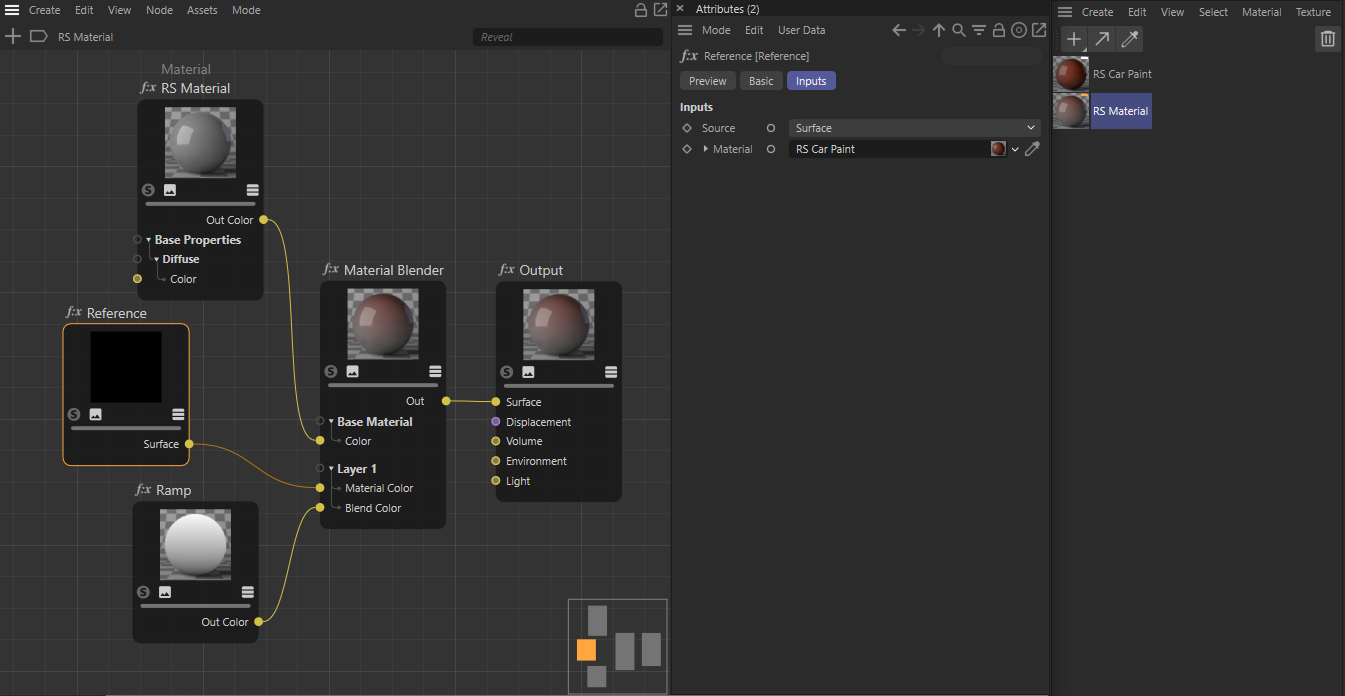
As you can see on the right side of the image, we have two materials in the Material Manager, a Redshift Car Material and a basic Redshift Material.
We open up the basic material in the Node Editor and add the Reference node to the setup. By dragging the Car Paint material from the Material Manager to the Material slot of the Reference node, we gain access to that material and can reference it for example for use with the Material Blender.
The advantage of such a structure is that you can use one material and make other dependent materials from it.
The Reference node can also be used to bring Redshift material networks created in the expresso shader graph into the new Redshift node editor. This makes it possible to use both shading graph types in the same scene. 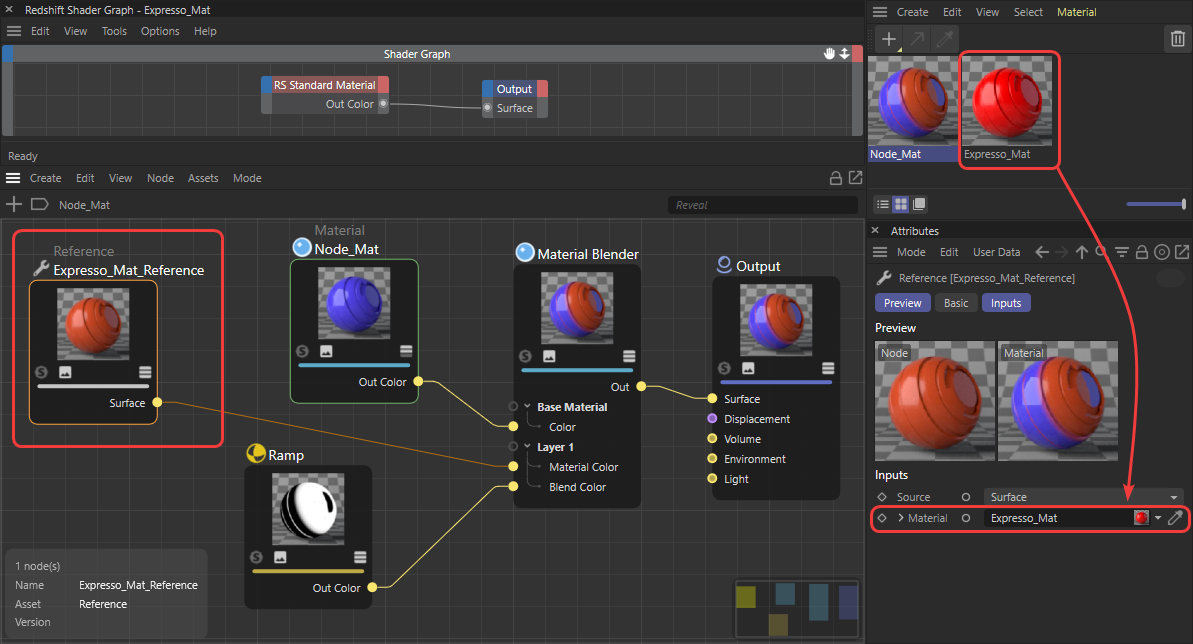
Material
Use this to link to a material.
Source
Choose which information you like to reference from the linked Material. You can choose between:
- Surface: This is the BSDF surface information, as it is connected to the Surface input of the materials Output node.
- Displacement: You can find the materials displacement information here, as it is connected to the Displacement input of the materials Output node.
- Environment: You can find the materials environment information here, as it is connected to the Environment input of the materials Output node..