
Volume Object Field Layer
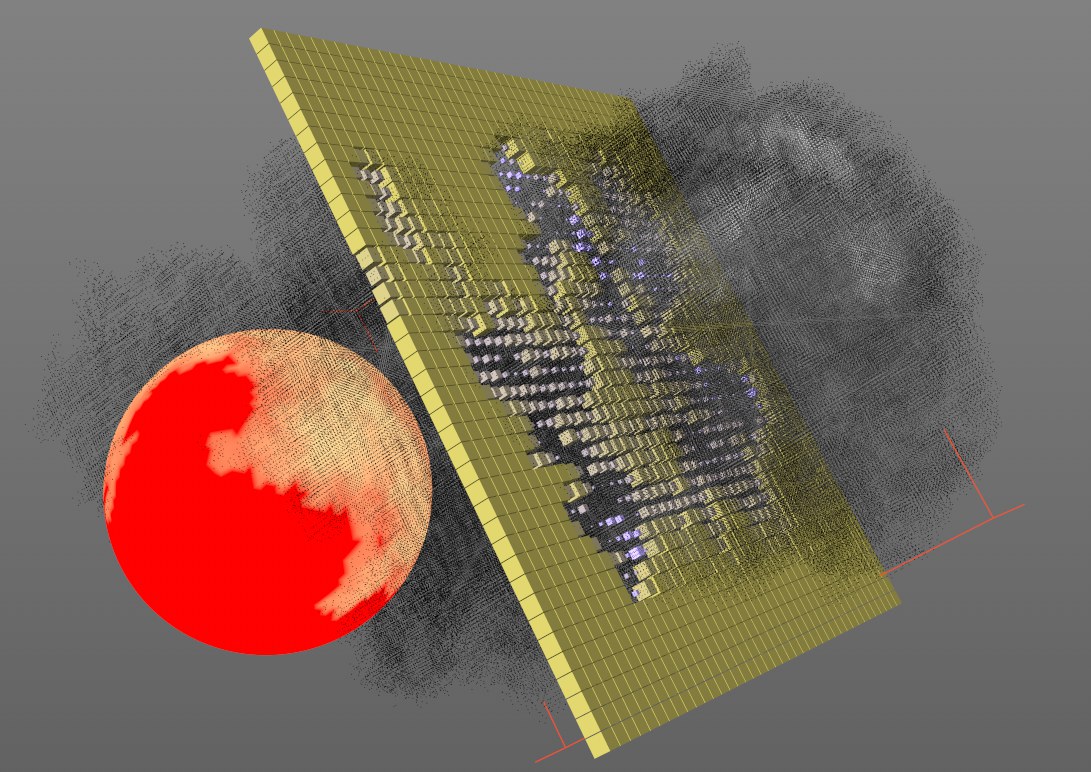 A Volume object affects a Vertex Map and a group of clones.
This Field creates a connection to the Volumes in Cinema 4D. Volume Builders, Volume Sets, Volume Objects, etc., can be applied directly in the Field list. Don't forget that objects that are made up of Voxels are grid-shaped objects that have a value for each Voxel. These values can be read ("sampled") by a Volume Object Layer and in turn create an effect using Effectors, Deformers, tags, etc.
Fog objects can mostly be used directly (since these have values in the area of 0 and 1). The Distance Field object is somewhat more complicated since its Voxel values lie outside of the range 0-1. Therefore, the following is suggested:
- Disable the value clamp (Clamp button) for the Volume Object Field Layer
- Disable both Clamp Min and Clamp Max options in the Remapping tab for the Volume Object Field Layer (the Max setting may also have to be adjusted here)
Volume objects can either:
-
be selected in the Viewport or Object Manager when a Volume Object Field is called up
or - be dragged and dropped into the Field list