
Tag Properties
Use this setting to define the angle to which two neighboring surfaces should be rounded. To do so, activate the Angle Limit option and enter the desired angle here.
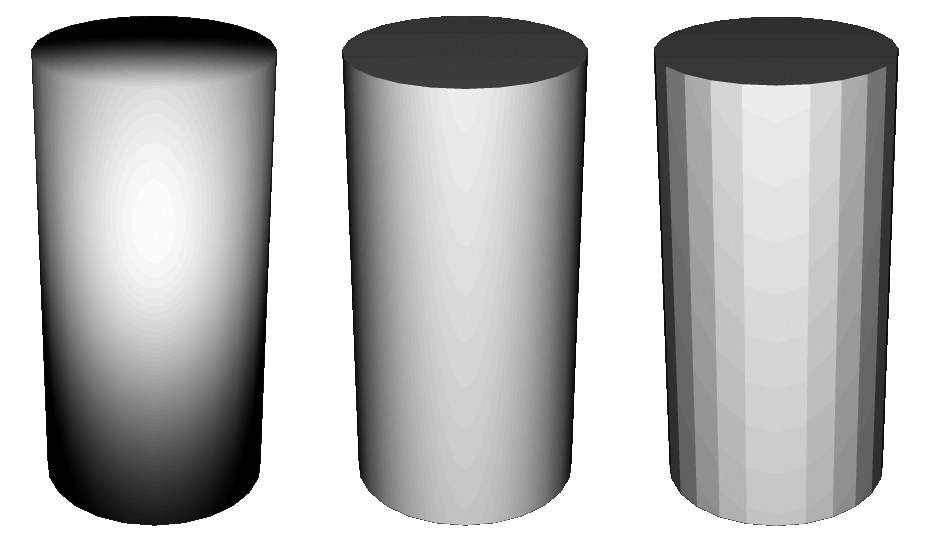
The effect of this function is shown in the example below. A simple cylinder was used as a test object. The image at the left Phong Angle was applied without Angle Limit, in the center Angle Limit was set to 89.5° and the cylinder at the right has no Phong Angle applied.
When calculating smoothed objects, Cinema 4D always assumes the polygons (and their Normals vectors) are oriented uniformly. If they are not, shadow anomalies can occur when the image is rendered. All primitives, though, have a uniform orientation.
When in edge mode, Cinema 4D allows you to break the Phong shading along edges using the Break Phong Shading command (Mesh menu).
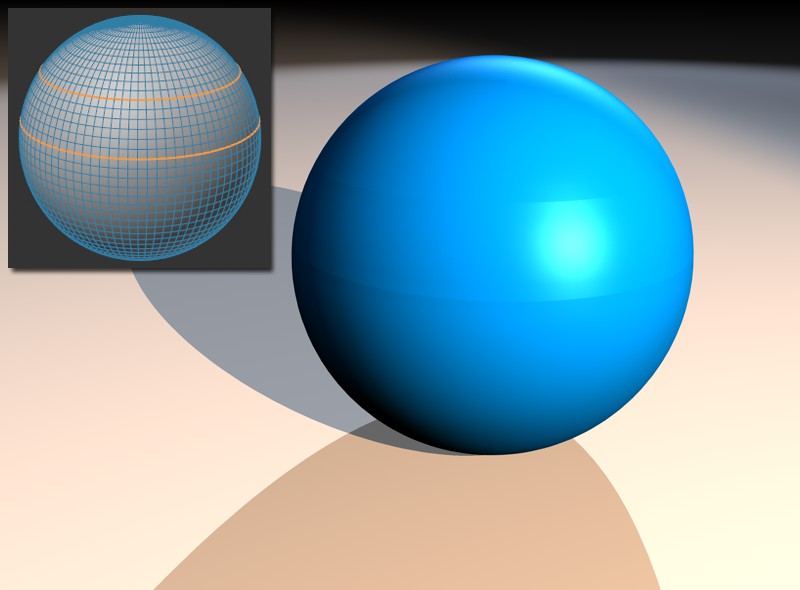 The edge breaks in red and the rendered result.
When breaking individual edges, the effect will only occur if the end points of the edge are surrounded by connected polygons (Break Phong Shading – menu). In the following illustration, the effect of breaking will be visible for edge A, but not for edge B.
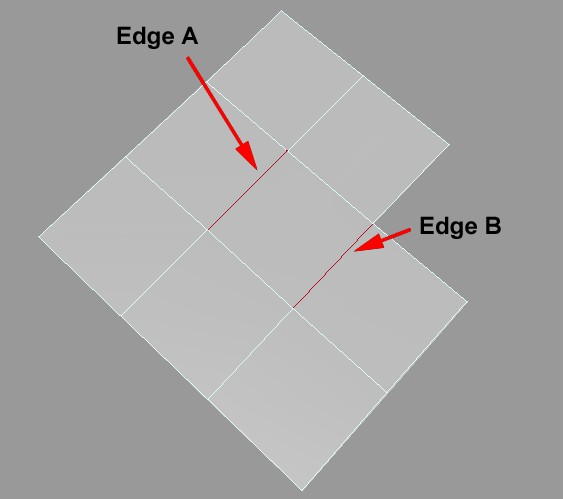
You can enable or disable the effect via the Use Edge Breaks option.
The following types of Generators object make use of these new Phong features: Extrude, Lathe and Sweep. To see the difference, select the Generator object's Phong tag and in the Attribute Manager, disable the Use Edge Breaks option. Provided the option is enabled, the edges will be sharp.
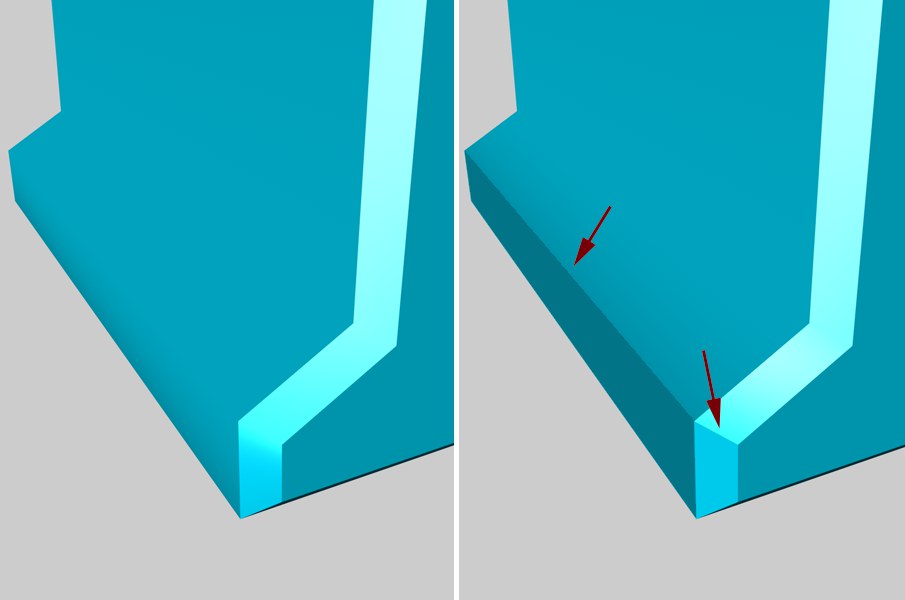 Left: Use Edge Breaks disabled; Right: Use Edge Breaks enabled
These settings relate to how Cinema 4D handles the automatic orientation of the Vertex Normals and therewith the shading.
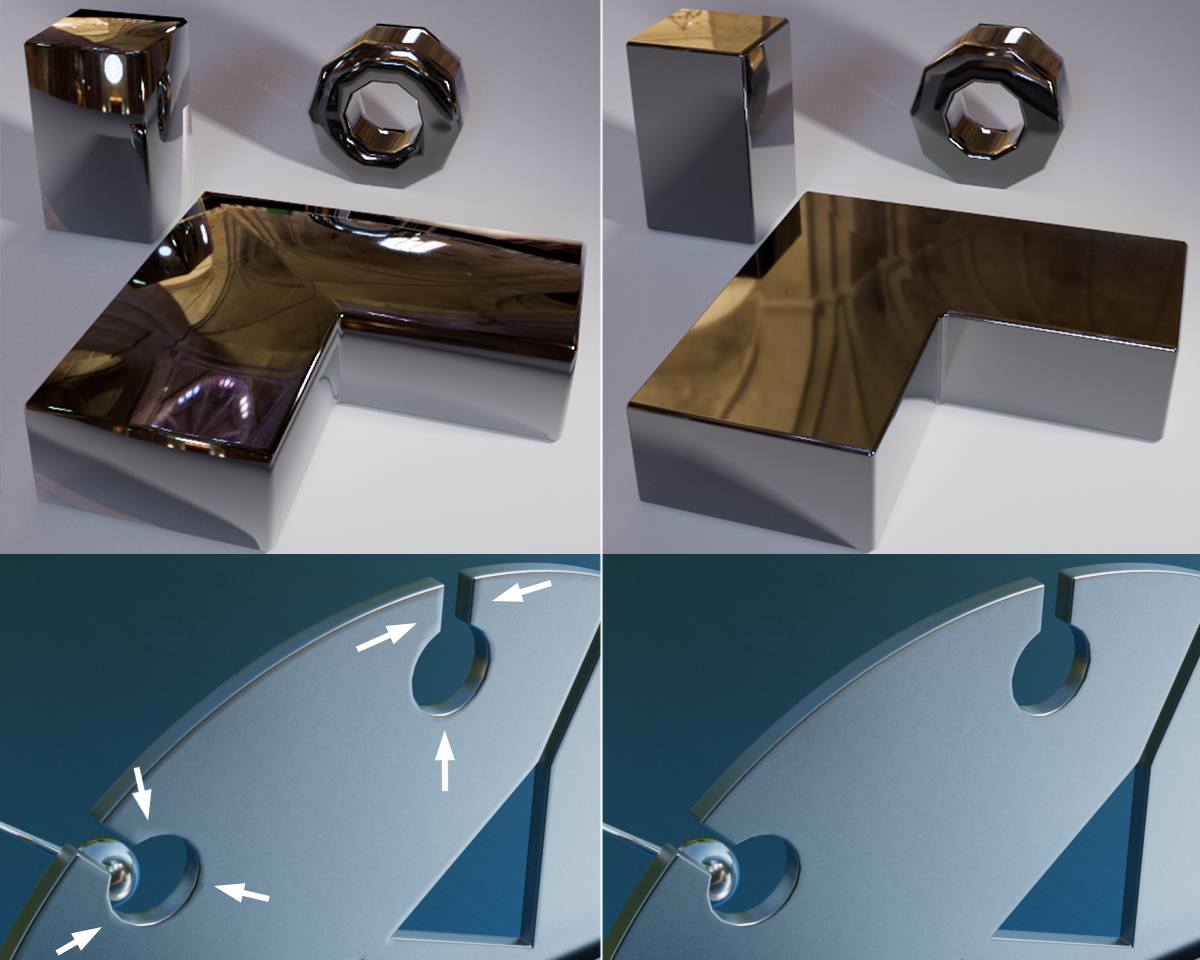 Even reflections use Vertex Normals. On the left, Style is set to Uniform (reflects older Cinema 4D versions), which results in problematic reflections; on the right each with an area weighting. Note the marked problematic regions at the bottom half of the image, which result from Boolean operations.
You primarily have to decide which affect large and small polygons (area effect) and the angle (angle weighting) of the edges that merge at the mesh point will have on the automatic calculation of the Vertex Normal's direction.
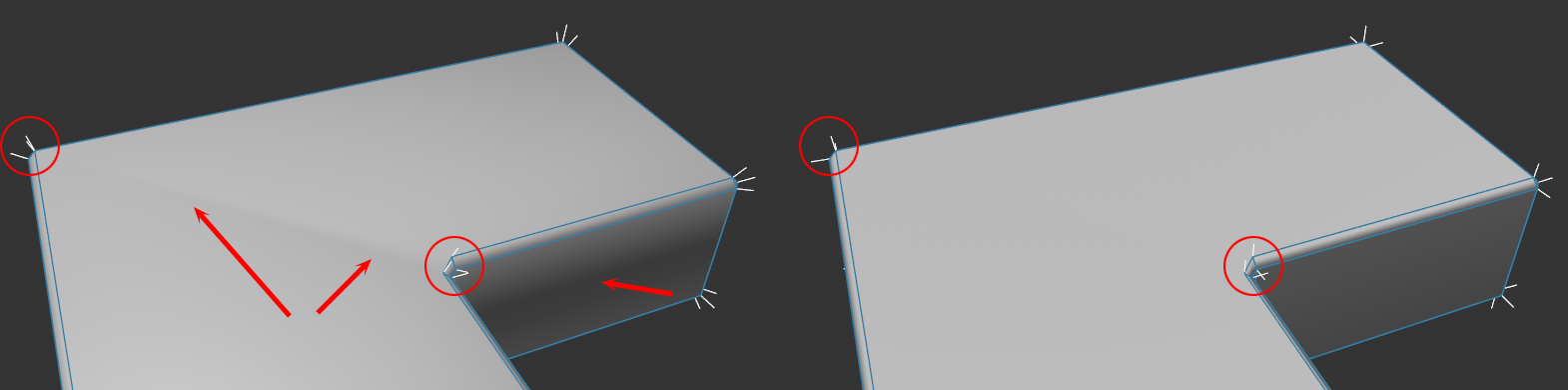
In the example above you can see on the left a Uniform Style and one of the area weightings on the right. As you can see, the faulty shading disappeared on the very long, marked triangles. The Area options offer good results in particular in conjunction with beveling or complex Boole object setups.
Since these are very technical functions, we will only briefly describe the cases in which each option will work best. The best method is, by the way, trial and error, i.e., if it looks good, you've found the right function.
Uniform
This is the method used in older versions of Cinema 4D, which doesn't weight all angles or areas and simply uses an average of all Polygon Normals involved.
Angle Weighted
Here, all angles will be taken into consideration. This mode works similarly to the way the Standard or Physical renderers work internally.
This function works particularly well with triangulated meshes, i.e., those made up of triangles.
Area Weighted
Here, area size ratios are taken into consideration, which means that the large surface on top has a much larger effect at a beveled edge than the narrow beveled surfaces. This, for example, reduces the effect of long triangles that would otherwise produce shading errors. This method is particularly well-suited for beveling. It keeps you from having to subdivide the bevel for better edge shading, for example.
Angle and Area Weighted
Here, both aforementioned functions are combined. Here, triangulated meshes also work best.
Square Area Weighted
Works like Area Weighted only more emphasis will be placed on the inclusion of larger polygons. This can help prevent artefacting when working with complex N-gons.
Click on this button if you want to create a Normal tag from the Vertex Normals currently defined by the Phong tag (see also Normal tag).
If a Normal tag already exists, this button will be grayed out; it will also be grayed out if the Phong tag is assigned to a primitive or a Generator.