
Particle Node Modifier
You can find this special modifier in the Simulate menu of Cinema 4D within the Modifiers subgroup. Double-clicking on the icon of this modifier in the Object Manager opens the Node Editor in capsule mode and allows you to add nodes there in order to evaluate property data of the particles and perform mathematical calculations with them, for example. This opens up completely new possibilities for particle control.
This modifier is therefore somewhat different from the other particle modifiers, as you can use Scene Nodes to describe a function for influencing the particles yourself. Please note that nodes are generally calculated via the CPU, but the other particle modifiers are accelerated via the GPU, i.e., the graphics card. The Particle Node modifier can therefore not be calculated quite as quickly as the other particle modifiers, but this is compensated for by the flexibility in configuring your own functions for manipulating particle properties.
By manually reading and processing particle properties within this modifier, completely new functions can be designed that cannot be implemented in this way or can only be implemented in a much more complicated way with the existing modifiers. You have access to each individual particle and can also restrict the effect using fields, e.g., spatially.
You can also use it to process your own particle properties, for example by integrating the Get Particle Property Node. You can find out how to create and define your own particle properties in the explanations on the Particle settings of the Simulte Scene.
The following example demonstrates how self-created properties are first created for the particles, then assigned current properties of the particles via a Math modifier and finally read out within a Particle Node modifier. The use of fields to spatially restrict the effect can also be seen there.
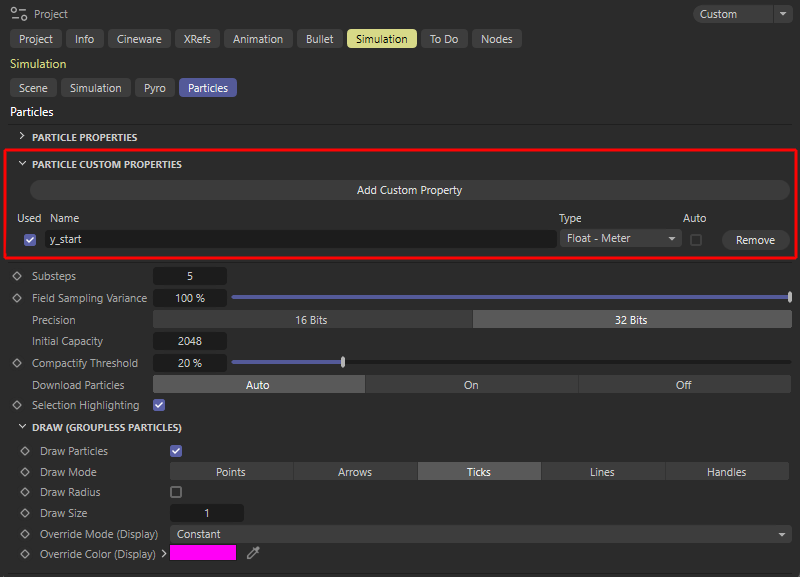 First, a new user property with the name "y_Start" is created here in the simulation settings for the particles, which uses the floating point meter data type. This value should equal the Y-position of each newly born particle at a Base emitter.
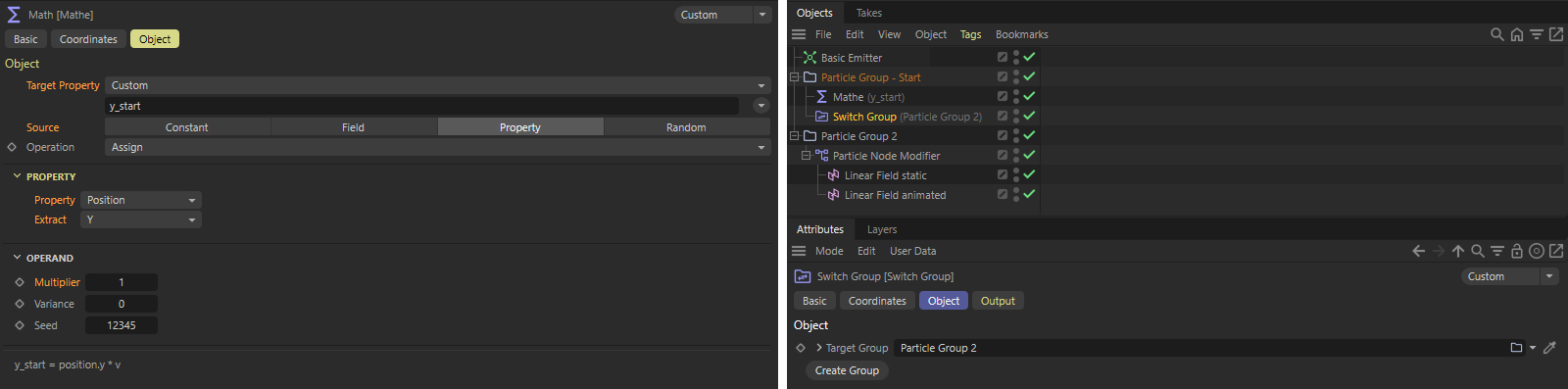 A Math modifier reads the Y-position of the particle and transfers it to the previously defined user property of the particle. Since a group change of the particles takes place immediately afterwards, the custom property only receives its Y start position once, directly after the creation of a particle at the Base emitter. These can then be accessed at any time within the subsequent Particle Node modifier in order to restore the original Y-position of each particle.
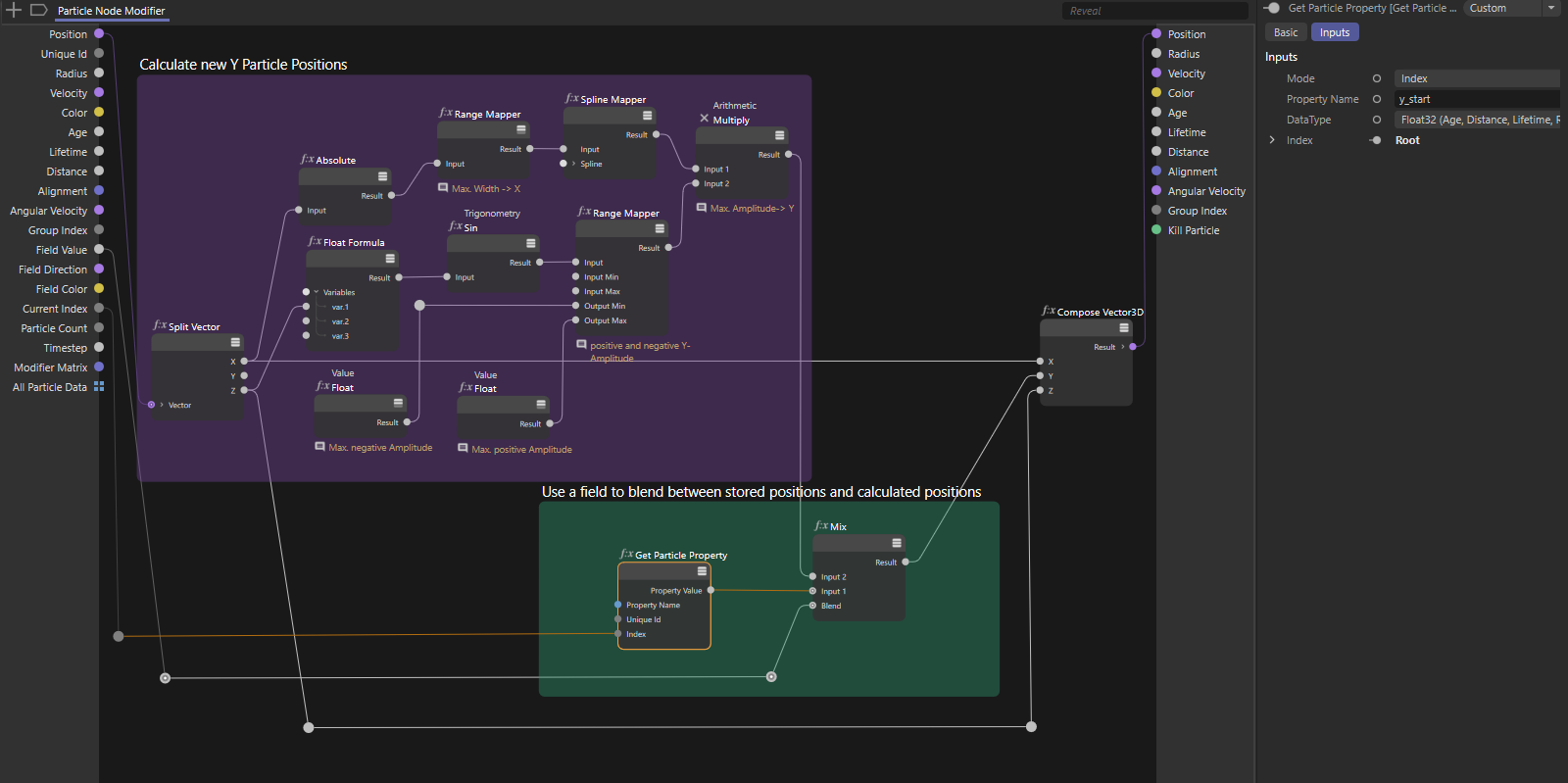 The part of the circuit highlighted in purple calculates a sinusoidal oscillation of the particle Y positions. However, this new position is mixed with the field strength to the stored Y-position at a Mix Node in the part of the circuit highlighted in green. This means that the particles that are outside the fields always return to their original Y-position.