Collision Deformer

Use this deformer to simulate interactions between objects. The object in question can be physically deformed when it encounters another defined object. Imagine the object as a soft surface that is pushed or pulled when it collides with another object.
This is a good way to make objects react to collisions. Or to simply squeeze soft areas (imagine a corpulent character whose fat belly is compressed when leaning on a table - or a character steps on a soft surface and compresses it under his foot).
To make the deformer work, simply make it the child-object of the object to be deformed. Then define the object with which you want to collide. To do this, drag it into the Objects field in the 'Colliders' tab. From now on, the object belonging to the deformer is pressed or stretched whenever it comes into contact with the other object.
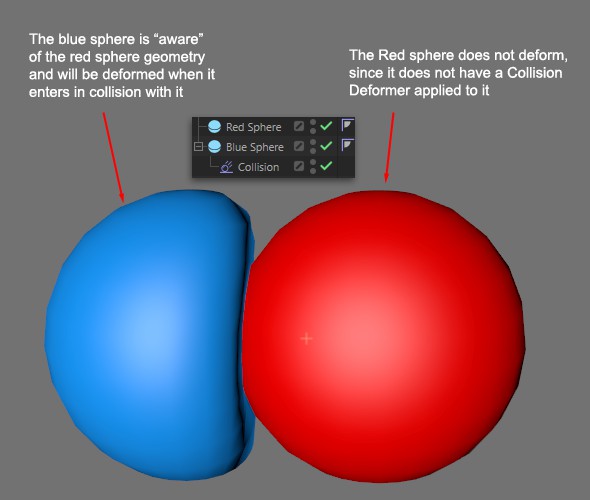
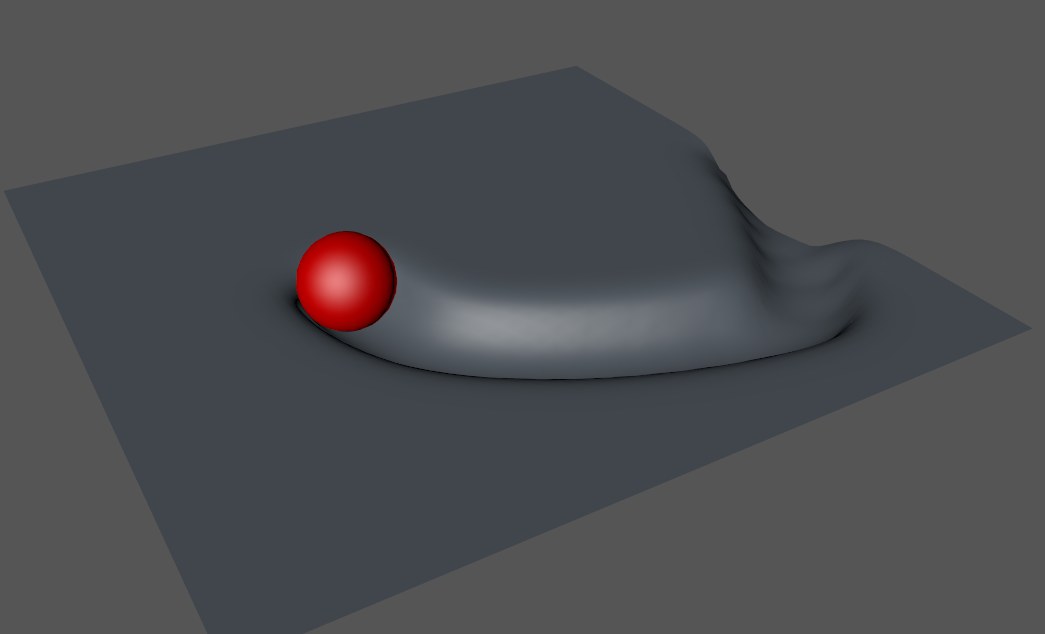 The Collision Deformer can also be used for imprints in snow. Here the sphere leaves a track in the ground on its way.
Example

 Skin object with regard to the hierarchy. This is the only way to calculate its deformation according to the Skin-object deformation.
Also keep in mind that collision objects work best when they have a volume. Therefore, make sure that the floor planes also have a small volume (if they are to collide with the object to be deformed).
A
 Jiggle deformer can also be used to simulate liquid-like deformations. To use the Jiggle Deformer in combination, it should be placed in front of the Collision Deformer.