---
title: "Create Outline"
url: "https://help.maxon.net/c4d/en-us/Content/html/5622.html"
section_path: "Spline Menu > Create Outline"
command_id: "14003"
description: "This tool also works interactively. Select the tool and drag left or right within the Viewport to create an outline around the original spline."
---
# Create Outline
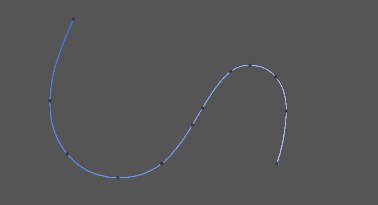
This tool also works interactively. Select the tool and drag left or right within the Viewport to create an outline around the original spline.
| | |
| --- | --- |
| 
Before. | 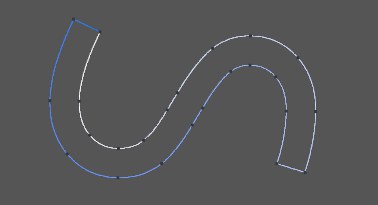
After. |
The entire spline is outlined. For best results, the spline's points should be planar. If the original spline is closed then the outline is created as a new segment with a reversed point order compared to the original. If the spline is open, by default the new spline will be connected to it, thus creating a closed spline.
# Options
### Create New Object
If this option is enabled, the original spline is not changed. The outline is created as a new spline object. The original spline remains selected.
### Distance
Defines the distance of the outline from the original spline. Since only the vertices are duplicated, the outline cannot always be kept parallel, particularly if the points are non-planar.
> **Tip:** For best results, use a Linear or Bezier spline.