AO
Overview
Ambient Occlusion (AO) is a shading technique that was developed back in the time when global illumination was impractical. Instead of shooting many rays and bouncing them around (which is what is needed for global illumination), ambient occlusion was used to detect the parts of the scene that are occluded from the rest of the environment (such as corners and creases).
Today's computers are much more powerful than when Ambient Occlusion was first developed and the use of global illumination is now the norm. This reduces the usefulness of ambient occlusion as a primary lighting technique. However, Ambient Occlusion to achieve different effects such as:
- Creating extra darkness/contrast in occluded areas for artistic reasons – when GI has failed to do so and has 'leaked' too much lighting in these areas (because of multiple bounces)
- Using it to implement techniques like 'dirtmaps' where shading is modified around occluded areas by blending different textures (such as moss)
The Ambient Occlusion node can be connected and combined with other rendering techniques which provides the user with a great degree of flexibility.
If you need to create a full-scene Ambient Occlusion pass please take a look at creating a Ambient Occlusion AOV.
Example
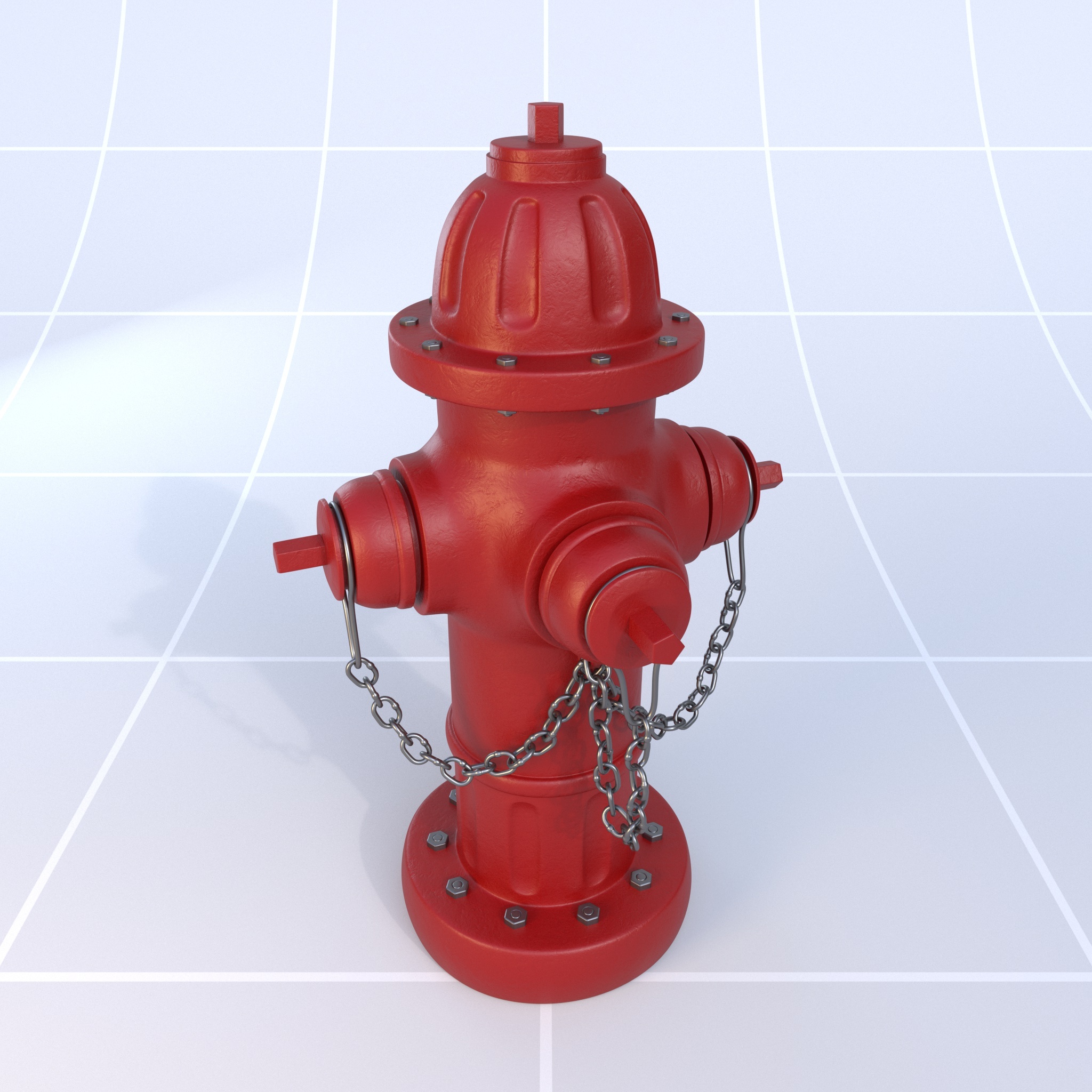
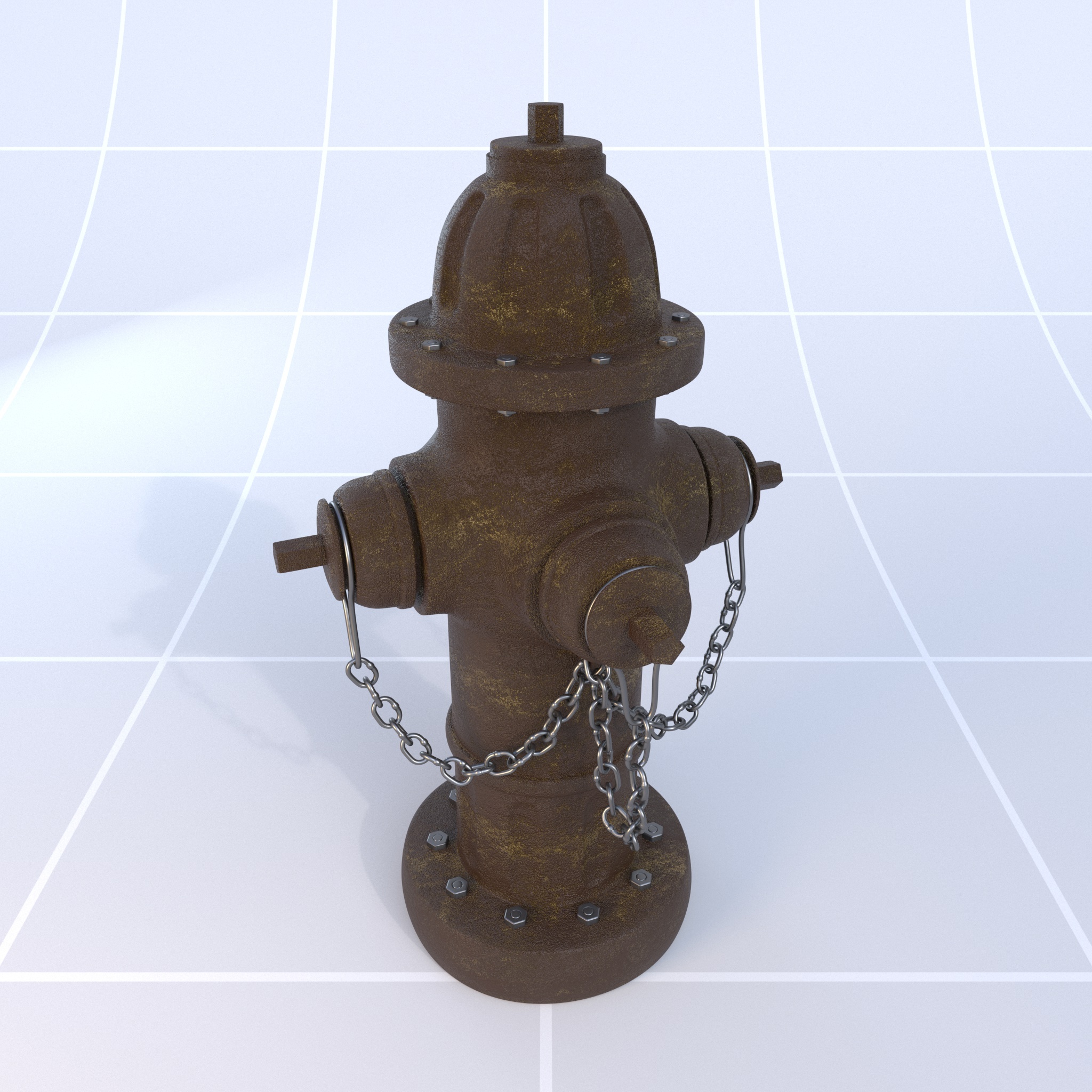
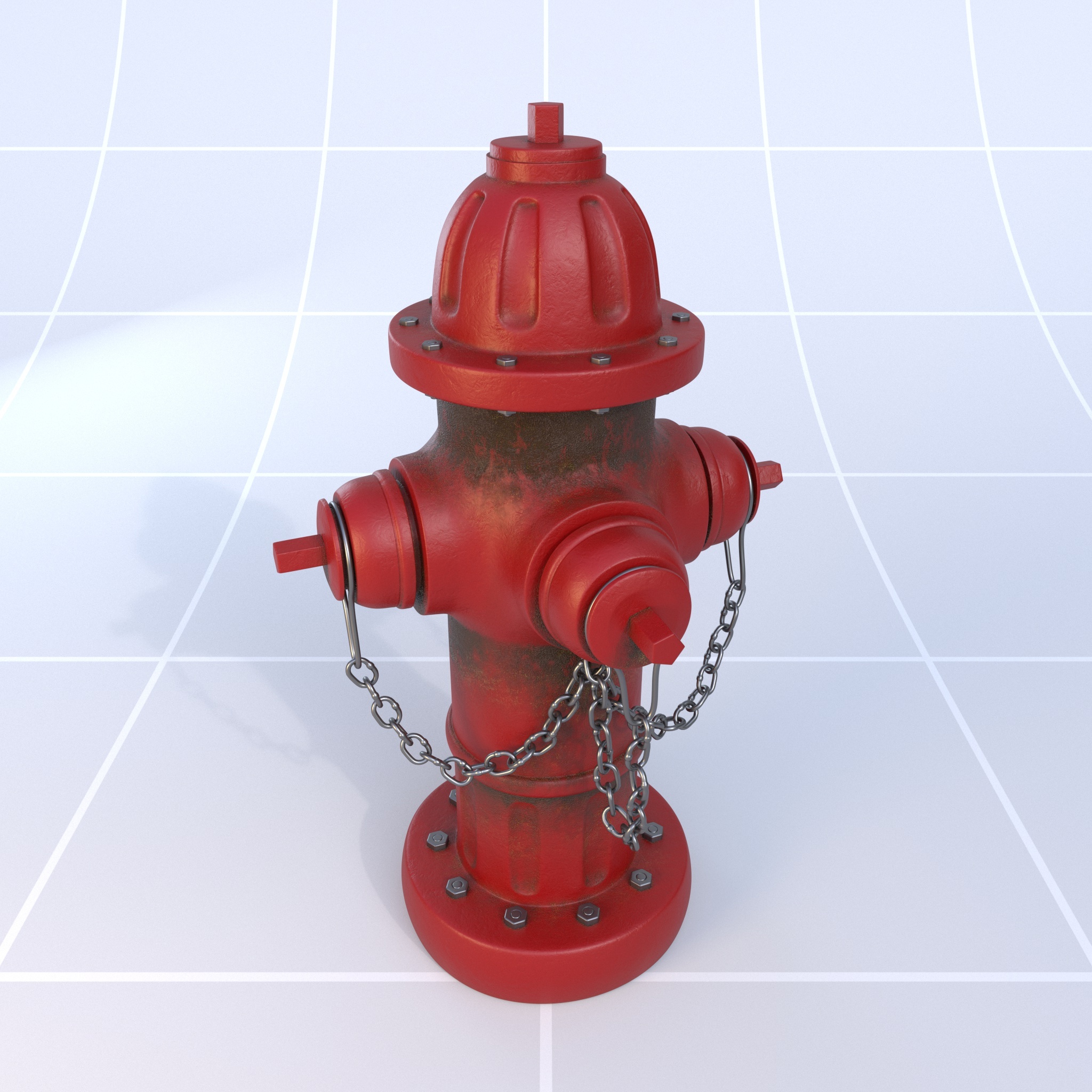
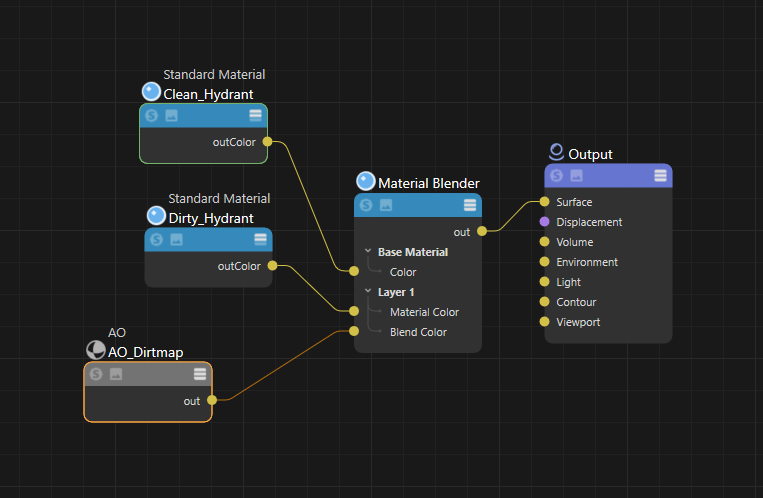
Here's an example of how to use the AO node to achieve a simple "dirtmap" type effect. The technique uses the result of a Y axis biased AO shader as a mask to blend between two different materials, a clean hydrant mat and a dirty hydrant mat. To achieve this, we use the output of the AO node to drive a Material Blender's blend color. By making use of the AO biasing the dirty hydrant shader is only revealed in occluded areas on the underside of the object.
|
|
|
| Base Color: Clean Hydrant | Layer 1 Color: Dirty Hydrant | AO Masked |
This is the shader graph used for this example.
|