 Cloud
Cloud
Cloud
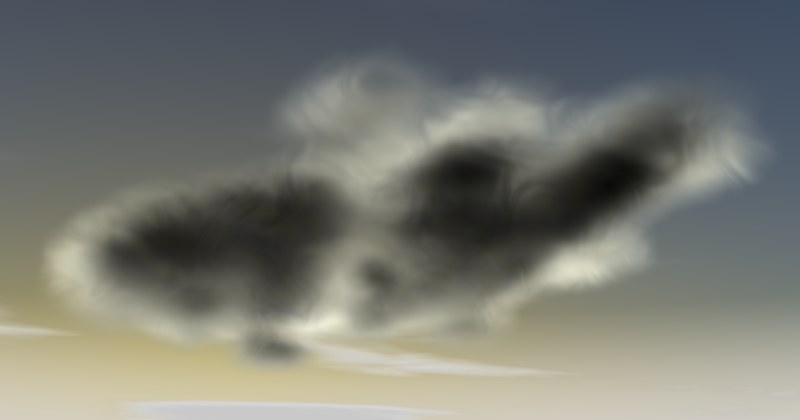
Contrary to 2D clouds, volumetric clouds are real 3D clouds, intentionally placed, with spatial dimensions. You can actually fly through volumetric clouds.
And this is how volumetric clouds are created
-
If you haven’t already done so, create a sky: Create / Physical Sky / Physical Sky /
Create Sky.
-
Make sure that the Volumetric Clouds option is
activated in the Sky Manager.
-
Select Create / Physical Sky / Cloud Tool. Rotate your editor view so you are
looking up at the sky, and paint a cloud formation by clicking with and dragging the left mouse button.
Avoid painting your clouds too close to the horizon since they will then be created too large.
-
If you want to create additional clouds, deselect all Cloud objects or click on the top-most Sky object in the
Object Manager’s hierarchy.
If you want to create a cloud manually, and initially without volume (Cloud), make the Cloud object a child of a Sky object.
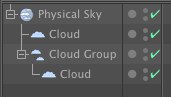 A volumetric cloud will only be rendered if it is a
child of a Sky object.
A volumetric cloud will only be rendered if it is a
child of a Sky object.
Existing volumetric clouds can be checked individually (single object Cloud) or as a group (object Cloud Group).
If you want to assign a specific shape to your cloud, simply create the shape and make it a child of the Cloud object.
You can use primitives, polygon objects, splines, even particles (make emitters or TP geometry objects (Thinking Particles)) a child of the Cloud object.
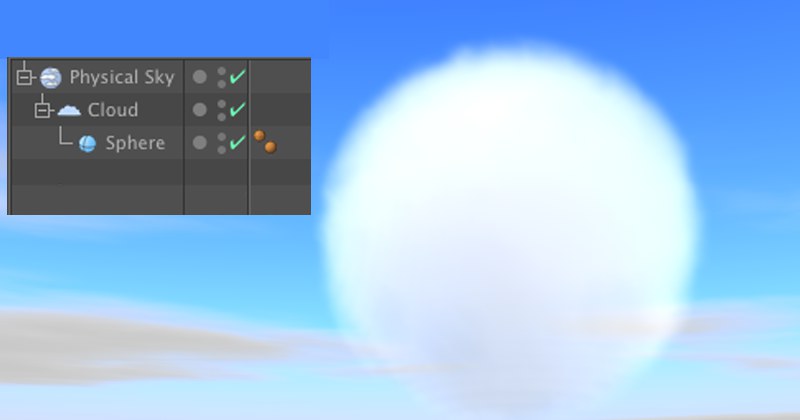 Objects can be used to define the shape of your
cloud (the cloud does not have to be part of a cloud group).
Objects can be used to define the shape of your
cloud (the cloud does not have to be part of a cloud group).
In fact, all you need to do is: Make the object a child of the cloud, wait until the cloud, or cloud formation, has assumed the object’s shape (the time this takes can vary, depending on size), and delete the object. The cloud will retain the shape of the object.
You can read more about creating cloud shapes in under Creating Clouds Quickly.
When moving clouds interactively, they can only be moved horizontally. The altitude of the clouds can be set in the Cloud object’s settings.