
Multi-Map
Overview
The Multi-Map node is an exclusive node to 3ds Max, it can assign colors or textures based on several predefined sources.
Examples
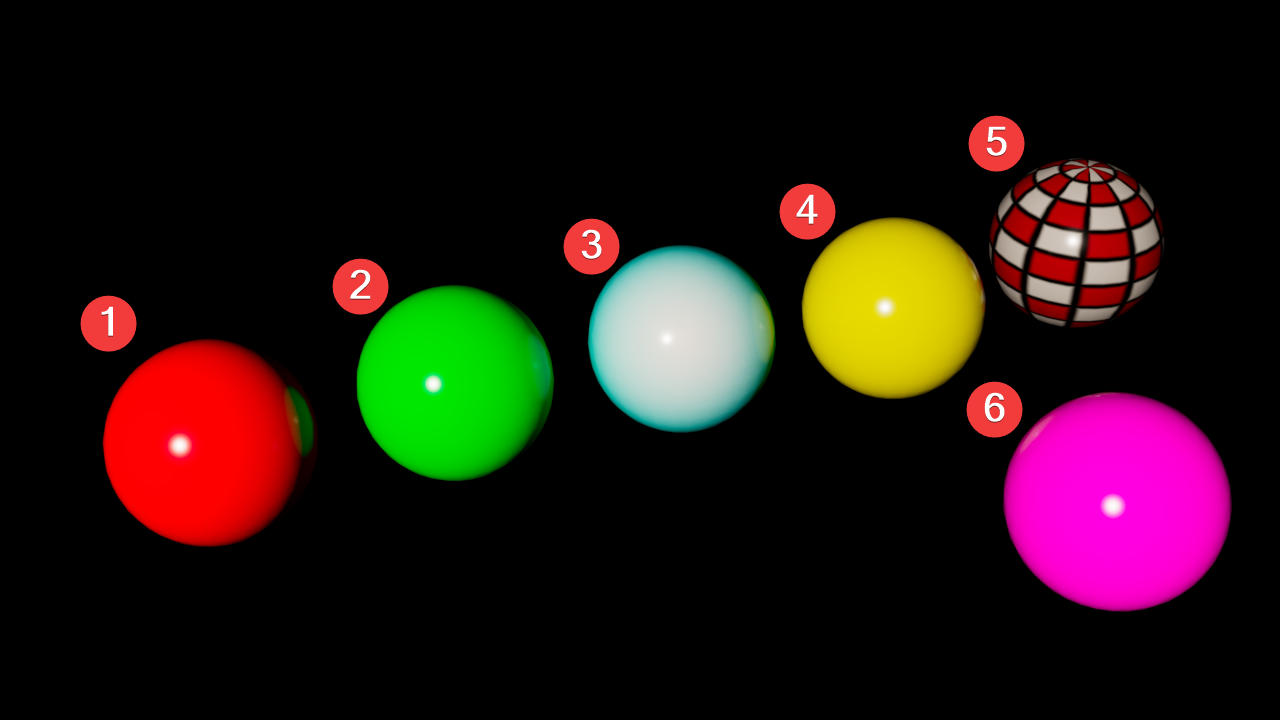
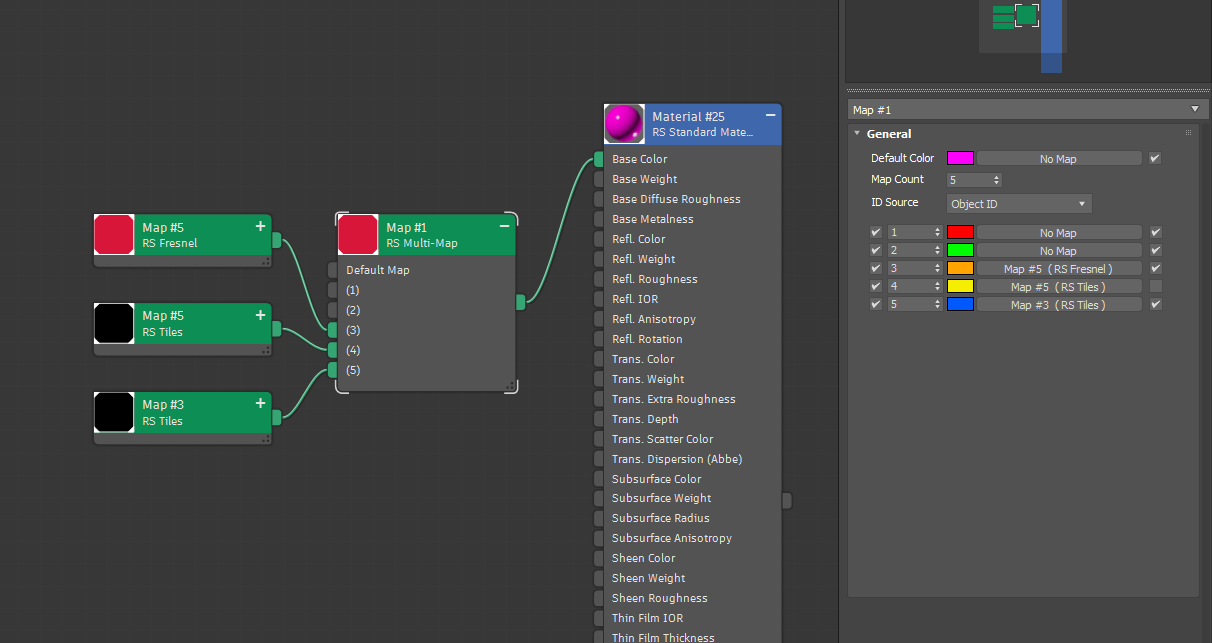
Use a Multi-Map node anywhere a color or texture is accepted to assign variation to that input. In the example below, a Multi-Map is used to vary the Base Color of a Standard Material across 6 objects. The Multi-Map uses the Object ID mode and each object was given a unique ID from 1 to 6. However, the Map Count is only set to 5 which results in the 6th object receiving the Default Color because it is out of range. Each ID is given its own unique color but objects 3, 4, and 5 also have a texture connected to them. Note that Object 4 has the texture disabled which reverts it back to its yellow ID color and object's 3 and 5 are not affected by their color swatch (orange and blue) because the connected texture takes priority.
|
|
Parameters
|
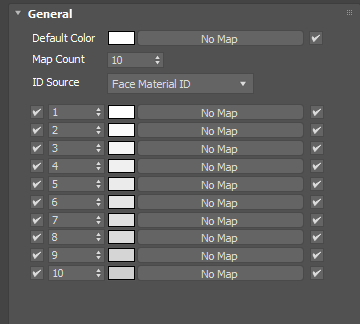
Default Color
Defines the color or texture map used when no ID is found or the ID value is out of range. For example, if you have a Map Count of 5 then objects with an ID of 6 or greater use the Default Color.
If a texture is connected the color swatch is not used.
Map Count
Controls the total number of IDs that can be defined. By default each ID is given a sequential value from 1 up to the Map Count but this can be manually customized per ID Color. For example, you can use a Map Count of 5 and provide inputs for IDs 5, 10, 15, 20, 25 instead of 1, 2, 3, 4, 5.
ID Source
Controls which data type is used as the source for texture assignments from the following options:
- Face Material ID - Uses the polygon Material ID assigned to each face.
- Object ID - Uses the Object ID for each object.
- Random by Node Handle - Randomly assigns colors based on an internal ID value that 3ds tracks automatically.
- Random by Object Name - Randomly assigns colors based on an object's name, if objects share the same name they will also share the same ID color.
- Random by Particle ID - Randomly assigns colors based on a particle's ID.
ID Color
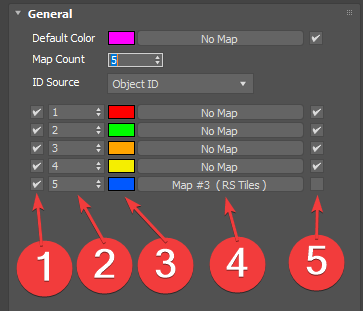
Each ID Color provides several options:
|
- ID Toggle - Enables or disables an ID assignment. When disabled, any matching ID uses the Default Color.
- ID Value - Controls which ID is used for assignment with the ID color. By default these are listed sequentially but they can be manually customized.
- Color - Defines the color. When a texture is used, this color has no effect.
- Texture Map - Defines the texture.
- Texture Toggle - Allows a texture to be enabled or disabled without disconnecting a texture map. When disabled, the color swatch is used.