
Alembic Procedural
Overview
The Alembic Procedural loads an Alembic file at render time with reduced extraction and processing time than if it were loaded directly into the scene using traditional means. To do this, create a Redshift Proxy in Maya and set the File Type to Alembic.
Parameters
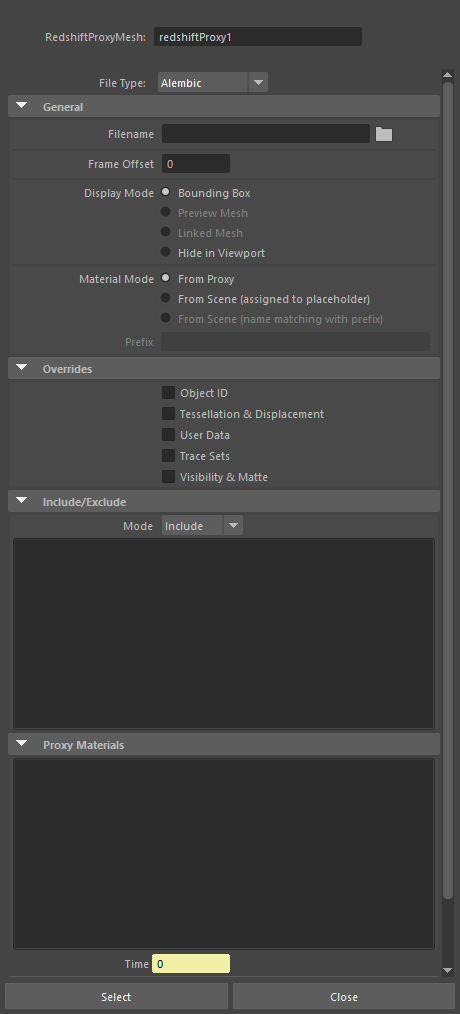
|
General
Filename
Load a Alembic file here.
Display Mode
Controls how the Alembic file is displayed in the viewport from the following options:
- Bounding Box: Displays a box around all contents of the Alembic file.
- Hide in Viewport: Alembic file is hidden in the viewport.
Overrides
Object ID
When disabled, the object ID settings embedded in the Alembic file are used. When enabled, the object ID can be overridden in the scene.
Visibility & Matte
When disabled, the visibility and matte settings embedded in the Alembic file are used. When enabled, visibility and matte settings can be overridden in the scene.
Time
By default time is linked to the scene time, but this value can be changed when retiming of the Alembic file is needed.