
Redshift Material Tools
Tools
Material Viewer
Redshift supports the Material Viewer in Maya's Hypershade context, this is great for quickly dialing in a material in a lightweight scene. You can change the rendered object, the HDRI dome light, and other settings like exposure across the top of the Material Viewer. Note, progressive rendering is not currently supported, camera changes only update after mouse-up, and the Material Viewer is disabled while using the IPR or offline rendering.
To enable this feature, a system environment variable must be used. Create the environment variable "RSMAYAMATERIALVIEWER_ENABLED" and set the value to 1 for enabled or 0 for disabled.
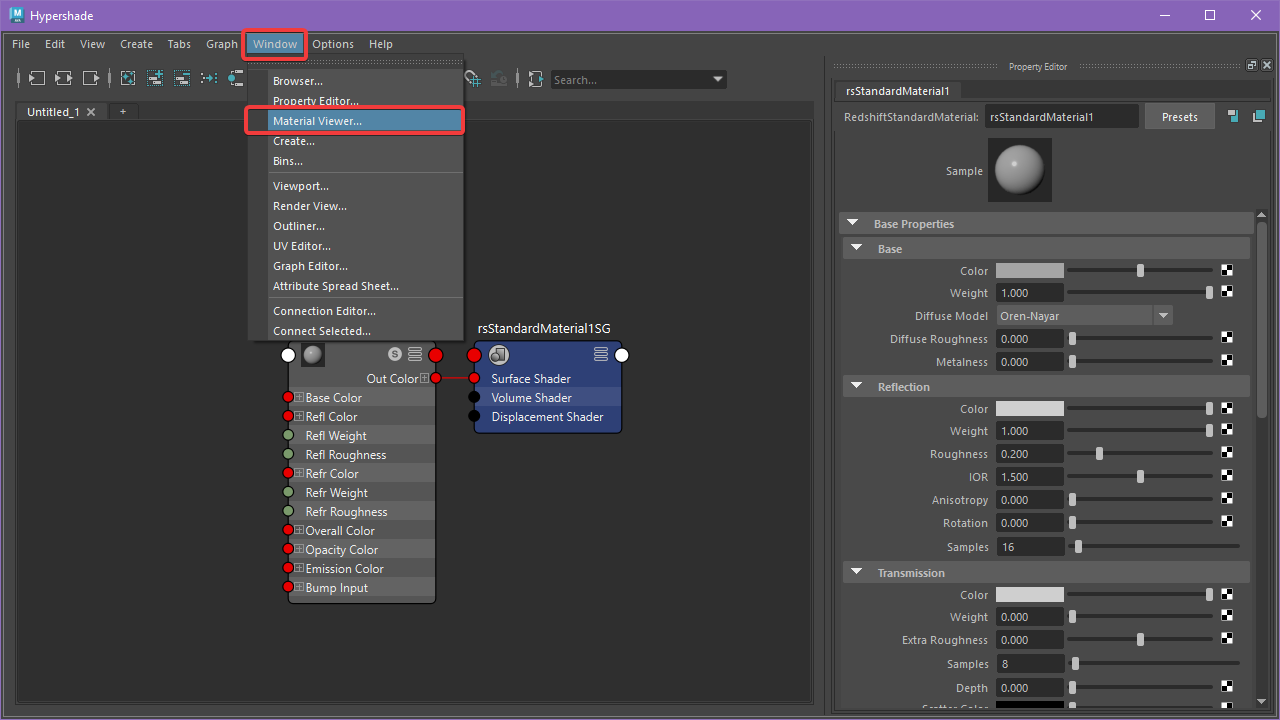
The Material Viewer can be added to the Hypershade by selecting it under the Window menu as pictured below.
|
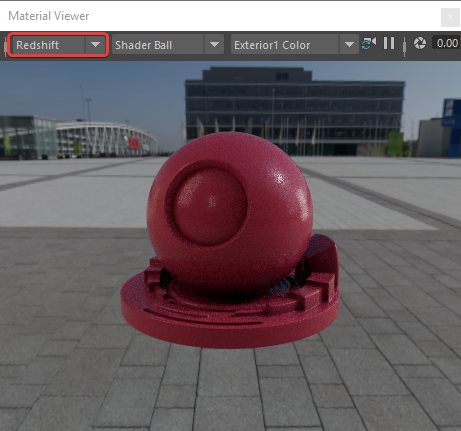
Then set Redshift as the renderer to use with the Material Viewer.
|
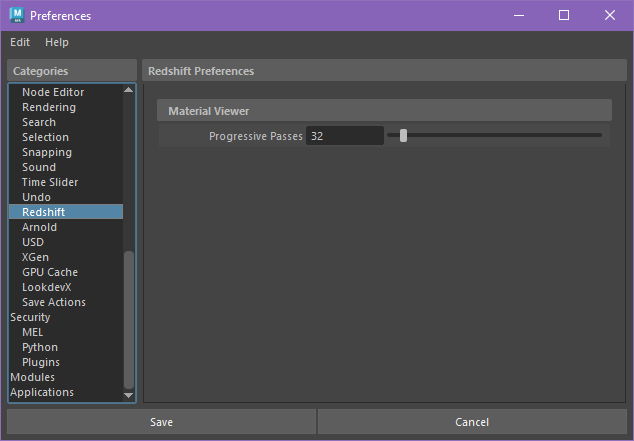
The quality of the Material Viewer can be controlled by changing the number of Progressive Passes that the Material Viewer can reach. This is managed in the Redshift section of Maya's Windows > Settings/Preferences> Preferences as pictured below.
|