Turbulence object
What is it about?
This page documents the Turbulence object in Cinema 4D's particle forces. It adds noise-based, chaotic motion to particles within its falloff — the ingredient that turns sterile streams into believable smoke, dust or swarm movement.

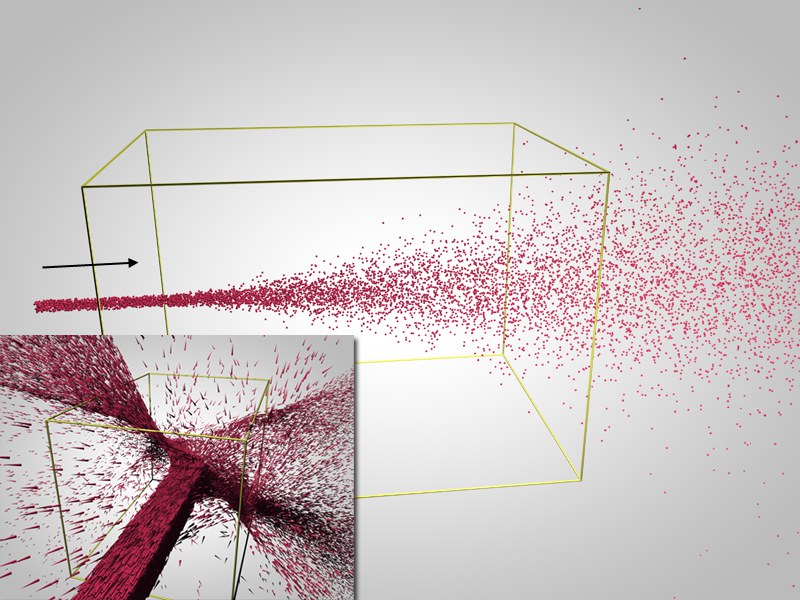 Large figure: scaling = 0, small figure: scaling not equal to 0.
The Turbulence modifier does two things:
- Scale = 0: The individual particles are constantly given random velocities. Interesting effects occur when the particles move through an elongated modifier. This allows you to produce curling smoke, for example.
- Scale not equal to 0: A scalable, internal three-dimensional noise results in somewhat more natural, structured turbulence effects.
-
Example
In this scene, a Turbulence object is causing the commotion: