
Smooth Edges
This command works in all 3 component modes - Point, Edge, Polygon - and smooths selected edge features or polygon outlines by clicking and dragging in the Viewport and interactively increasing the Iterations parameter.
This can look like this:
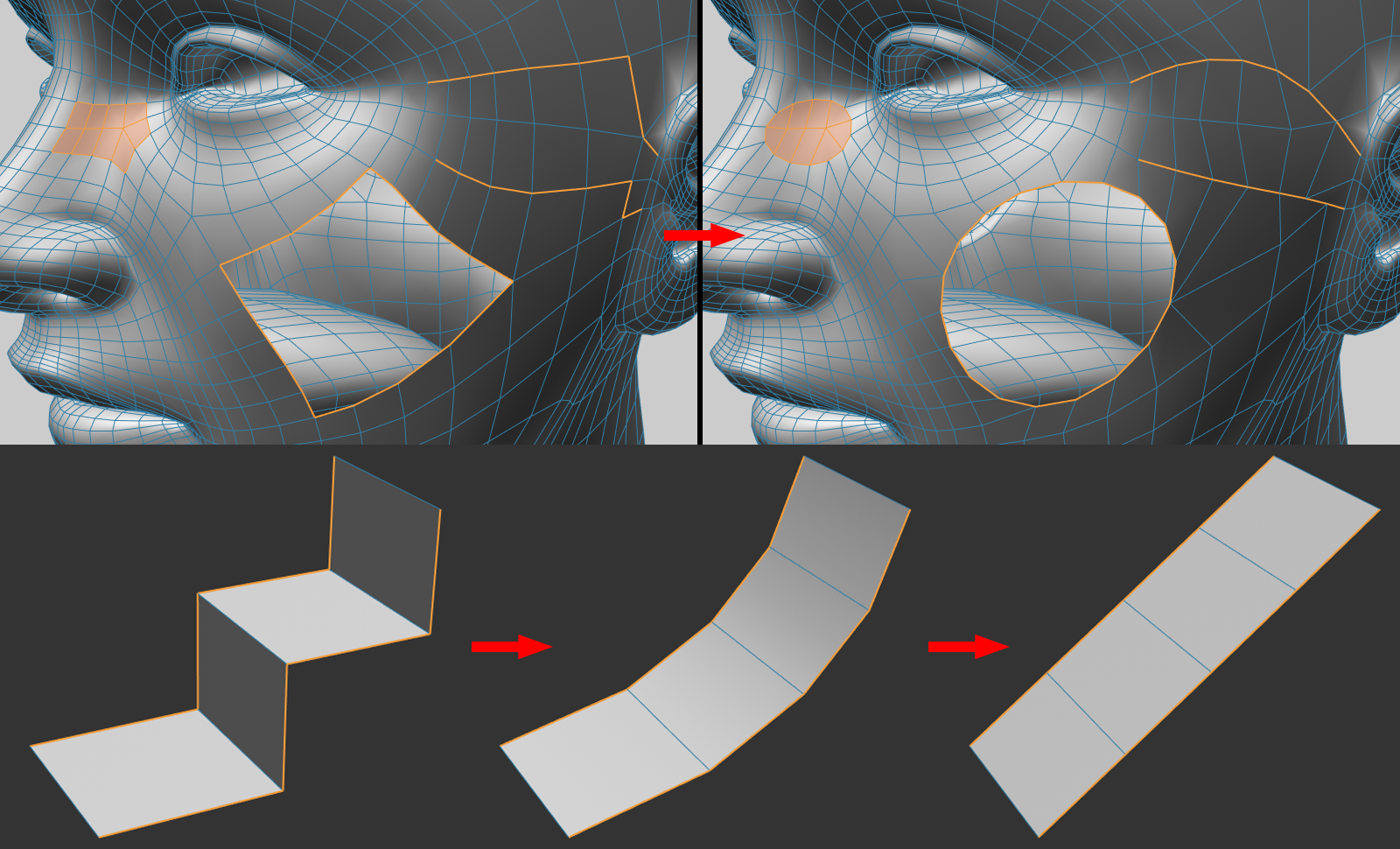
As shown, selected edge features or the outer edges of selected polygons are converted to edge features of the smallest length. If the edges have definitive start and end points, these will remain fixed while increasing Iteration values will create a short, curved shape free of corners.