
Set Texel Density (All)
This allows you to apply the Texel Density value (see the TD value field above the UV Editor) to all UV polygons in the UV Editor.
This can result in the texture qualities on the object becoming uniform, unless you intentionally want to use different Texel Densities on a single object.
To sample the existing Texel Densitiesof your UV polygons, have a look at the Get Texel Density command.
The so-called Texel Density is an important measure, particularly in the field of video games. It indicates how many texture pixels are projected per object surface. There are essentially 3 reasons to care about Texel Densities:
-
Texture Resolution: If the Texel Density is too low, textures appear spongy when you approach them. If it is too large, the textures may appear crisp from close up, but you may be wasting valuable UV area.
-
Texture Homogeneity: In a scene, objects stand out that have a completely different Texel Density than their surroundings. This can disturb the immersion in video games, for example. It is therefore important to use similar Texel Densities in a scene.
-
Texture Efficiency: Video game engines tend to have limited memory and computing capacity, so it is important to keep the Texel Density as low as possible and still look good. This is why, for example, Texel Densities are defined for assets in video game productions, which employees must adhere to in order to ensure fast and high-quality texture display in all game situations.
To calculate the Texel Density for the UV polygons within the UV tile and display it in color, you must specify two values: the texture Resolution and the target Texel Density you try to achieve. You can do this using the two value fields located at the top right of the UV Editor.
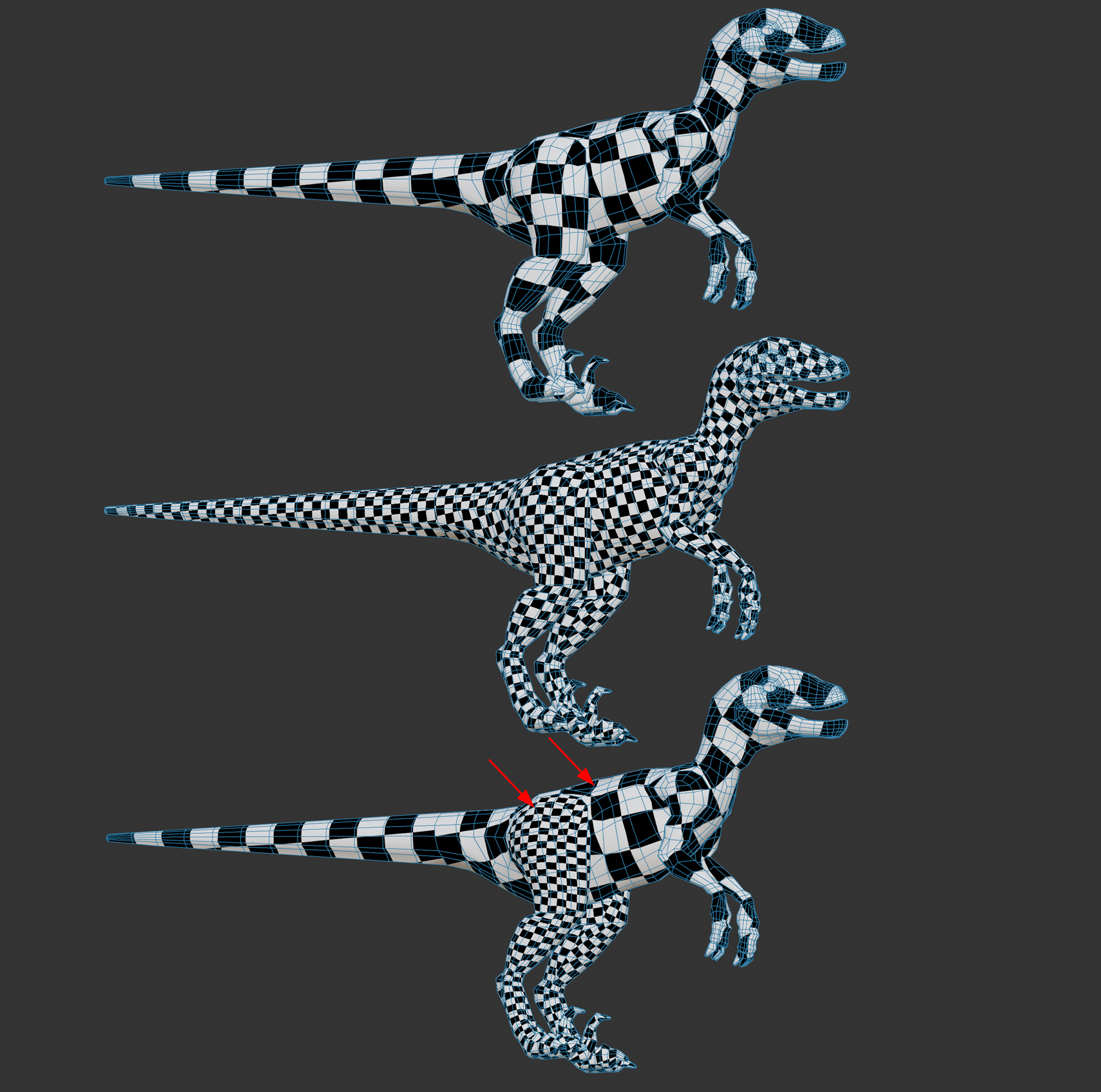 From top to bottom: smaller, larger, inhomogeneous Texel Densities (due to varied UV mesh).
Resolution
A map target size in pixels can be freely set here.
You will find a small menu on the right where you can select one of the common texture sizes (e.g. 2k, 4k, 8k corresponding to 2048*2048, 4096*4096, 8192*8192 pixels - textures are usually square corresponding to a UV tile).
TD
You will find a small menu on the right where you can select one of the common Texel Densities. To give you a rough guide, in the video game sector, there are roughly 3 different types of game in which the camera can generally get more or less close to assets. Choose the following Texel Densities, for example:
- First person (games from the first person perspective): e.g. 10.24
- Third person (games where the camera is placed behind the character): e.g. 5.12
- Top Down (games from which you look at the action from above): e.g. 2.56 or smaller.
In general, the closer the camera is to the asset, the higher the Texel Density should be. In a first person shooter, for example, you can get as close as you like to an asset, which is why higher Texel Densities are required here.
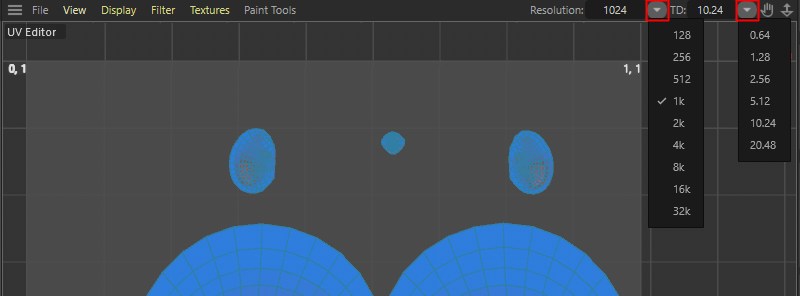 The two drop down menus and parameter inputs about the Texture Resolution of one UV tile and the Texel Density (TD) that should be enforced.