
Tag Properties
Transfer
There are basically 2 ways in which the tag can save or generate values:
-
You enter values manually using the appropriate tools (e.g.
 Paint Tool or
  Brush Selection - then
  Store Selection). To do this, Transfer must be set to Off.
 -
Values can be generated by fields or other point-based tags of the same type. To do this, Transfer must be set to Fields or Property.
The three options in detail:
- Off: In this mode, you can apply the values interactively using tools (see Point 1 above). This only works if the tag-carrying object is not parametric. This is in contrast to the following two modes, in which this is quite successful.
-
Fields: Fields can be used, among other things, to feed the following tags with values, colors, vectors (hereinafter simply referred to as "values"):
- Point, Edge and Polygon Selection tags
- Vertex maps and colors (for the latter, only the alpha channel is evaluated)
- MoGraph Selection and Weighting tags
- Normal tags
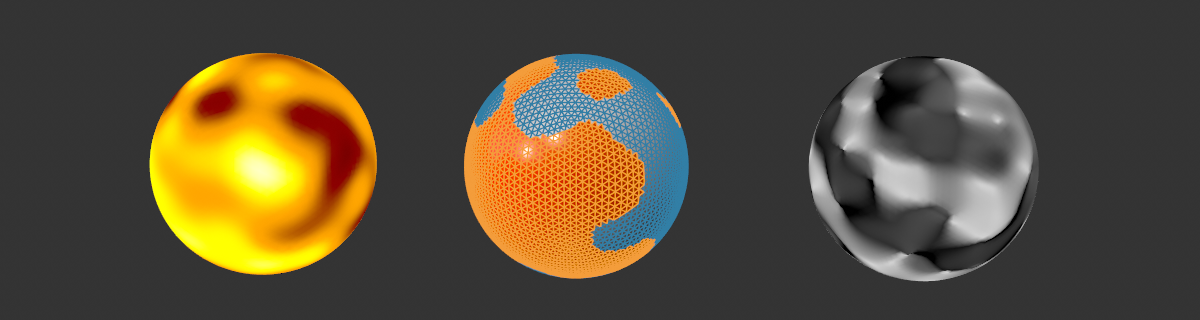 From left to right: An identical Random Field in a Vertex Color tag, a Polygon Selection tag and a Normal tag.
Select this option if you want the tag values to be controlled by Fields. An additional Fields tab is then displayed. Any existing values are usually saved there in a Freeze layer so that they are not lost.
It should also be mentioned that all the tags mentioned above can be converted into each other using the Variable tag Field Layer.
-
Property Transfer: This option can be used to transfer the point values of similar tags of different objects. This works with the following tags:
- Point, Edge and Polygon Selection tags
- Vertex maps and colors (for the latter, only the alpha channel is evaluated)
- Normal and UVW tags
This is done in the same way as the already known Property Transfer (formerly "VAMP") functionality - with the same settings - except that here it is done "on-the-fly".
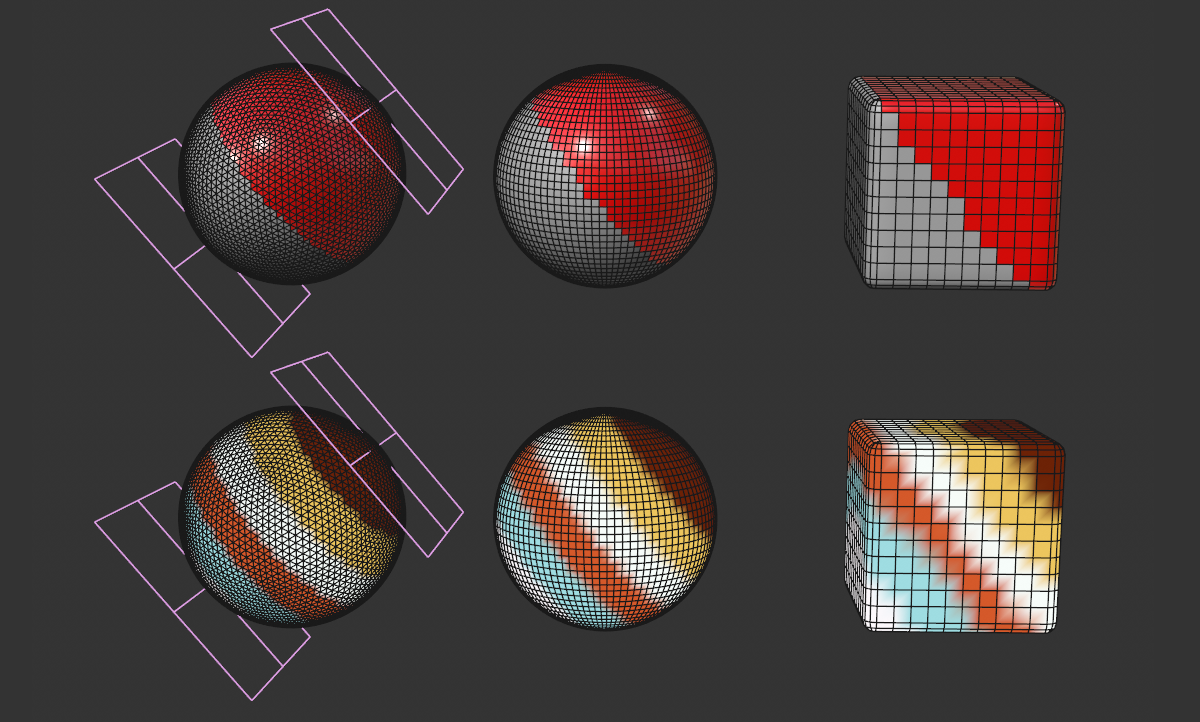 Property Transfer from the left-hand sphere to other objects. Above Polygon Selection tag (with material restricted to it), below Vertex Color tag.
If this option is selected, an additional tab "Property transfer" is displayed, which shows the settings known from the value transfer (formerly "VAMP").