
Studio's Dynamic User Interface
Maxon Studio's interface adapts to its size and docking state, changing layout as you dock it into After Effects, resize it, or undock it to a separate window. Before we dig into the details of managing capsules, it's important to understand how that flexibility works so UI shifts don't catch you off guard.
Undocked: Studio's "home" state
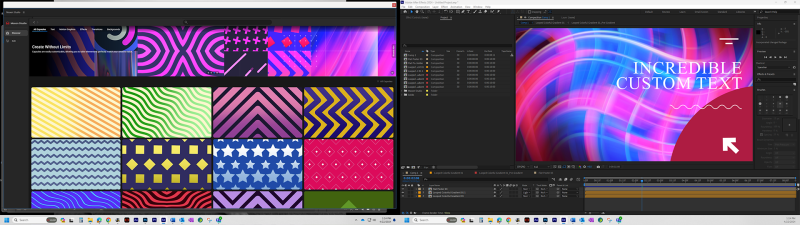
Below, you see Maxon Studio in its "home" state, at the top of the Capsules Page, shown at nearly full screen (1920 x 1080) resolution. This is with Studio undocked from After Effects. You can drag it around anywhere on your desktop, free from the host app. This is handy when you're working with multiple monitors, as shown here in a dual-display setup.
Docking Studio into After Effects
Now, if we grab Studio and drag it into our AE control panel, like so…
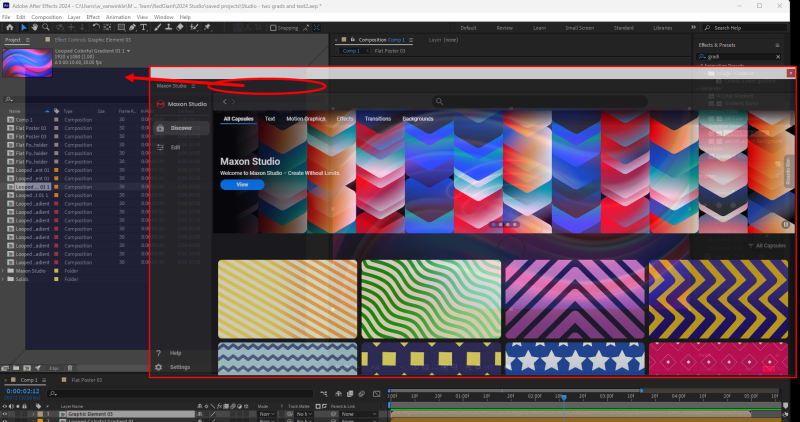
…then we get Studio in its docked configuration.
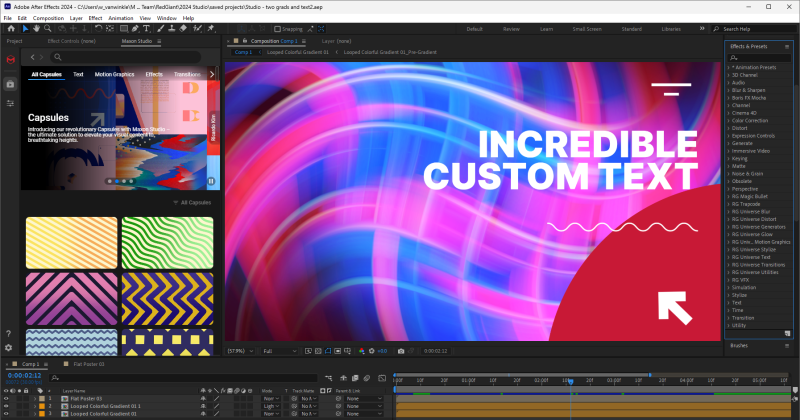
Look closely and you may notice how a few things have changed. For example, the page tabs along the left reduced down to their icons, and we now have only two columns of preview thumbnails.
The Profile Panel
If we click on a capsule in this docked view, Studio's interface changes into a feature called the Profile Panel, which delves into that capsule's particular details.
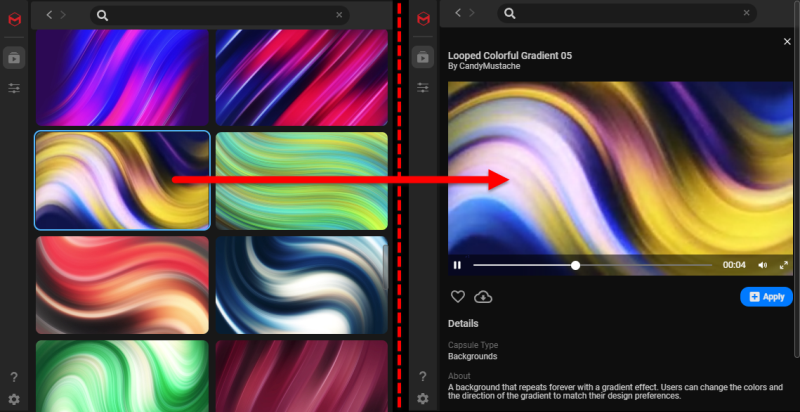
But what if we resize our docked Studio, making it wide enough to accommodate three previews across, and then click on our capsule?
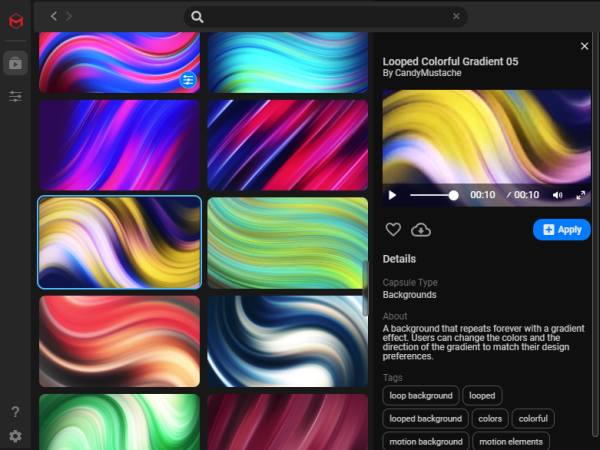
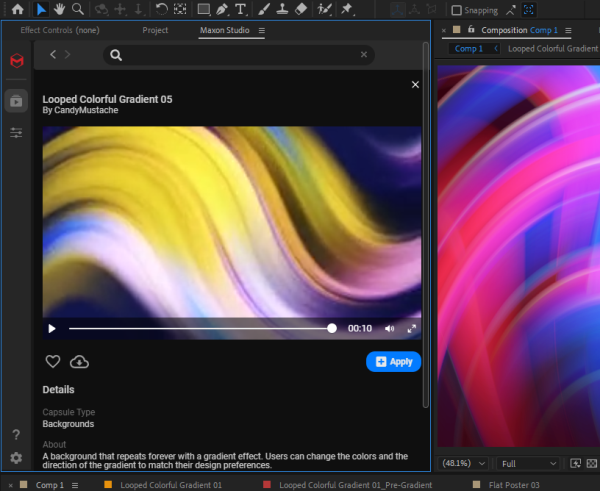
Suddenly, our third column of thumbnails vanishes and is replaced with a compact view of the Profile Panel and its capsule profile contents. From here, reduce Studio's width enough and the Profile Panel will fill most of Studio's docked area (as shown below).
Returning Studio to an undocked window
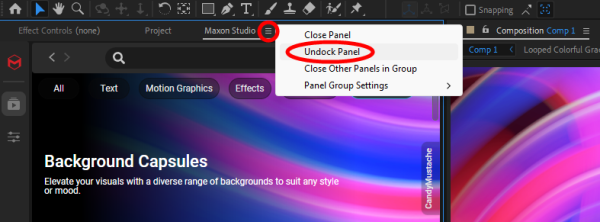
When the mood strikes and you want to return to having Studio undocked, just select Undock Panel from the Effect Controls Panel (ECP) under the Maxon Studio tab menu.
All of the above should drive home two points:
- Studio's user interface (UI) is flexible, and you should make use of its plasticity as your system's application environment shifts around during use.
- If you're starting out with Studio, don't panic if the UI changes a bit with resizing. Just experiment, get comfortable with those changes, and use them for greater productivity.
Frequently Asked Questions
Can I use Maxon Studio outside of After Effects's panel layout?
Yes. Studio has an undocked "home" state where it runs as a free-floating window you can drag anywhere on your desktop, independent of the host app. This is especially useful on multi-monitor setups, where you can keep Studio on a second display while your After Effects comp takes the main screen.
What changes when I dock Studio into After Effects?
When you drag Studio into the After Effects Effect Controls Panel, the layout adapts: the page tabs along the left collapse down to icons, and the Capsules gallery reduces to two columns of capsule thumbnails. The full feature set is still available, only packed into the smaller dockable area.
What is the Profile Panel?
The Profile Panel is a view in docked Studio that shows the details of a selected capsule. Clicking a capsule opens the Profile Panel, and how it appears depends on Studio's width: at wider widths, it replaces the third column of thumbnails; at narrower widths, it fills most of Studio's docked area.
How do I undock Studio after it's docked?
Open the Effect Controls Panel (ECP) in After Effects, find the Maxon Studio tab menu, and choose Undock Panel. Studio returns to its free-floating window state.
Do capsules work at any composition resolution?
Yes. Studio's adaptive resolution functionality lets capsules automatically work on everything from 240p to 8K and beyond, with no manual resizing needed. Studio's flexibility applies to composition size as well as its own UI.