Katana Cameras
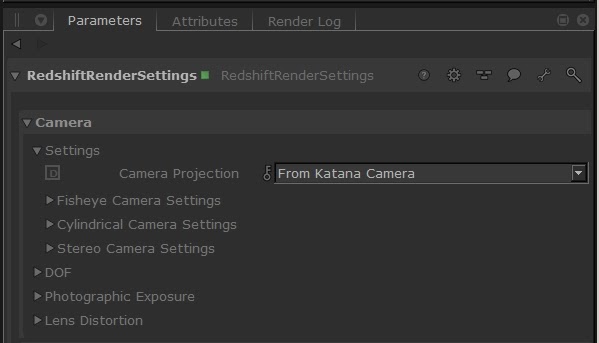
Redshift for Katana supports the Katana cameras created using the CameraCreate node or imported from anAlembic file. The plugin supports the screenWindow and adjustScreenWindow camera and render settings parameters and the overscan feature. You can control the Redshift specific camera parameters and effects through the options available in the RedshiftRenderSettings node.
The plugin supports full motion blur effects at transformations, deformations and point levels, using the standard Katana workflow for configure it. Some Redshift specific additional parameters to control the motion blur can be found in the RedshiftRenderSettings node.
The camera parameters inside the RedshiftRenderSettings node are divided into several groups:
- General settings, including the camera projection mode and parameters
- DOF options
- Photographic exposure settings
- Lens distortion feature