
Free Plan vs Subscription Plan
The free version of ZBrush for iPad offers a variety of core features to get started with creating exceptional 3D artwork. The licensed ZBrush version offers an expanded collection of brushes, tools, and features to enhance the ZBrush experience and take your 3D artwork to the next level.
This section covers the major differences between the free and licensed versions of ZBrush for iPad.
Free Version
Brushes
ZBrush for iPad includes 28 brushes, including the essential Sculptural, Paint, Selection, Mask, Chisel3D, and Insert Mesh brushes.
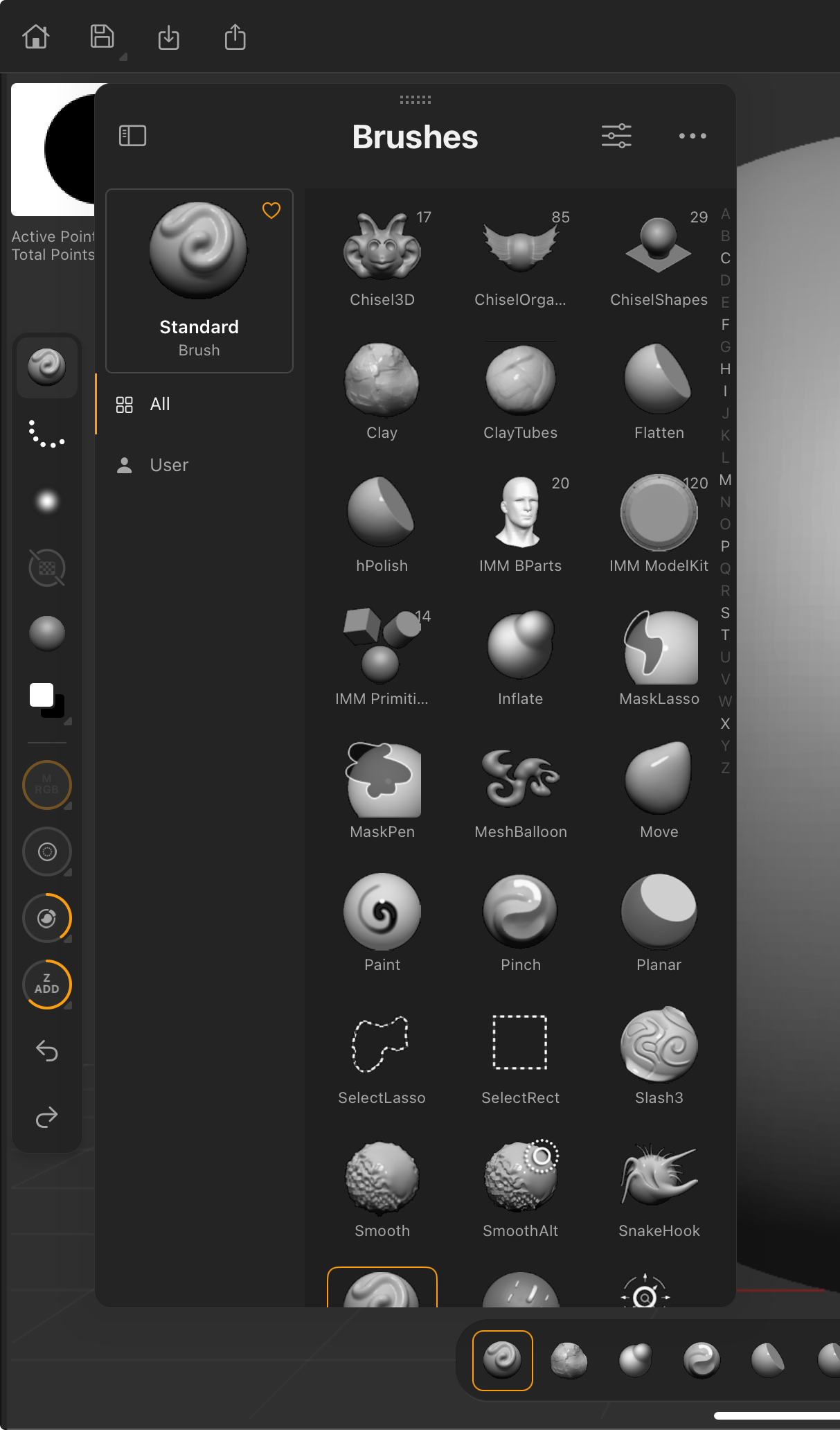 Free Version > Brush Library
Brush saving and loading is not available in free version of ZBrush for iPad.
DynaMesh Essentials
Select DynaMesh options.
Offers a maximum DynaMesh resolution of 1024.
SculptrisPro
All SculptrisPro capabilities are offered.
Dynamic Subdivisions
Select Dynamic Subdivision options including SmoothSubdiv and FlatSubdiv options.
ZRemesher
Select ZRemesher capabilities including Target Polygons Count and Retry.
Import 3D
Select import 3D Model options.
-
Import supported external 3D Model and ZBrush (ZTL / ZPR) formats from the home screen.
-
Import supported external 3D formats into active session from the canvas.
See the Supported Formats section provided in this guide.
In the ZBrush canvas, open Import > 3D Model to load into an active session. ZBrush does not support ZTL and ZPR in the free version.
Export 3D
All Export 3D Model options are not supported.
Import 2D
All supported 2D-format images can be imported into an active session from the canvas.
See the Supported Formats section provided in this guide.
Export 2D
Supports export PNG, JPG, PSD, and TIFF formats from the ZBrush canvas Export menu.
UI Customization
The free version of ZBrush for iPad does not support UI customization of the Quick Access Menu or Custom Toolbar.
Custom Palette Trays can be created in the free version of ZBrush for iPad.
Posing
Transpose Line and Gizmo3D are supported.
TransposeMaster is not supported in the free plan.
Saving & Loading
Free version ZTools and ZProjects can be loaded from the home screen and then saved from the ZBrush canvas.Presets
Importing of Floor Grid presets is supported.
Export Lights, Brush, Floor Grid, and Material presets are not supported.
Import Lights, Brush, and Material presets are not supported.
Subscription Version
The subscription version of ZBrush for iPad offers no restrictions to DynaMesh, ZRemesher, Dynamic Subdivisions, import, export, and other key functionality.
Upgrade to gain access to all available features, including:
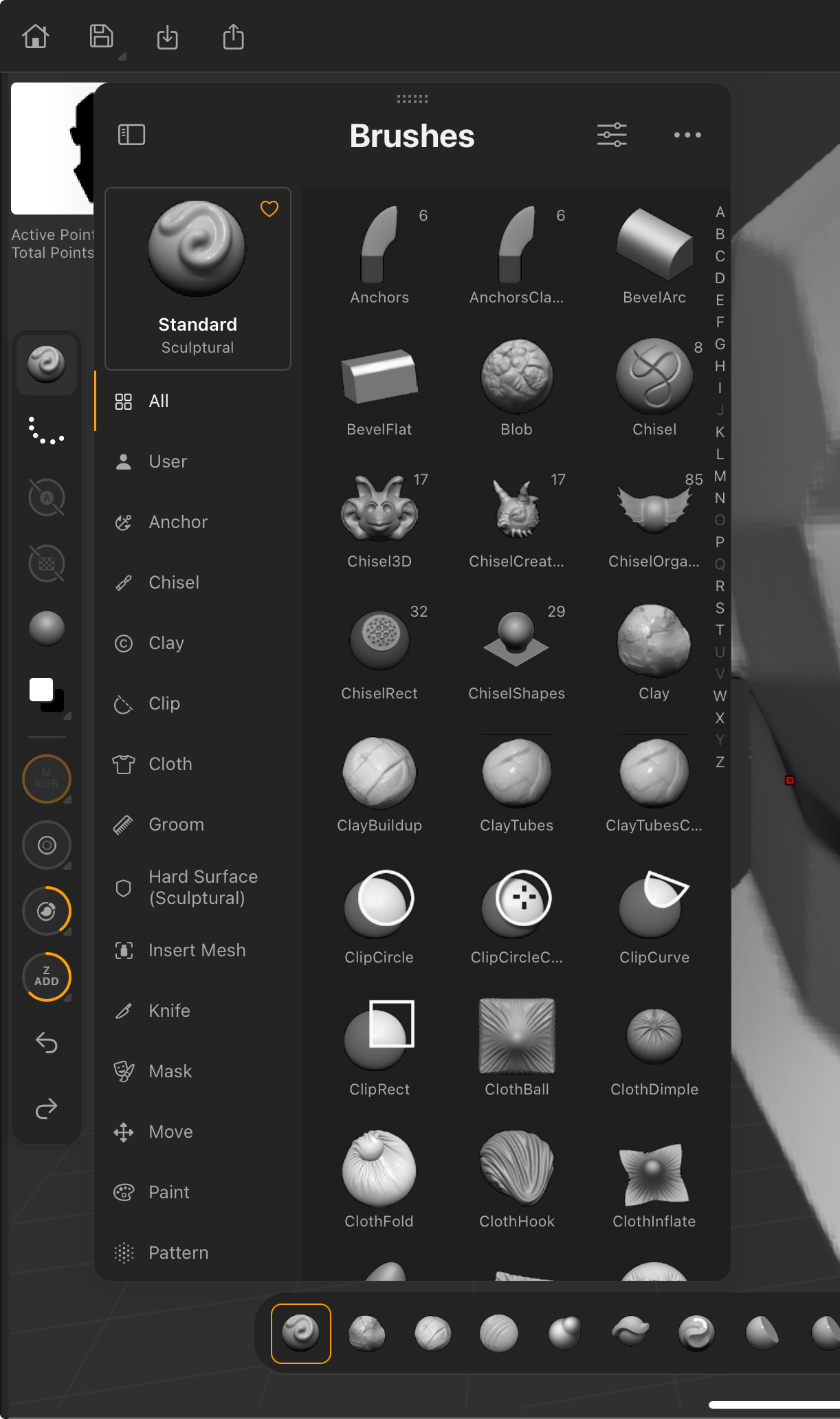 Subscription Version > Brush Library
 210+ additional brushes
125+ additional features
GoZ one-click project transfer between ZBrush desktop and ZBrush for iPad
Custom brushes (Save and Load)
UI Customization
Fully featured automatic retopology with ZRemesher
Fully featured DynaMesh resolution and settings
Export all supported 3D formats
Export all supported texture formats
Export all supported alpha image formats