
USD Procedural
Overview
The USD Procedural can be used to load a USD file, it works similarly to a Redshift proxy file and can be used in Houdini, Solaris, Maya, and Katana. The USD assets are only loaded at render time which allows the primary scene file to be lightweight and speeds up scene extraction time. If you are working in a USD environment where all DCCs use the same assets then Redshift can directly use these as well.
The USD procedural supports instancing as long as a DCC's instancing tools are used, at this time instancing is not automatic.
Example
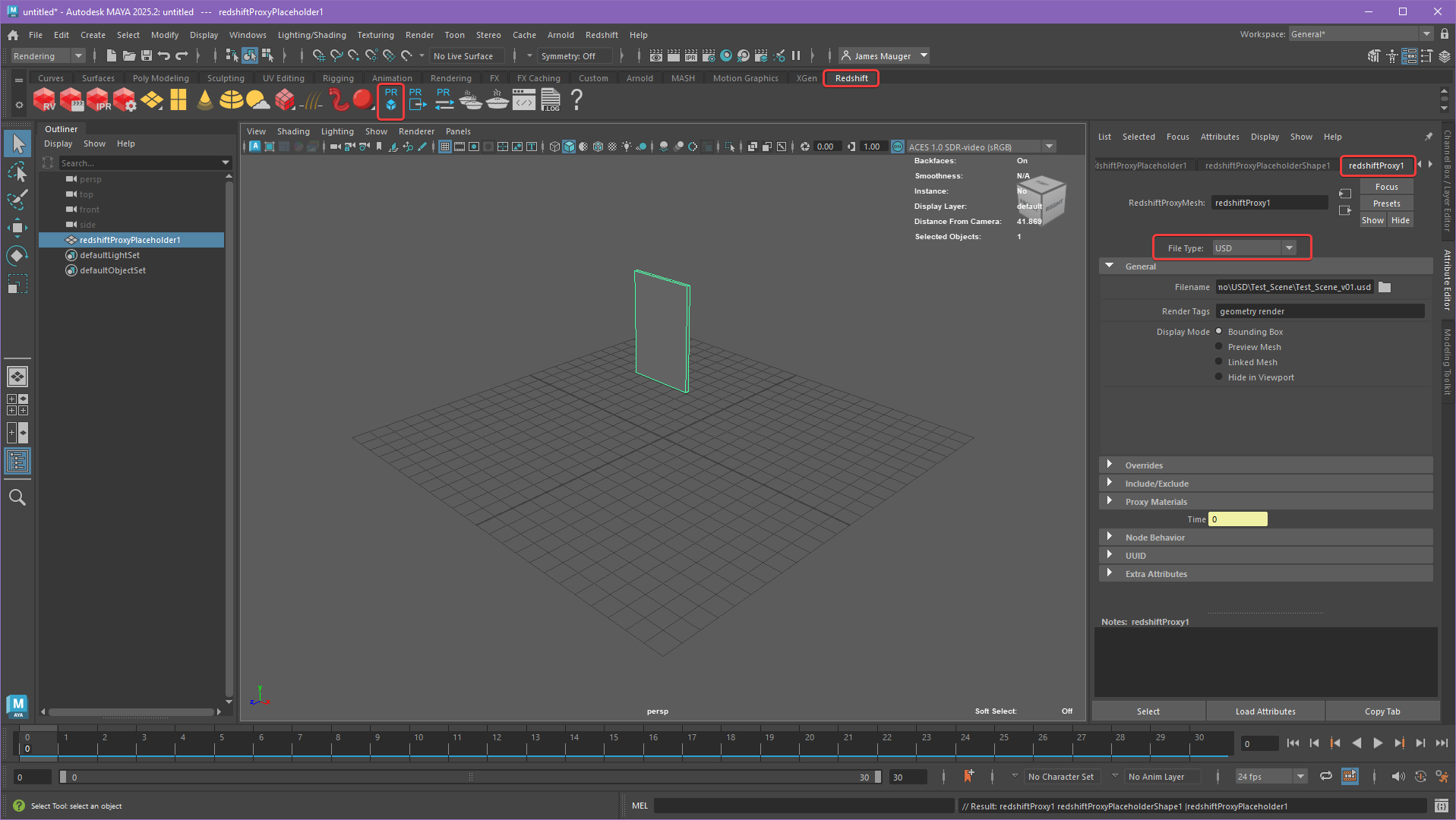
To create a USD Procedural create a Redshift Proxy from the Redshift shelf and set the File Type to "USD" as pictured below.
|
| Creating a Redshift USD Procedural |
Parameters
|
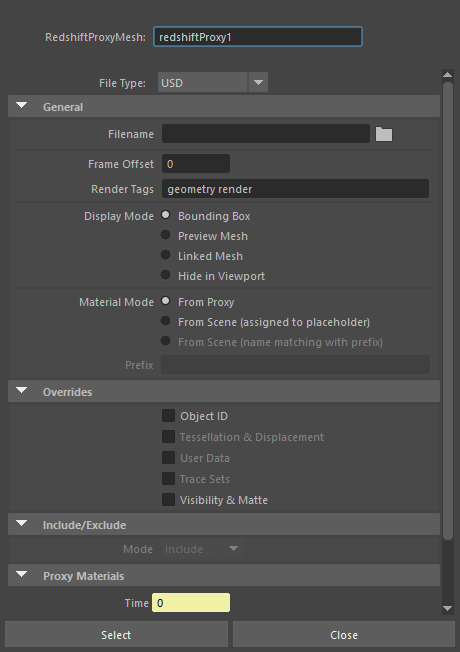
General
USD File
Load a USD file here.
Render Tags
USD tags used for controlling things like object visibility.
Display Mode
Controls how the USD file is displayed in the viewport from the following options:
- Bounding Box: Displays a box around all contents of the USD file.
- Preview Mesh: Displays the USD file as a mesh.
- Linked Mesh: Uses the geometry from the connected mesh or the USD file's bounding box if no mesh is linked.
- A mesh can be connected to the In Mesh port of the redshiftProxyPlaceholderShape for use as the viewport display.
- Hide in Viewport: USD file is hidden in the viewport.
Material Mode
Controls how materials are handled for the USD object and allows materials within the file to be overridden with materials defined in the current scene.
- From Proxy: Uses the materials embedded in the USD file.
- From Scene (assigned to placeholder): Overrides all material assignments with a scene material assigned to the placeholder mesh.
- From Scene (name matching with prefix): Allows materials embedded in the USD file to be replaced with scene materials that have matching names.
Prefix
This field specifies the prefix to look for when using the "From Scene (name matching with prefix)" material replacement mode. For example, if the prefix specified is "replace_" then the full name for the replacement material should look like this "replace_Metal".
Overrides
Object ID
When disabled, the object ID settings embedded in the USD file are used. When enabled, the object ID can be overridden in the scene.
Visibility & Matte
When disabled, the visibility and matte settings embedded in the USD file are used. When enabled, visibility and matte settings can be overridden in the scene.
Time
By default time is linked to the scene time, but this value can be changed when retiming of the USD file is needed.