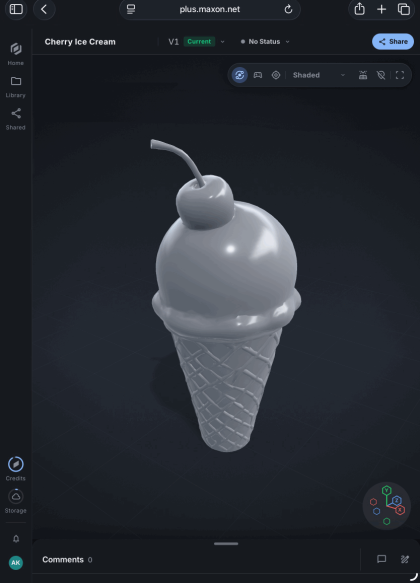
Using the services in Maxon ZBrush
Maxon Plus is integrated differently in ZBrush on the desktop and in ZBrush for iPad:
- ZBrush (desktop): Maxon Review is integrated as a panel, which you open with the Maxon Review button (the speech bubble) at the top left of the layout or in the menu, section Maxon Review. It requires Maxon ZBrush 2027.1 or later. See Creating reviews from ZBrush. The other services, including Clay Builder, you use in the browser; you then import the result into ZBrush.
- ZBrush for iPad: Clay Builder is integrated directly (ZBrush for iPad 2027.1 or later), so you can generate untextured base meshes for sculpting without leaving the app. A Maxon Plus page shows your credits and subscription. Maxon Review and the Library you open in the browser. See ZBrush for iPad below.
This page describes only what is specific to ZBrush. All steps and options of the services are described in their own chapters: Clay Builder and Maxon Review.
Results and reviews you create in ZBrush are saved in your Library, just like those created in Cinema 4D or the browser.
Model Generator, Clay Builder and Texture Generator are a separate purchase and require a Maxon Plus credit subscription. They are not included in a Cinema 4D, ZBrush or Maxon One subscription. See Account, licensing and credits.
ZBrush for iPad
The Maxon Plus page
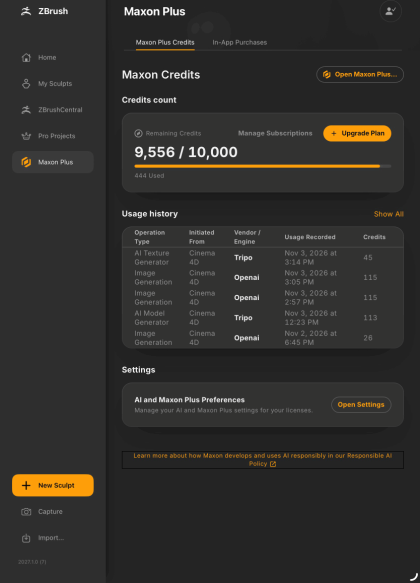
On the start screen of ZBrush for iPad, tap Maxon Plus in the sidebar. The Maxon Plus Credits tab shows:
- Credits count: your remaining credits and how many you have used. Manage Subscriptions and Upgrade Plan open the corresponding Maxon web pages and the Maxon Store.
- Usage history: the latest operations that used credits, with the type of operation, the application it was started from, the AI provider, the date and the credits used. Show All lists all entries. See Usage history.
- Settings: Open Settings opens the AI and Maxon Plus Preferences, where you can turn the AI features and Maxon Plus on or off. See AI and Maxon Plus settings.
Open Maxon Plus... opens Maxon Plus in the browser, for example to work with your Library.
Subscribing in the app
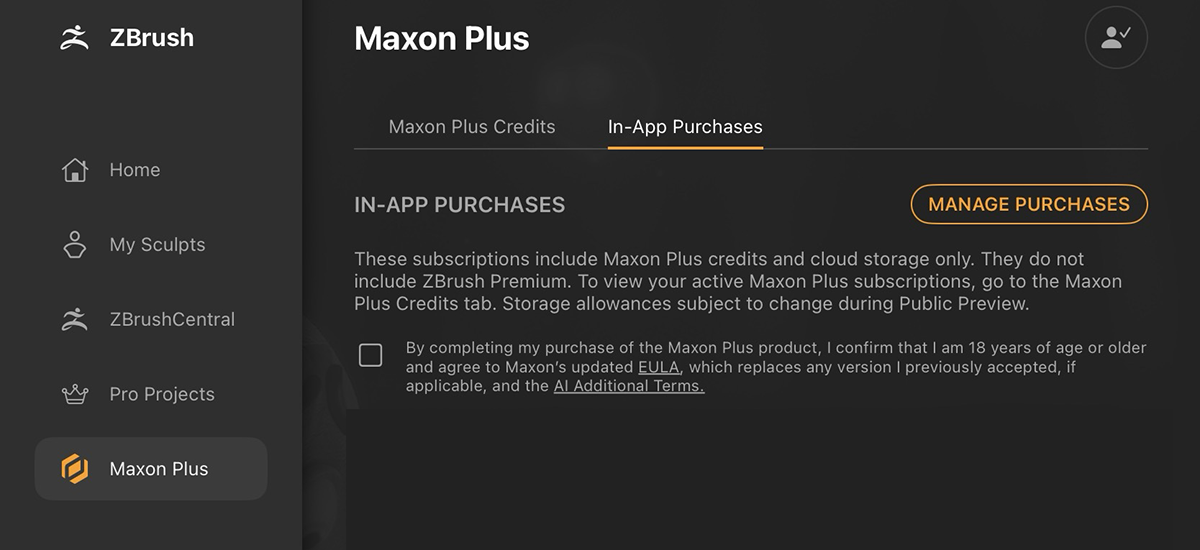
On the In-App Purchases tab, you can take out a Maxon Plus subscription directly in the app. The subscriptions Starter, Creator and Pro are Maxon Plus subscriptions with a monthly credit allocation; they do not include ZBrush Premium. Before subscribing, confirm the terms with the check box. Manage Purchases shows the purchases you have made in the app. The credits included in a subscription you take out in the app are available everywhere you use Maxon Plus with your Maxon account: in the browser, in Cinema 4D and in ZBrush.
Clay Builder in ZBrush for iPad
Clay Builder is a category in the New Sculpt dialog, next to 3D Meshes, Primitives and ZSpheres. You describe the model with text, an image or a sketch, and open the generated base mesh as a new scene for sculpting. See Using Clay Builder base meshes in ZBrush; for all steps and settings, see Getting started with Clay Builder and Clay Builder settings reference.
Library and Maxon Review
The Library and Maxon Review you use in the browser, at plus.maxon.net or with Open Maxon Plus... on the Maxon Plus page. Base meshes from Clay Builder are saved in the cloud folder set in the Clay Builder settings, by default the Model Generator folder; inside it, the Models subfolder holds the generated models and Textures the results of Texture Generator, that is, the textured models with their textures. See Home page and Library.
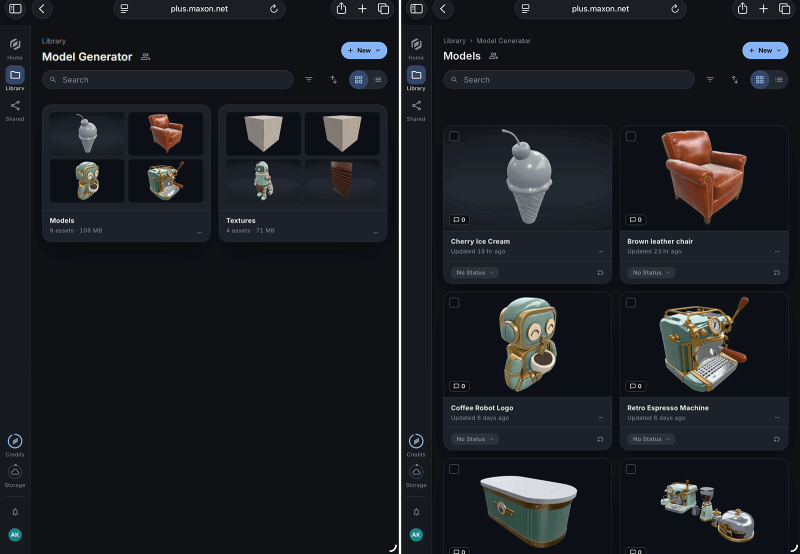
Tap a model in the Library to open it in Maxon Review, where you can view it and share it with others for comments. See Maxon Review.