
Roles and permissions
When you share content in Maxon Review, you invite other people as viewers, commenters or editors. Viewing is always free, and the people you invite do not need a Maxon Plus subscription themselves. To comment, they need a free Maxon account. To invite people, you need a Maxon Plus subscription. During the Public Preview of Maxon Review, inviting viewers, commenters and editors uses no credits.
The roles
You choose the role when you add a person in the Share dialog, see The Share dialog. New people are added as commenters unless you choose a different role.
| Role | What the person can do |
|---|---|
| Viewer | View the review. |
| Commenter | View the review, add comments and react to comments with emojis. |
| Editor | Everything a commenter can do, plus edit the content and manage the people who have access. |
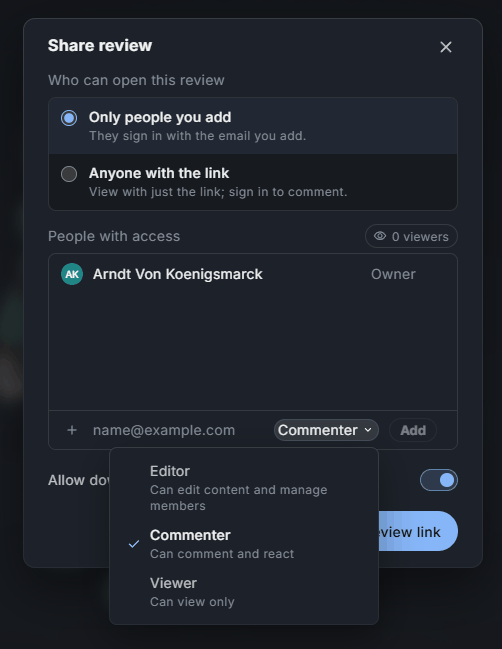
If a review is shared with Anyone with the link, people who are not in the list can view it without signing in. To comment, they sign in.
Maxon Review is currently a Public Preview. To create reviews and invite reviewers, you need a Maxon Plus subscription, which also provides the storage for your reviews. During the Public Preview, creating and sharing reviews does not use any credits. The people you invite only need a free Maxon account to comment; if you share a review with anyone who has the link, they can view it even without an account. Features and terms may change until the full release.