
Creating a New Panel
To create a new panel, simply click on the menu button at the top right, choose "Panels" and then select the type of panel you want to add.
By default, this new panel is positioned as a tab in the current panel. We then say that several panels are included in the same "container".
Moving Panels
To move a panel, click and drag its name by holding the left mouse button and moving it over the interface. Blue zones allow you to preview the final position of the panel when you release the mouse button.
Closing Panels or Containers
It is possible to close the current panel, all panels of the same container except the current one, or the whole container.
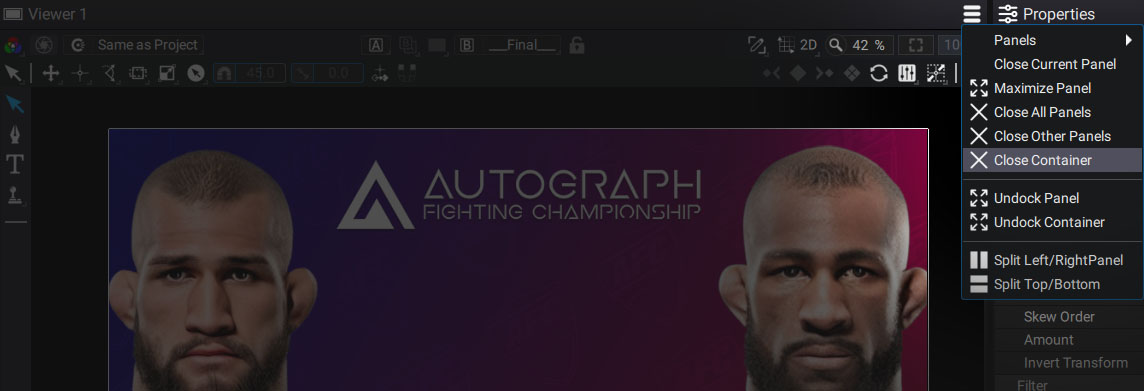
Panel Menu
-
Close Current Panel: can also close the container if only one panel is present.
-
Maximize Panel: maximizes the current panel. Also accessible by positioning the mouse on the desired panel and pressing ctrl+m.
-
Close Other Panels: closes all the panels of the current container, except the panel you are in.
-
Close Container: closes the entire container with the panels inside.
-
Undock Panel: sends the current panel to a new floating window, for example to place it on a second screen.
-
Undock Container: sends the current container to a new floating window.
-
Split Left/Right: splits a container in two along a vertical line.
-
Split Top/Bottom: splits a container in two along a horizontal line.