
Particular
Layer Maps > Color and Alpha Subgroup
The Color and Alpha group lets you use a layer to control the particle field with the color and alpha channels. The colors used for each particle come from RGB channels. The alpha channel defines transparency, making particles 100% transparent where the layer's alpha channel is black.
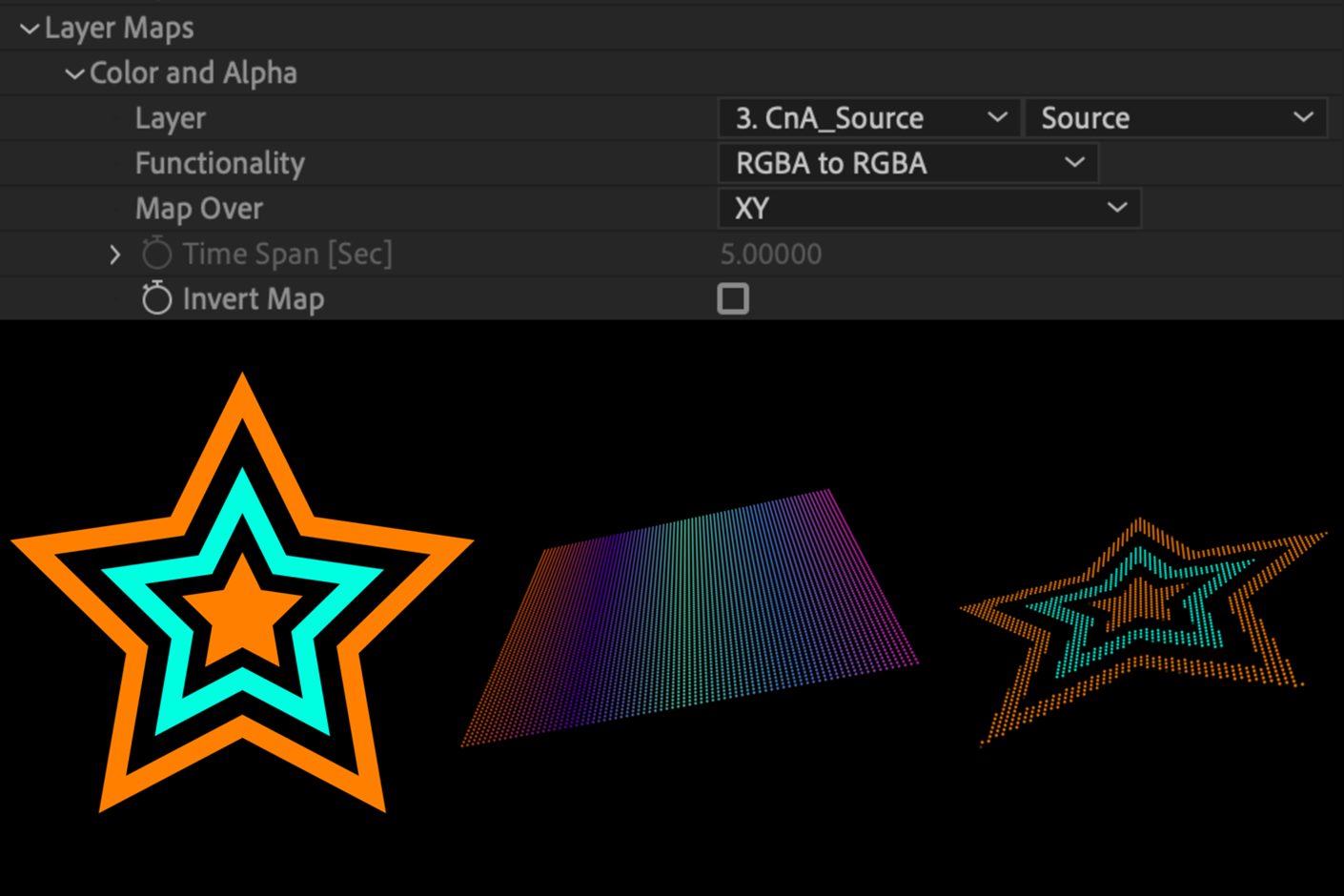
In the image above, the left image shows a precomp of a shape layer star with color and alpha information. The middle image shows is a particle field. At right, the precomp applies to the particle field as the Color and Alpha map, with Functionality at RGBA to RGBA and Map Over set to XY. Notice how any color choice applied to particles previously is ignored in favor of color from the source layer. If you wish to retain color selection, you'll want to select A to A or Lightness to A.
Color and Alpha > Functionality pop-up: This control sets how particles interact with the layer map's color and alpha properties.
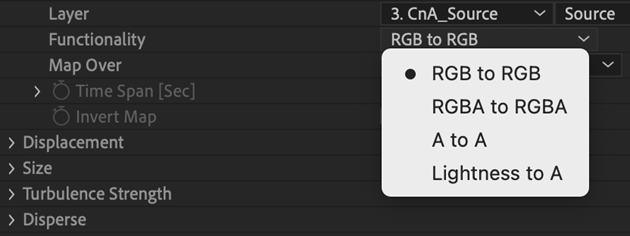
- RGB to RGB: This control maps color values to particle colors.
- RGBA to RGBA: This control maps color to the particle color and the alpha channel to particle opacity across the field.
- A to A: This is Alpha to Alpha, which maps the source layer's alpha channel to the opacity of each particle in the field.
- Lightness to A: Lightness to Alpha maps the luminosity (the brightness of individual pixels) to particles' opacity values. Luminosity is useful for input layers that have transparency information stored as an RGB image.