
Particular
Rendering Group
The Rendering group controls how particles render.
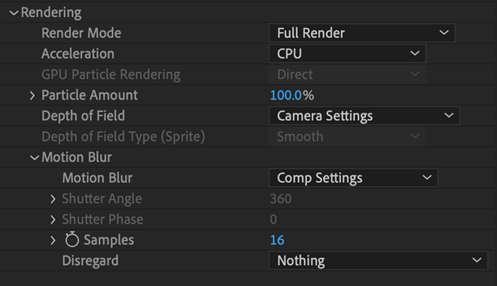
Render Mode
This option lets you choose how the particles look when they render. There are two Render Modes.
- Motion Preview draws dots at each particle. This is a quick way to preview particle motion.
- Full Render (the default) renders all particles with full scale, position, and shading. This mode should be used for final output.
Acceleration
Particular can take advantage of the additional power of your graphics card (GPU) using GPU acceleration. In the Acceleration pop-up, you can select whether to use the CPU or GPU (graphics card) for graphics processing. Accelerating with the CPU can sometimes be more reliable, but accelerating with the GPU can speed things up quite a bit.
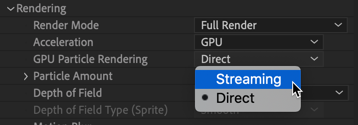
GPU Particle Rendering
When using GPU acceleration, there are two options in the GPU Particle Rendering drop-down.
- Direct will render every particle. This will be more accurate, but rendering speed increases might not be as significant.
- Streaming will usually provide a much stronger boost to particle render speeds, but this doesn’t render as accurately as Direct.
Note that Streaming will not render some features, such as mixed Blend Modes. When Streaming is used and unsupported features are applied, a warning will appear, and Particular will use Direct rendering.
Particle Amount
This control will quickly change the amount of particles shown for previewing. This is especially useful when the Emitter > Particles/sec control is keyframed.