Supercomp
SOURCE & SUPERCOMP LAYERS
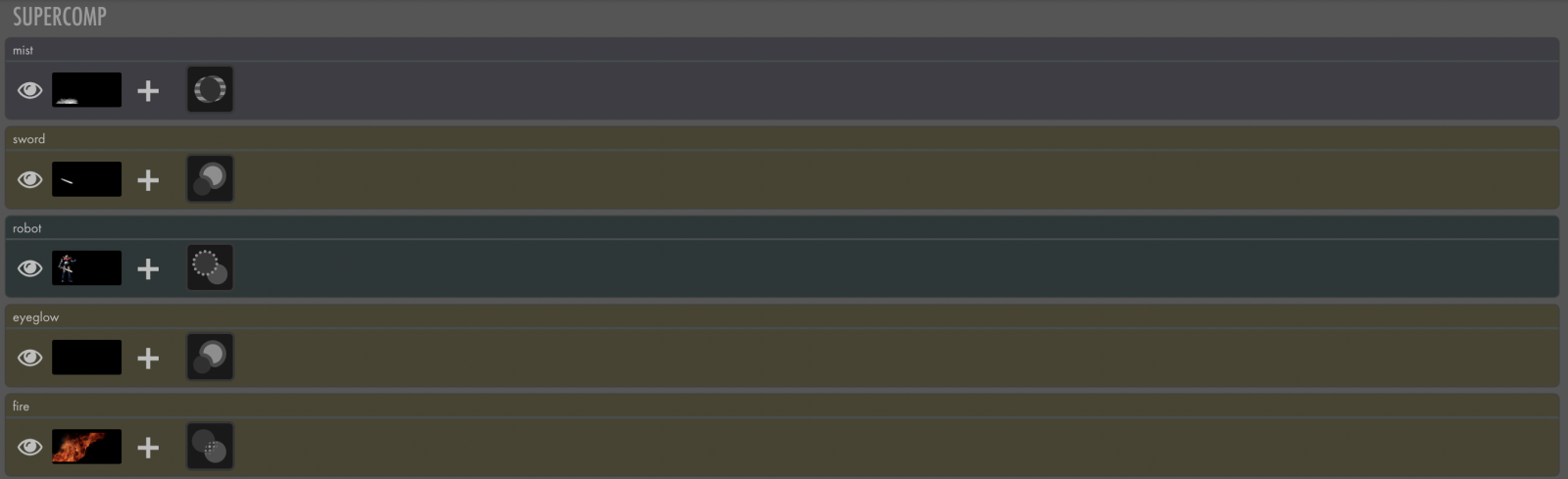
To start with Supercomp, pull layers within the Premiere Pro or After Effects composition (found under Source Layers) into Supercomp (Supercomp Layers).
- Tip: You can automatically import your layers into Supercomp by highlighting them, then selecting Effects > RG VFX > Supercomp. This will launch the Supercomp UI with all your highlighted layers imported into the Supercomp Layers area.
|
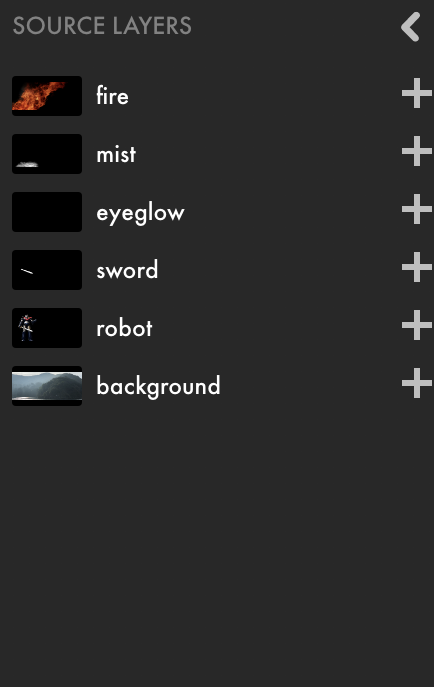
Source Layers This area lists each layer currently in the composition to which Supercomp has been applied. From here, add each layer for compositing into the Supercomp Layers area.
Click the < symbol to hide this section when finished. This list is updated automatically. In other words, if more layers are added to the After Effects composition even after Supercomp has been applied and launched, those layers will also be added into this list. |
|
The Supercomp Layers area is where all the composition elements are arranged, adjusted, and modified to bring everything together into one unified space. |
|
|
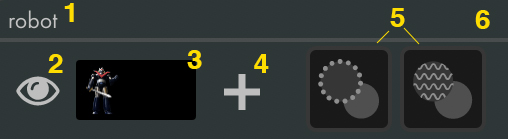
Layer Overview Each layer carries a set of information within itself:
|