
Tao
Rendering Group
The Rendering group allows you to put the finishing touches on your work and gives you options for creating a variety of different looks with your geometry.
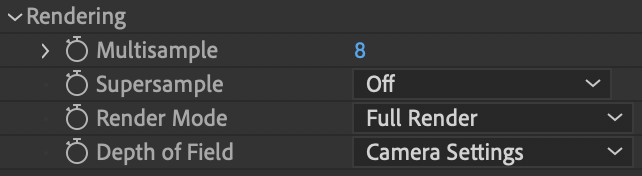
Multisample
sets the number of sample points per pixel and is helpful as an anti-aliasing tool. Turn this control up to get rid of jagged edges around the Tao geometry. Keep in mind that higher settings require more memory and render time. Because high Multisample values can significantly slow render times, we recommend that you turn multisampling down to a low setting when you first set up the path.
NOTE:
Different video cards support different levels of multisampling. Tao will only let this be set as high as the card permits. Most cards allow a value of 8, but some cards may be able to support 32.
Supersample
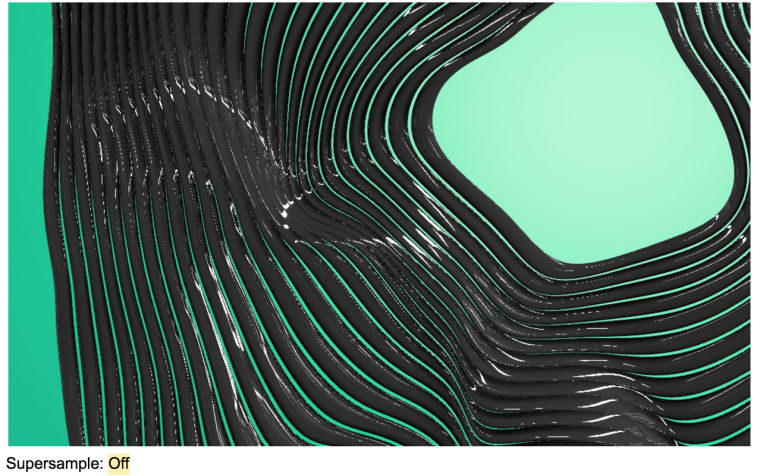
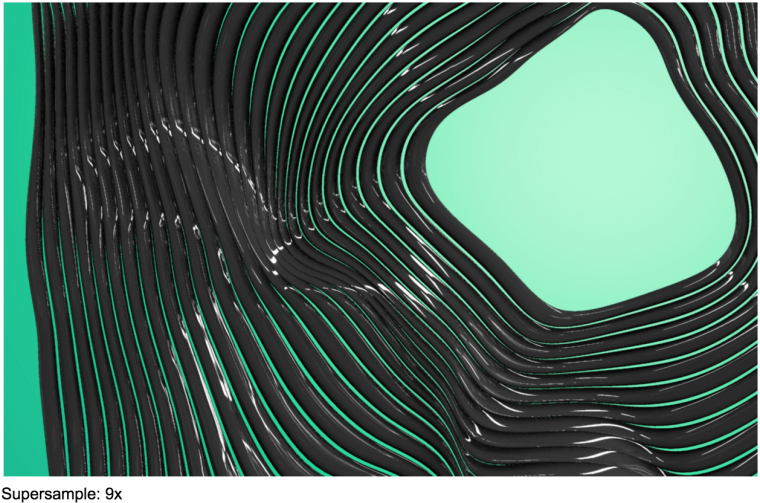
allows you to oversample the entire scene. Unlike Multisample, Supersample also works on the interior of polygons. This is useful, for example, when using a detailed
Reflection Environment Map,
found in
Material & Lighting > Image Based Lighting. If the interior of polygons looks aliased (i.e., jagged), try using this setting. A 9x value is recommended.
Higher values don’t lead to better quality in most cases, but it does consume a lot of VRAM.
The
Render Mode
pop-up menu controls what is ultimately output by the plug-in.
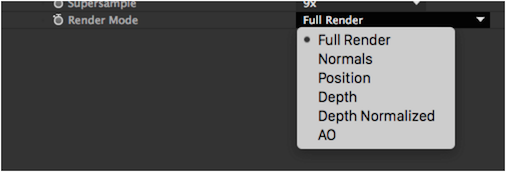
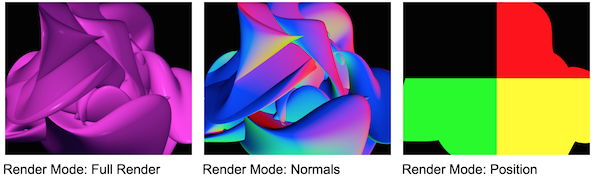
There are six options:
- Full Render (the default mode) renders the full scene.
- Normals renders polygon normals. Normals describe how the polygon surface is oriented. This can be used, for instance, to re-light a Tao render using another software application. In the Normals calculations, RGB = XYZ.
- Position shows space position coordinates, where RGB = XYZ. This mode works best in 32 bpc (float).
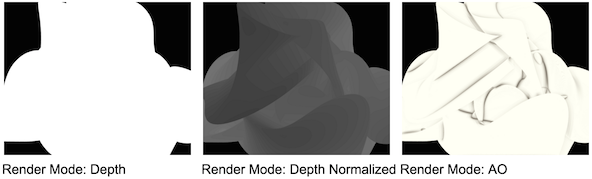
- Depth renders the distance from the eye for each pixel as a lightness (grayscale) value. This mode works best in 32 bpc (float) since distance values can be outside the 0 to 255 range of 8 bpc. This can be useful when adding post effects such as Depth of Field to a Tao render.
- Depth Normalized a normalized version of Depth with the output range as 0 to 255 in 8 bpc, 0 to 32767 in 16bpc, and 0.0 to 1.0 in 32bpc (float). The Visibility > Near and Visibility > Far planes are mapped to min and max, respectively. This mode was made so that depth can be rendered in 8bpc, which can be useful when adding post effects like Depth of Field to a Tao render.
- AO renders only the ambient occlusion. This can be useful when re-lightning a Tao render or just getting more control over the AO (for example, blurring it before applying to Tao).
Depth of Field can either be set to Camera Settings or Off.
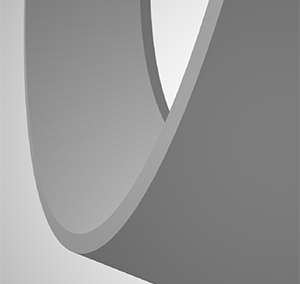
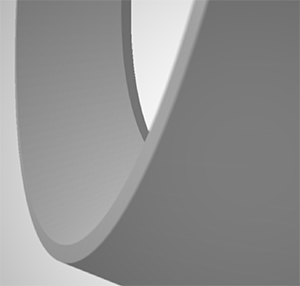
Depth of Field set to Off (left) versus Camera Settings (right).
NOTES:
- Ambient Occlusion needs to be set to On for Depth of Field to be on as well.
- The pixel blur radius for Tao is capped at extreme values around 300 pixels. If your blur extends to beyond that radius, the blur quality will potentially show deterioration.