
Smooth Edges
This page describes the Smooth Edges node of the Scene Nodes system in Cinema 4D. It relaxes selected edge loops individually while preserving their overall length — the procedural version of the Smooth Edges tool.
This Node behaves slightly differently depending on whether it is operated in Point, Edge or Polygon mode. Selected Edge Loops will be smoothed. The overall length of each Edge Loop will be maintained. Each Edge Loop will be smoothed individually. In Point mode, all selected points will be smoothed. No loops will be included for smoothing. Only the position of neighboring selected points will be taken into consideration. In Polygon mode, the edges at the border of a surface selection will be treated as a loop and smoothed accordingly.
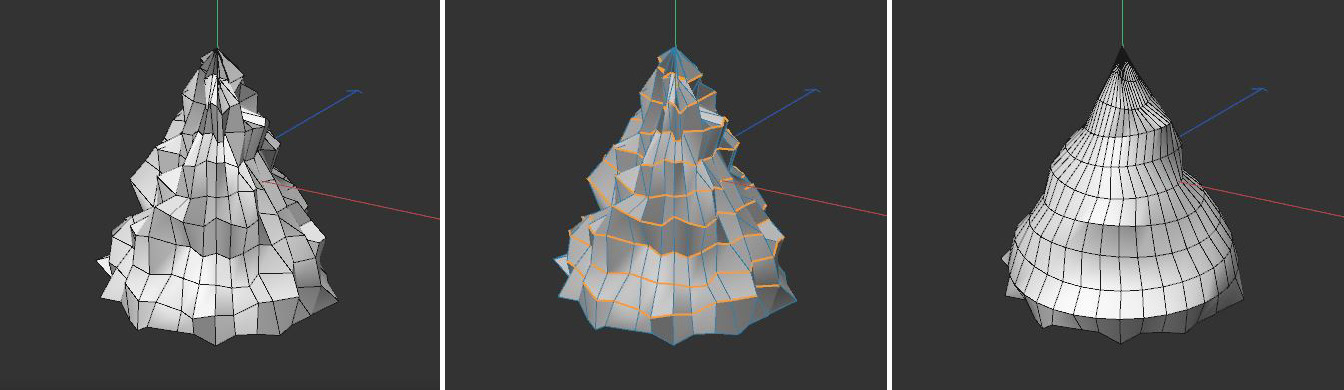 This example uses a crumpled cone on which horizontal edge loops have been selected (see left and center). The Smooth Edges function rounds the selected edges while maintaining the original loop length in each selected Edge Loop.