

Contrast
What is it about?
This page documents the Contrast node of the classic node materials in Cinema 4D. It steepens or flattens the brightness curve of an input — the quick way to punchier or softer textures and masks.
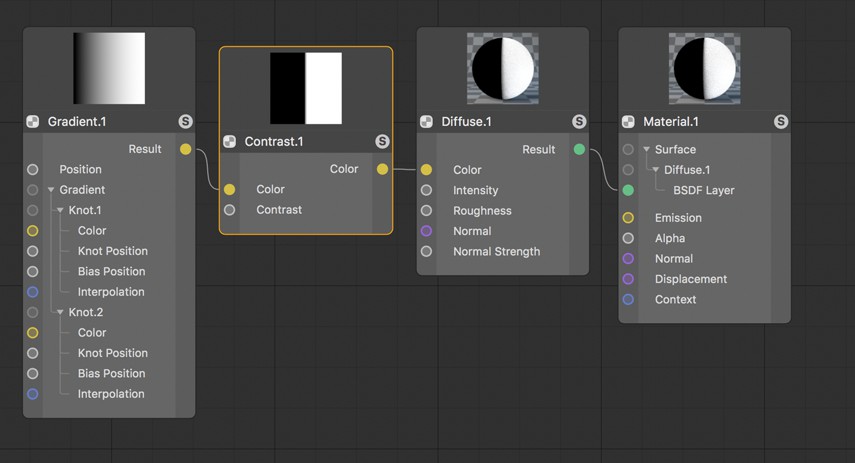 The Contrast setting can be used to sharpen or soften the transition from light to dark regions.
Contrast Node defines the brightness progression of an image. Indirectly, the difference between the brightest and darkest image element will be defined. If the contrast is increased sharply, details in the lighter and shaded regions can be lost and simply be displayed as white or black. On the other hand, if the Contrast value is decreased too drastically, the image can have a muddy effect if all elements have no real discernable differences in brightness.