
Ring Selection
What is it about?
This page covers the Ring Selection tool in Cinema 4D. Unlike the loop selection, it picks the parallel elements running around a ring — for example every edge crossing a cylinder — which is handy for preparing loop cuts and even spacing.

This tool is the same as Loop Selection except it selects elements that form a broad ring-shape. The tool works in all three modes (point, edge and polygon).
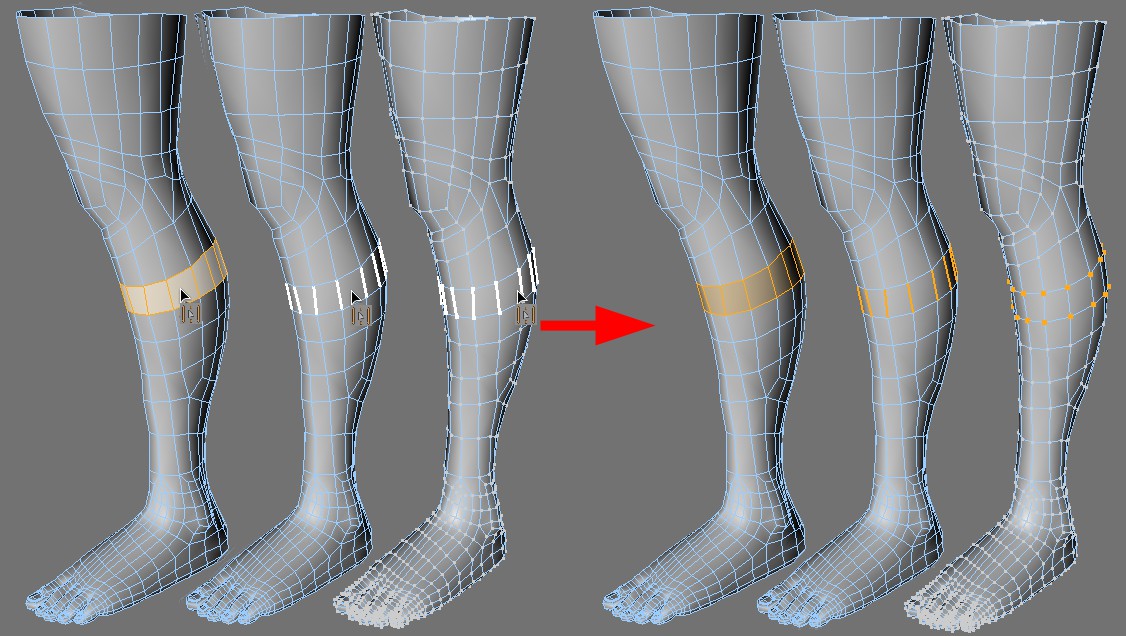 From left to right: Ring Selection in polygon, edge and point mode.
You can adjust the loop length by pressing and holding the LMB.