
Cone Object
This page documents the Cone primitive in Cinema 4D. It creates a parametric cone with adjustable top and bottom radii, rounding and slicing — versatile enough for anything from funnels to water drops.

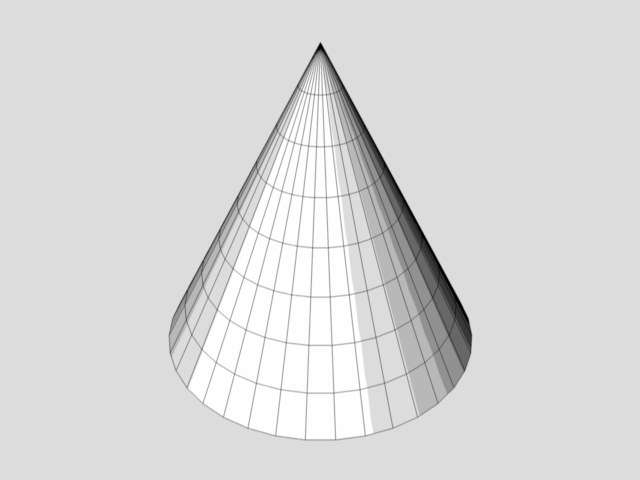
This command creates a cone, whose base lies in the XZ plane (but see below). The Cone object is more useful than it first appears. For example, you can quickly create a drop of water by adjusting a few parameters.
Interactive editing
The cone initially has three handles. However, note that, at first, handle 1 (for the height) and handle 3 (for the upper radius) are in the same position.
- Drag handle 1 to change the height
- Drag handle 2 to change the lower radius
-
Drag handle 3 to change the upper radius.
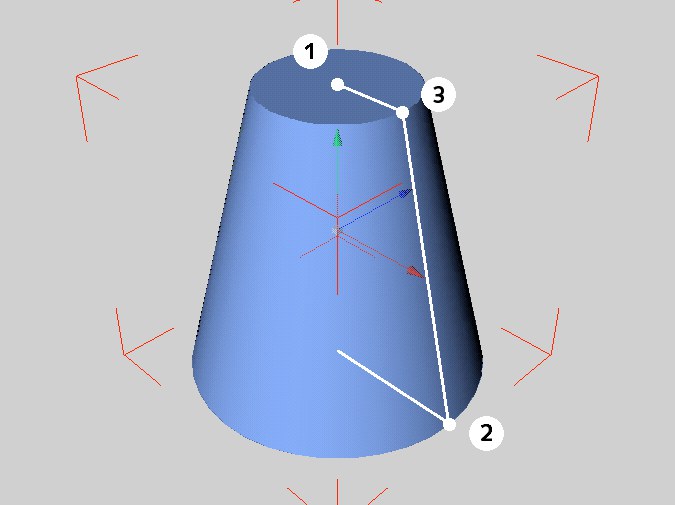 The handles of the cone primitive
Enable the Top or Bottom rounding functions in the Caps tab. Two additional handles will be made available.
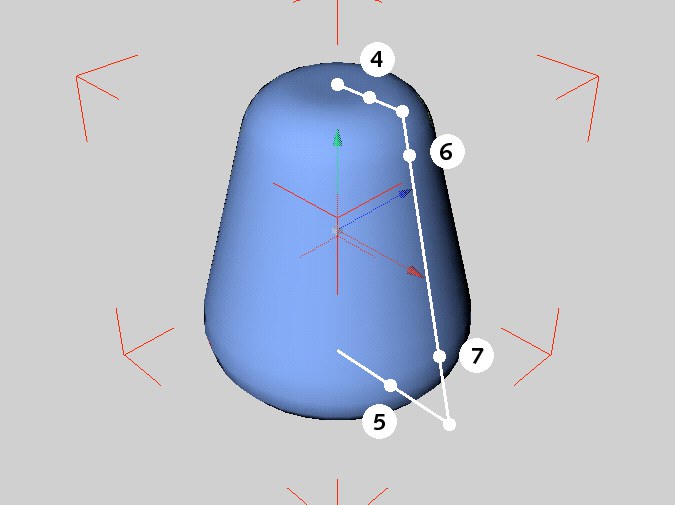 Additional handles Additional handles
|
Drag the handles (4) and (5) to change the width of rounding at top and at bottom, respectively. Drag the handles (6) and (7) to change the height of rounding at top and bottom, respectively. |