Rope Belt Tag
What is it about?
This page documents the Rope Belt tag in Cinema 4D. It pins selected guide or spline points of a Rope simulation to another object — used to attach simulated ropes, straps or cables to animated geometry at fixed points.
The Rope Belt Tag lets you fix guide points or spline points (when using splines in conjunction with the Rope tag). So, how does this work?
-
Create a polygon object onto which the Hair constraints should be attached, and drag it into the Rope Belt tag's Object field (the Rope Belt tag itself will be assigned to the respective Hair object or to the spline ).
-
Select the guide points or spline points with which the Rope Belt should be fixed.
-
Click on Set. Rope Belts will be created between the selected points and the next point on the polygon object.
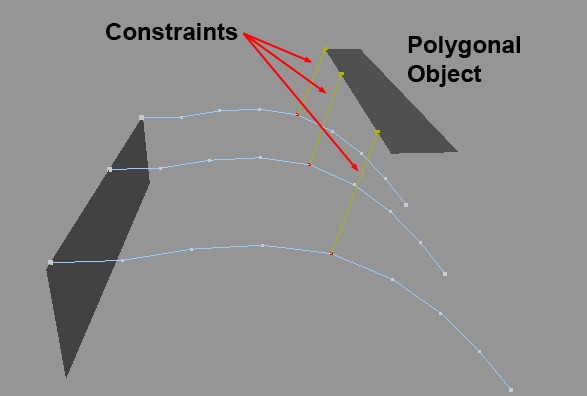
These points are fixed by the Hair Constraints. The following settings let you adjust the strength and position of the fixation.
Example
Here, a rectangular spline was attached to two long, thin, animated cubes: