

Debug
What is it about?
This page describes the Debug node of the classic node materials in Cinema 4D. It logs material and sampling information to the console during rendering — the diagnostic probe for complex node materials.
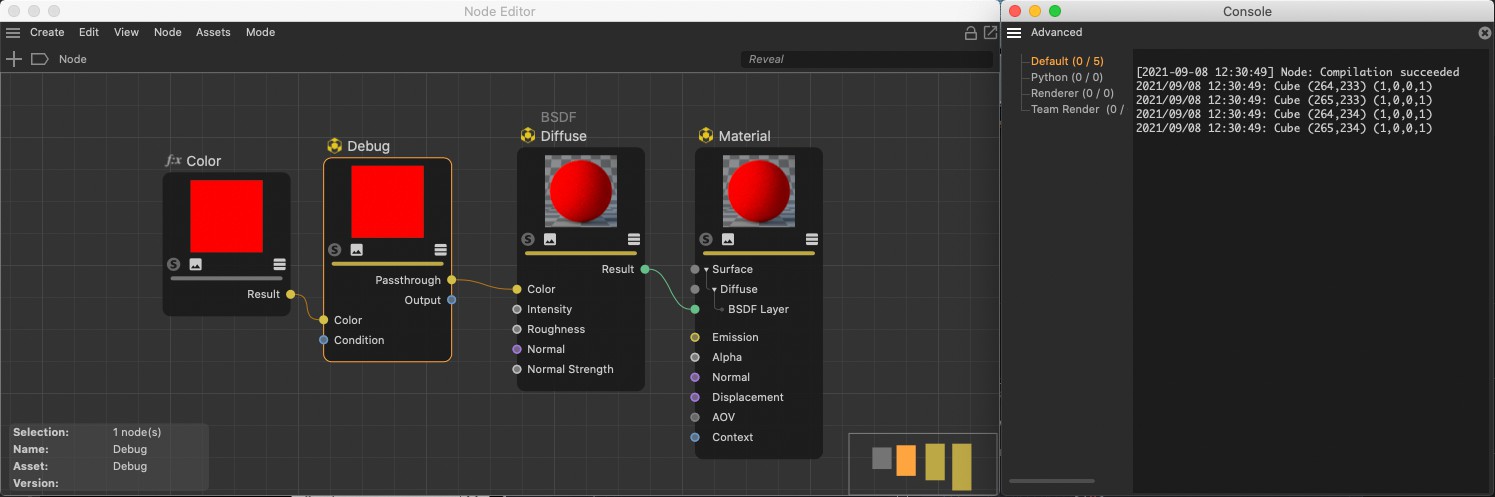 The Debug Node can be used to output various information about a specific part of the rendering to the console.
This Node can be used to output various information about the rendering process regarding materials and the current sampled position on a surface to the Cinema 4D console. The Console can be found in the main Cinema 4D Extensions menu. The output takes place during rendering in the Viewport or Picture Viewer and only for the area defined by the Screen Bounds (Pixels) menu. The Condition option must also be enabled and the Passthrough output must be linked within the Node setup.