
Flatten
What is it about?
This page covers the Flatten node of the Scene Nodes system in Cinema 4D. It projects selected components onto a common plane — averaged from normals or set manually — for planar faces within procedural meshes.
Selected points, edges or polygons can be changed in their position so that they lie on a common plane. This layer can be automatically calculated via a mean Normal direction or defined manually.
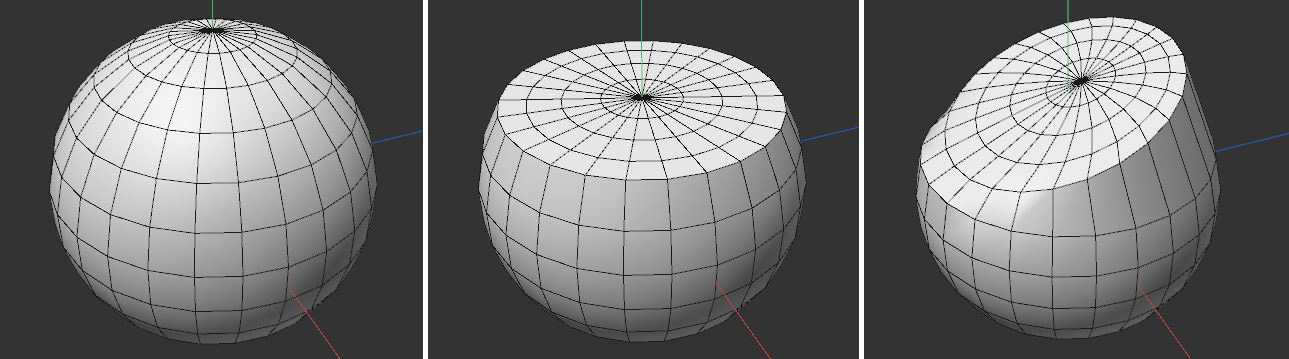 In this example, a simple sphere is used (seen on the left). The polygons in the upper half were selected then flattened (center). In the illustration on the right you can see how an individual layer was used for flattening.