

Equal Spacing
What is it about?
This page documents the Equal Spacing command in Cinema 4D. It redistributes selected edge loops parallel and evenly between their neighbors while keeping the surface curvature — a topology cleanup tool for consistent loop spacing.
This interactive command - click+drag in the Viewport - only works in Edge mode. It arranges selected edges/edge loops as parallel as possible and as evenly-spaced as possible to the neighboring Edge Loops. The surface curvature created by the Edge Loops will be maintained as best as possible
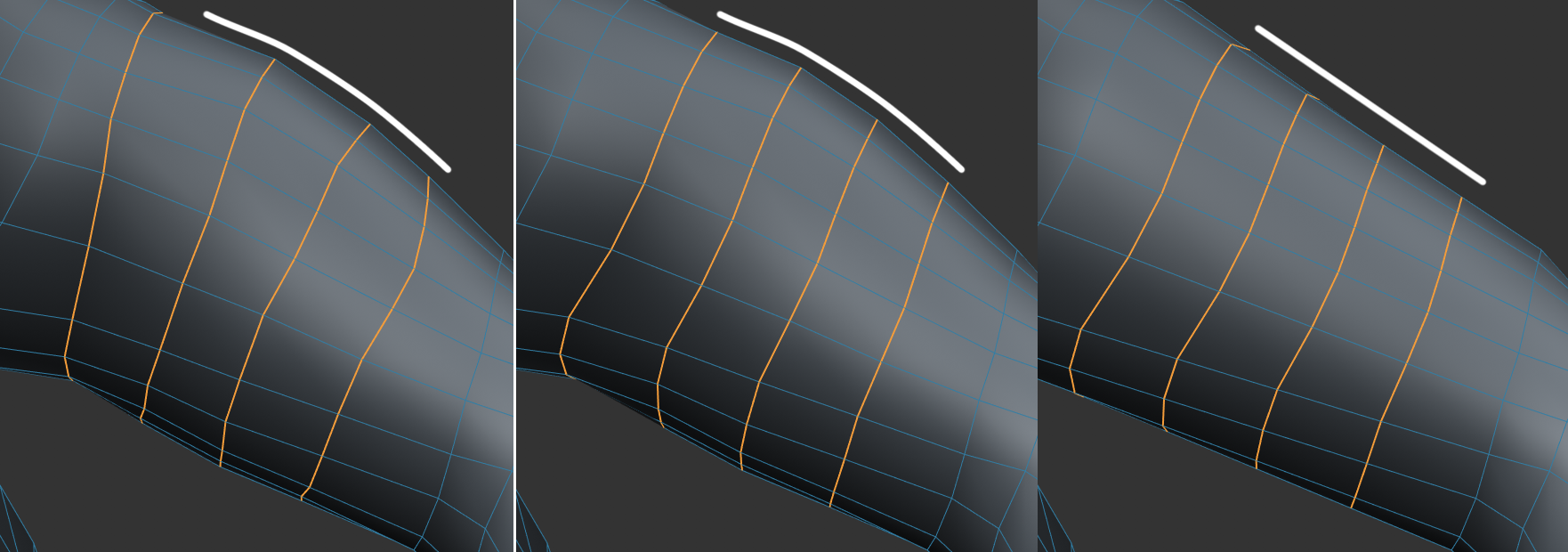 Left: The selected Edge Loops; Center: Equal Spacing applied; Right: With Linear option enabled. Note the surface curvature.