
Push
What is it about?
This page documents the Push tool for hair in Cinema 4D. It displaces guides away from the surface or from each other by a defined amount once Apply is pressed — helpful for adding volume or resolving guides that sit too close together.

This tool has two purposes in life:
- Guides that have partially or entirely come to rest beneath the hair-covered surface (e.g., after combing without using collision detection), can be pushed back above the surface using this tool.
- This tool can be used to push guides apart.
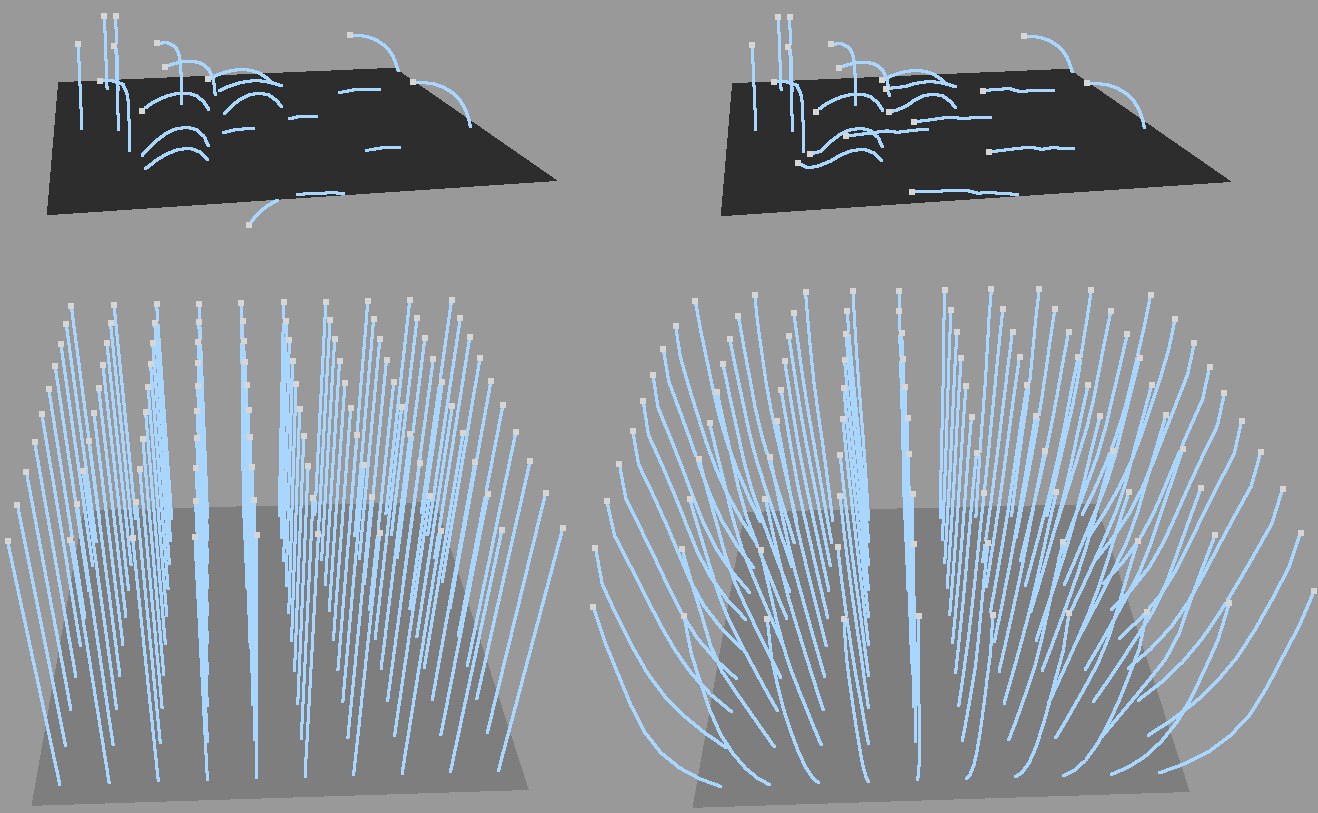 Top: The effect of the Surface setting. Bottom: The effect of the Guides setting.
After adjusting the settings as desired, the Apply button must be pressed in order to apply the settings to the guides.