
PolyFX
This page documents the PolyFX deformer in Cinema 4D's MoGraph system. It treats every polygon or spline segment of an object as a clone, so Effectors can scatter, rotate and animate them — the classic tool for dissolve and assemble effects.

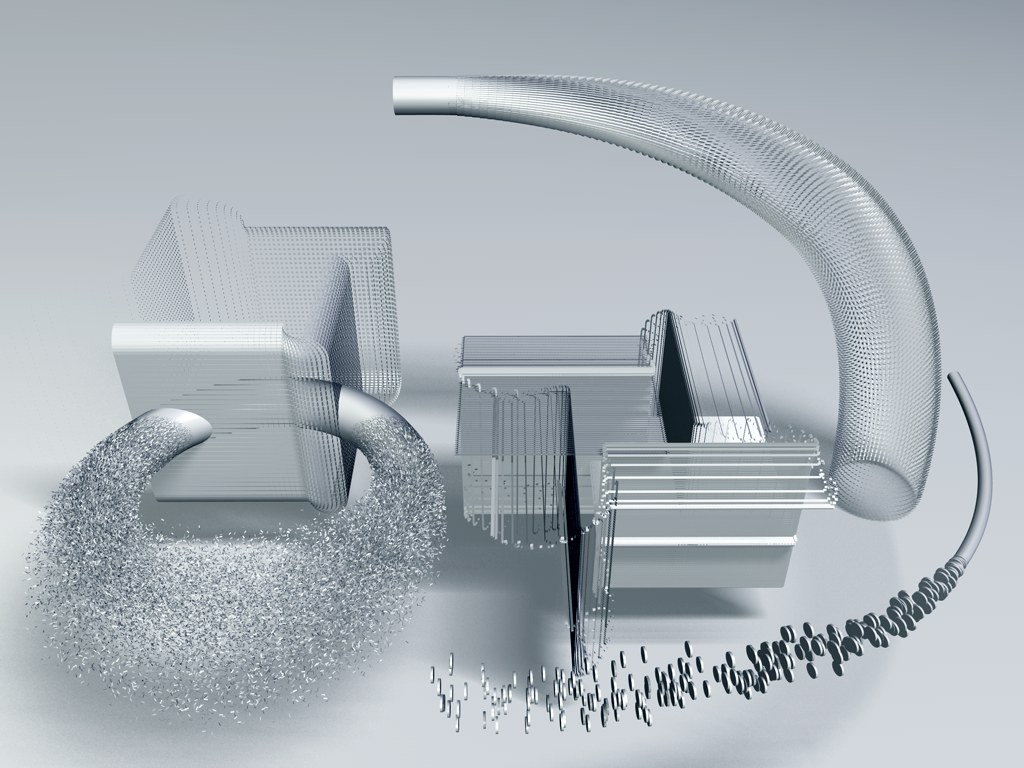 2 *, 2 * Sweep Object and 1 Torus object (once on polygon level, once on spline level) are fragmented using a PolyFX object. How finely an object is fragmented depends on the subdivision of the respective object.

The PolyFX object can be viewed as a Deformation object that considers each polygon of a given object or each segment of a given Spline to be a Clone, thus allowing any MoGraph Effector to affect them accordingly.
Proceed as follows if you want to use a PolyFX object:
- Make the PolyFX object a Child object of the object you want it to affect (or place it onto the same hierarchical level under a common Parent object). Nothing will happen, yet, because no Effector has been applied.
- Make sure the PolyFX object is selected and call up any Effector, which will automatically be assigned to the active PolyFX object. Done.
The following applies to polygons: By default, polygons are moved, rotated and scaled using the polygon coordinate system . Note that the polygon Z axis runs in the direction of the surface Normals.