

Smooth Edges
This page describes the Smooth Edges command in Cinema 4D. It iteratively relaxes selected edge courses or polygon outlines while preserving their endpoints — ideal for evening out jagged cuts or imported curves without reshaping the whole mesh.
This command works in all 3 component modes - Point, Edge, Polygon - and smooths selected edge features or polygon outlines by clicking and dragging in the Viewport and interactively increasing the Iterations parameter.
This can look like this:
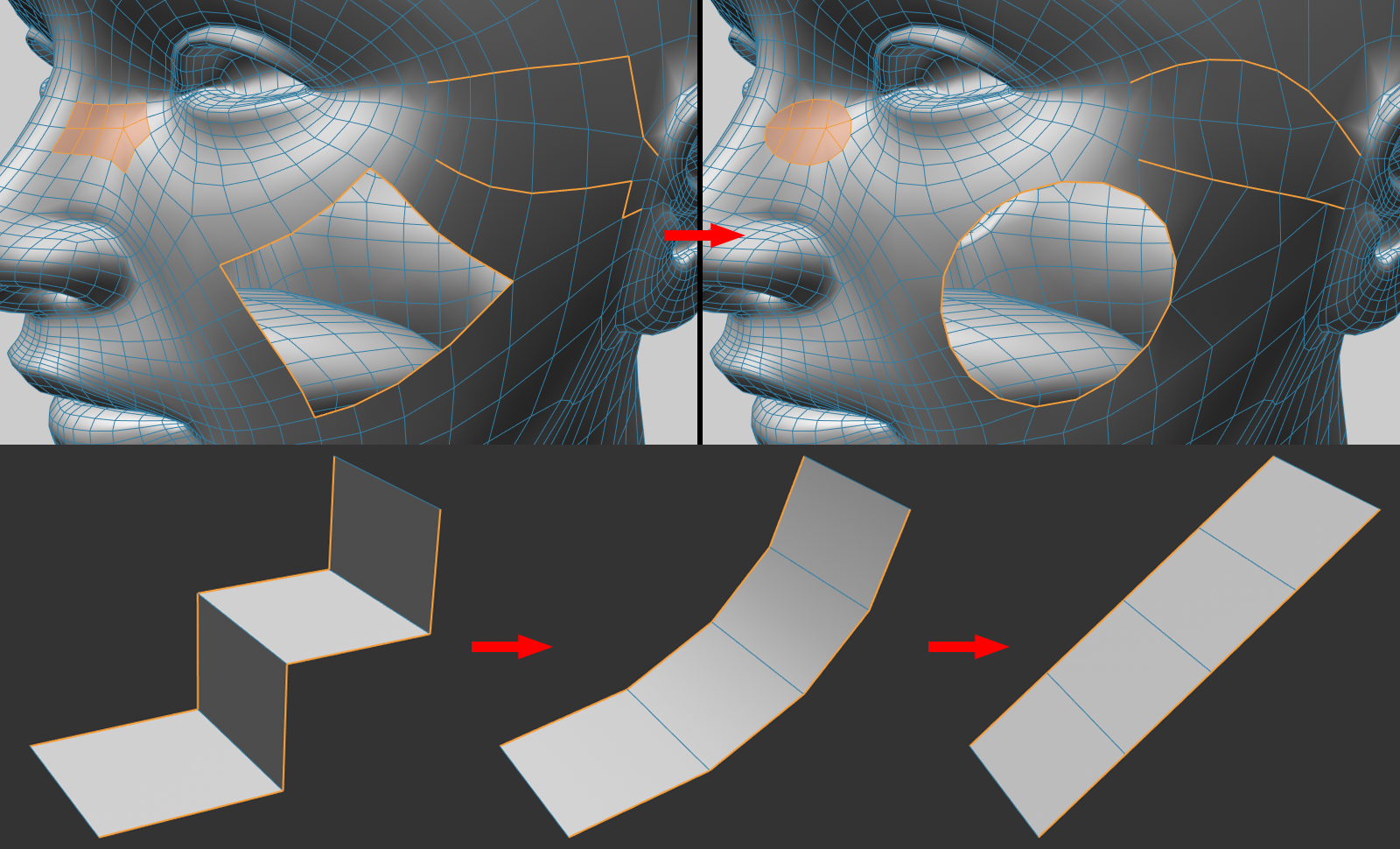
As shown, selected edge features or the outer edges of selected polygons are converted to edge features of the smallest length. If the edges have definitive start and end points, these will remain fixed while increasing Iteration values will create a short, curved shape free of corners.