
Fill
This page covers the Fill brush for sculpting in Cinema 4D. It raises concave regions toward the average surface height — the counterpart to the Scrape brush, used for filling wrinkles, dents and crevices.

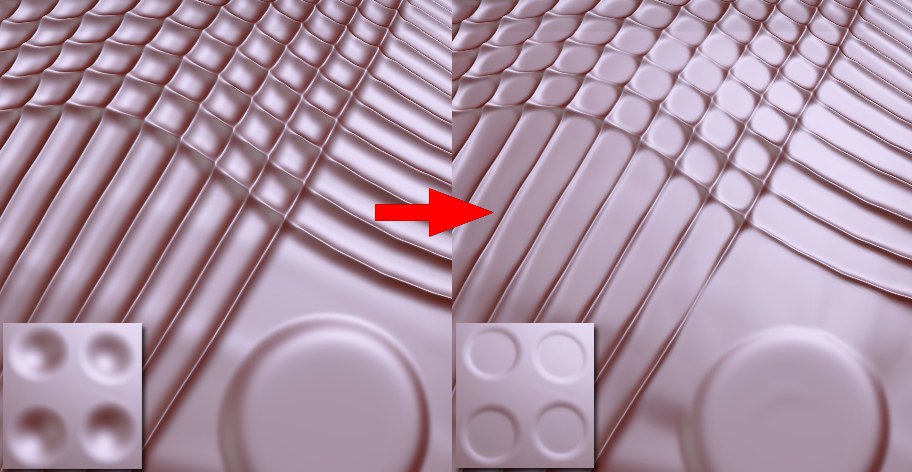
Use the Fill brush to fill concave regions. In doing so, the brush calculates the average height of the vertices beneath the brush and raises the vertices accordingly.
This brush works best with low Size and Strength values.
Note that the Wax brush with Wax Mode set to Valley can also be used to, fill’ detailed regions across larger areas.
Note also the Scrape brush that can be used to scrape off sculpted regions.
An overview of all available brushes can be found here: Brushes.