

Straighten Edges
What is it about?
This page documents the Straighten Edges tool in Cinema 4D. It moves the points of selected edge runs onto a straight line between their endpoints — useful for cleaning up wavy cuts or aligning topology after freehand modeling.
This interactive tool, effective in Point and Edge modes, requires selected, unclosed edge moves. With increasing strength, all edge segment points will be placed on a line between the start and end of the edge segment.
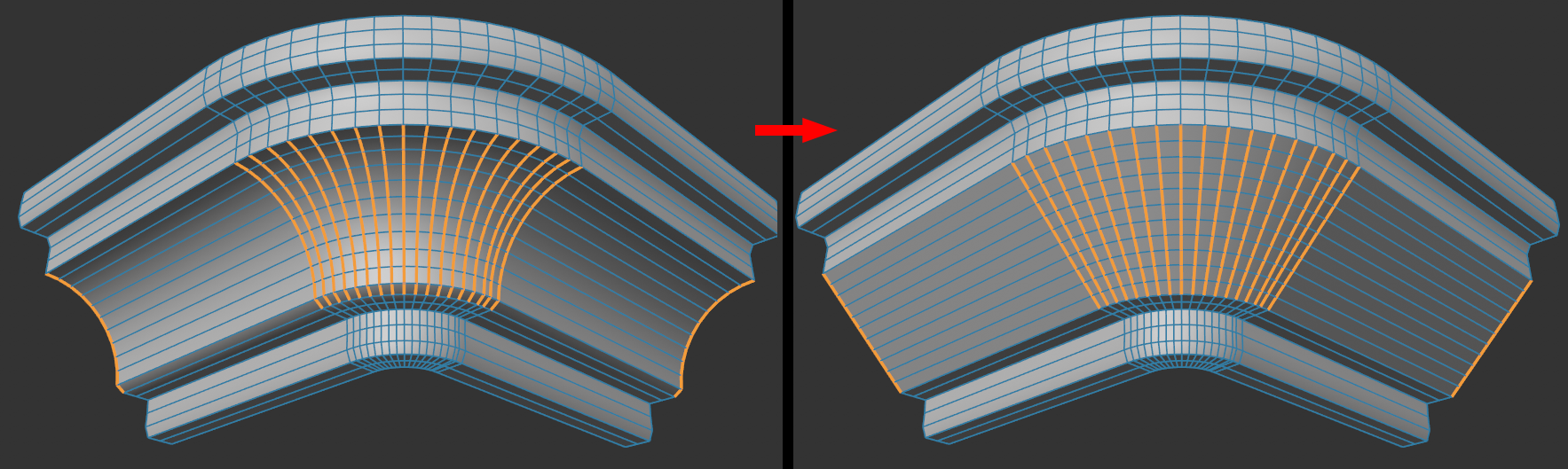 Edge segments will be straightened.
Crossing or adjoining edge segments are a special case: here the crossing point is regarded as a fixed end point, i.e., for wholly selected meshes, for example, there is no change.