
Close Polygon Hole
This page documents the Close Polygon Hole tool in Cinema 4D. Hovering over an opening in a mesh shows a preview polygon that seals it with one click — the fastest repair for holes left by deleted faces or imported geometry.

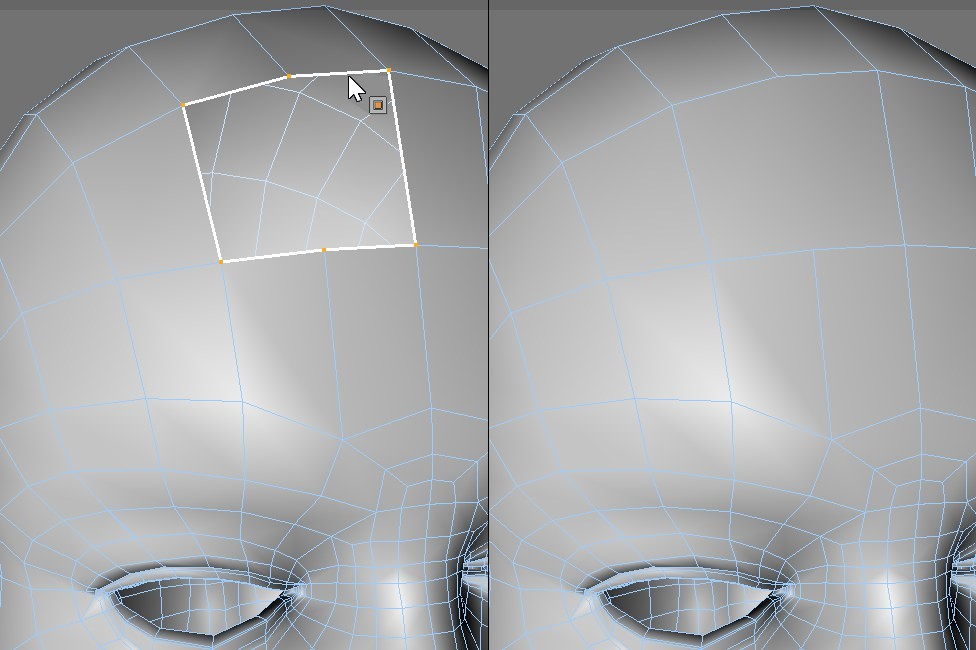 Closing a polygon hole.
The polygon head has stumbled over a loose bit of carpeting and hit the floor with a thud. And now there's a gaping hole in her forehead! But there's no need for surgery — CINEMA 4D's Close Polygon tool can soon patch up Meg to look as good as new..
The Close Polygon Hole tool works in all three modes (point, edge and polygon). To use the tool, move the mouse pointer over the hole. A yellow polygon preview will appear that closes the hole. Click the mouse button to create the polygon.