

Flatten
What is it about?
This page covers the Flatten tool in Cinema 4D. It projects selected polygons onto a common plane with adjustable strength — optionally per polygon island — useful for creating planar faces for booleans, panels or clean mounting surfaces.
This tool flattens selected polygons on a common plane:
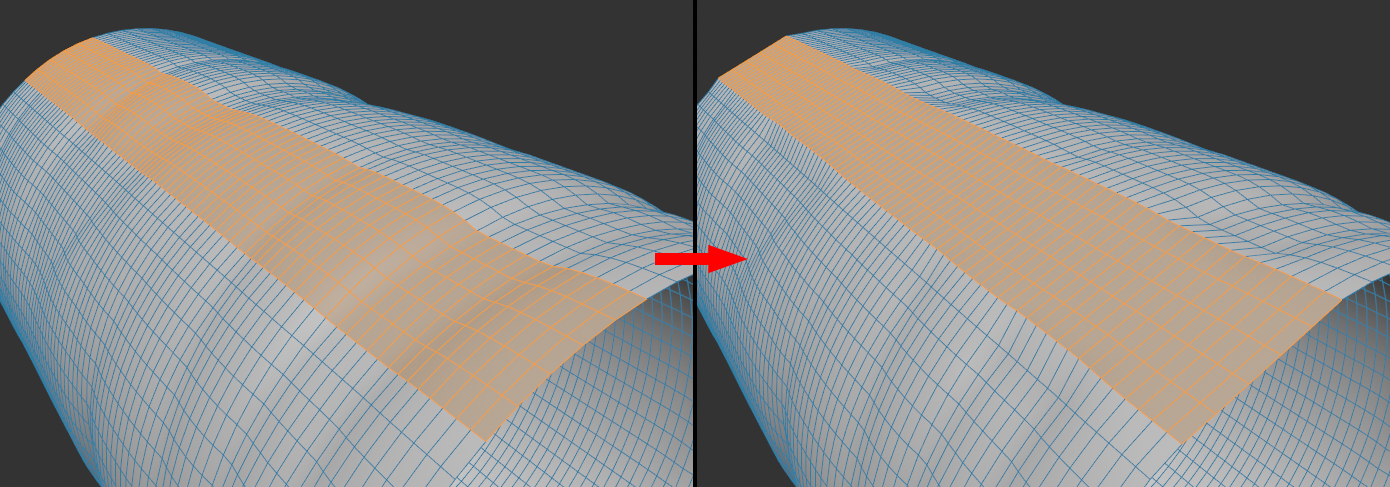
The tool also works in point or edge mode, provided that corresponding selections include entire polygons.
You can change the Strength interactively in the view, as well as regulate the Position by pressing the Shift key.
If you want to flatten several polygon islands individually, activate the Individual Islands option.