
Edge Cut
What is it about?
This page documents the Edge Cut tool in Cinema 4D. It subdivides selected edges interactively with adjustable count, scale and offset — useful for adding topology exactly where detail is needed.

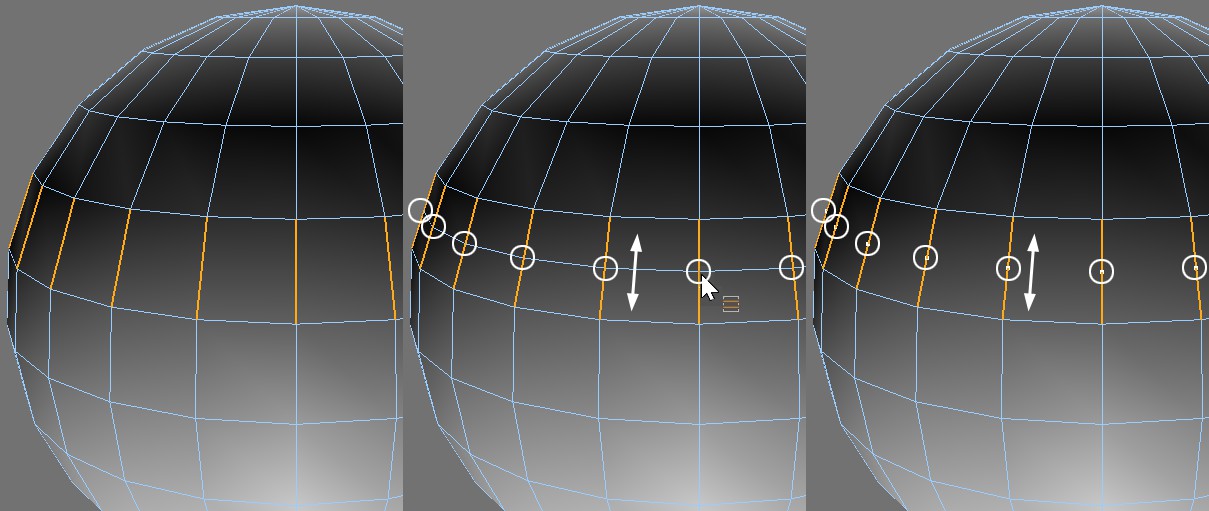 Edge Cut applied to the selected edges with N-Gons, None and All. The new points can still be offset.
The Edge Cut tool allows you to interactively subdivide the selected edges. You can adjust the parameters in the Attribute Manager or in the Viewport (in the Viewport, Shift+drag to adjust Scale; Ctrl/Cmd+drag to adjust Offset; Ctrl+Shift+drag to adjust Subdivision).
Edge Cut works in Edge mode only.