
Add Property Tracks
Almost every parameter of any object, tag, material, shader or post effect can be animated. All parameters in the Attributes Manager or in the Render Settings’ Post Effects menu that have a diamond icon next to them can be animated.
For example:
- Camera depth
- All light parameters
- Caustics’ photon count when setting lights
- Subdivision Surfaces render subdivision
-
Node properties, e.g., on / off switch
or one of the thousands of other properties.
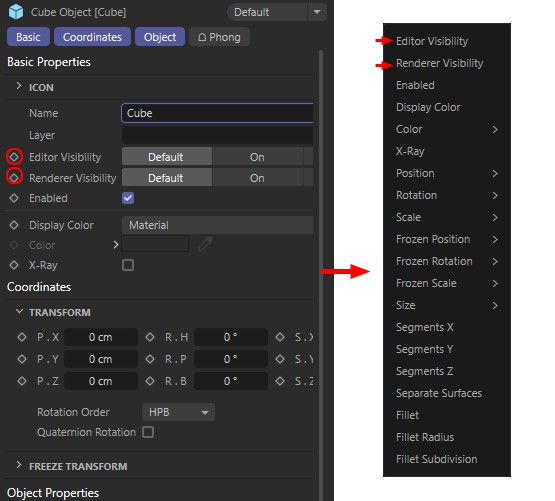 An animation track can be created using any parameter with hash mark next to it (Animation / Add Track).
Ctrl + click on the track in the Keys Area to create a key.