
Modifications
These settings can be used to define how CAD elements in Cinema 4D should be structures. It’s generally not very useful if 2,000 CAD entities (that may comprise only a single object) are imported as 2,000 objects into Cinema 4D. Here you can select from different criteria for combining these objects. You can, for example, combine surfaces to objects or all objects that lie on the same layer can be arranged to a single object. You can test the various options to see what works best for your purposes.
The following options are available:
- None: No combining will take place and individual surfaces will be imported as objects. This mode is the least advantageous of them all.
- Original Bodies: An attempt will be made to combine several surfaces in order to create a coherent mesh.
- By Topology: An attempt will be made to combine all surfaces that belong to the same volume (this is the mode that is most recommended).
- By Color: All surfaces of the same color will be combined into a single object.
- By Layer: All surfaces belonging to the same layer will be combined.
Note that combining - in particular with larger models - after they are loaded can take quite some time to complete.
This setting does not work in conjunction with splines.
Enable this option if objects are rotated by 90° when imported (compared to the CAD software). The table you imported will then stand on its legs and not on its side …
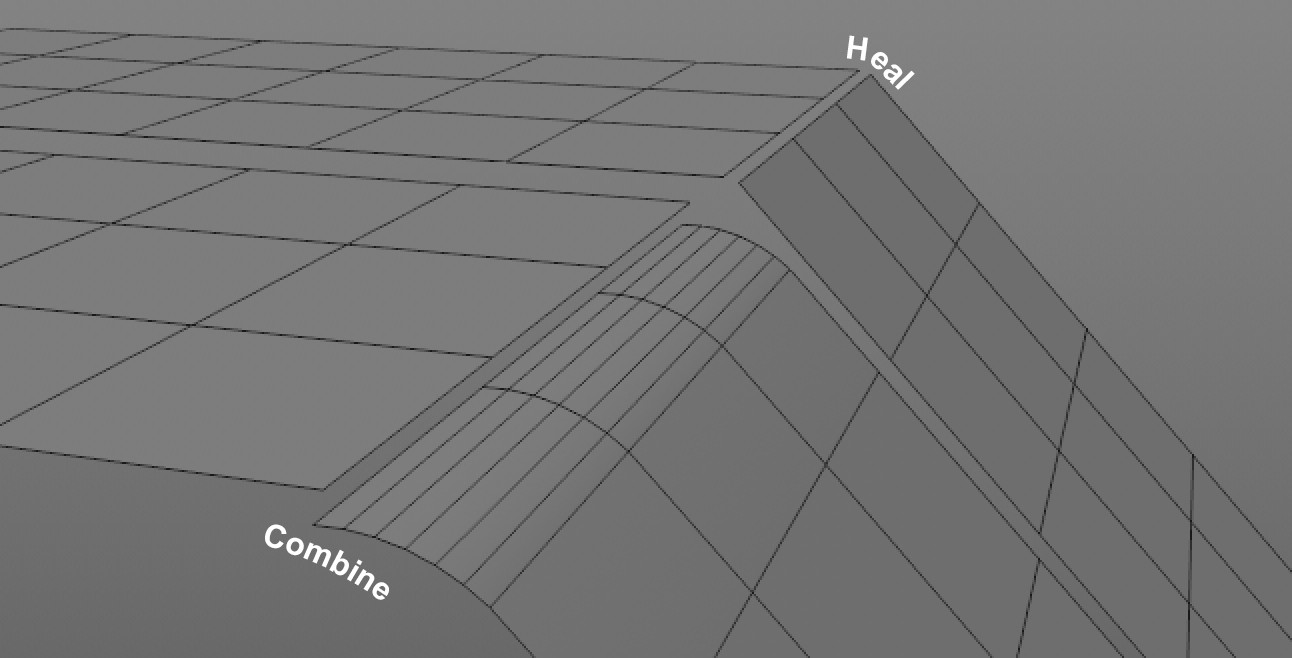 Such (NURBS) faults can be eliminated by using Heal and Stitch.
When constructing and exchanging CAD files between systems and programs, imprecisions and minor faults can occur in the geometry, e.g., tiny gaps on surfaces that are actually closed, points that don’t lie exactly on top of one another, etc. The result would be a mesh that is not watertight. This is what the Heal and Stitch functions aim to prevent.
Heal can remove gaps between surfaces whose edges should meet. If Heal doesn’t do the trick you can also add Stitch to the equation.
Stitch attempts to close gaps between surfaces even if they don’t overlap (e.g., slightly parallel offset edges). Points will be moved in the process, i.e., the surface geometry will be modified.
Use this setting if Heal doesn’t produce the desired result.
The value entered here refers to the number of (internal) repetitions of the function. Larger values can close larger gaps.
A value of 0 will disable the Stitch function.
Enable this option to omit hierarchies that are unnecessary for Cinema 4d and would only be imported as Null objects.