
C4D Hair Attributes
This page covers the C4D Hair Attributes node of the Redshift renderer in Cinema 4D. It reads colors and shading properties from a native Cinema 4D hair material — bridging existing Hair setups into Redshift hair shading.
When creating hair, a Cinema 4D hair material is automatically generated, which can be used to specify not only the color scheme but also, for example, the thickness or waviness of the hair. In order to be able to transfer the configuration of specular colors, transparency colors or diffuse shading colors directly from this Cinema 4D material to a Redshift material, the C4D Hair Attributes Nodes is available. This can be used to output many colors and parameters of the Cinema 4D hair material and, for example, transfer them to a Redshift hair material. The following images demonstrate the basic workflow.
By using the preconfigured Redshift Hair material, you will already receive a C4D Hair Attributes node that is fully connected to all matching inputs of a Redshift Hair shader node.
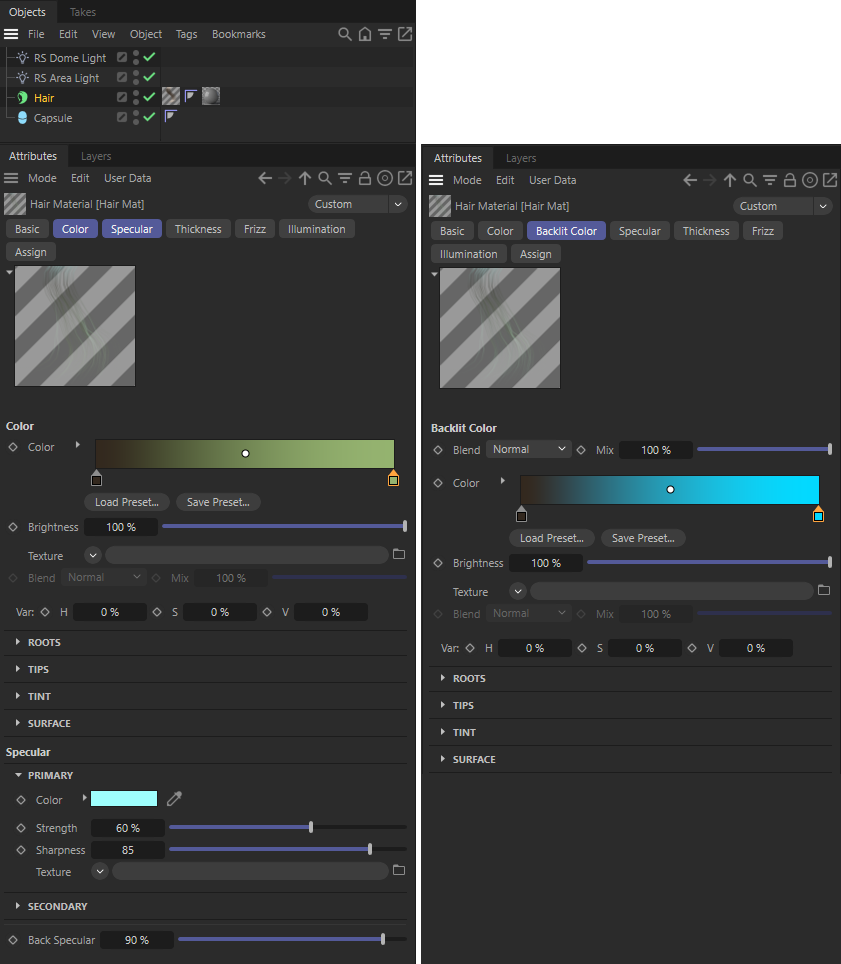
The Cinema 4D Hair material not only offers many settings to configure the size, length, thickness and shape of Hair, but also its diffuse, specular and translucent coloring.
By creating a Redshift Hair material and applying it to the Hair object, you can combine the hair shaping of the Cinema 4D Hair material with the hair rendering coming from the Redshift material. To carry over the color configuration from the Cinema 4D Material to the Redshift material, use the C4D Hair Attributes node.
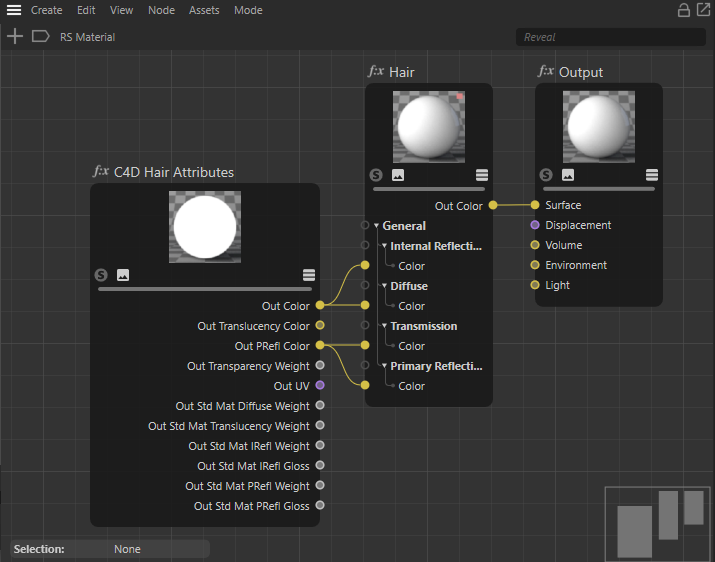
The C4D Hair Attributes node offers to output three color values from the asigned Cinema 4D Hair material: 'Out Color' is the 'Color' attribute, 'Out Translucency Color' is the "Backlit Color" attribute and 'Out PRefl Color' is based on the 'Specular Primary Color' of the Cinema 4D Hair material. You can connect these colors to all Hair inputs that expect a color.
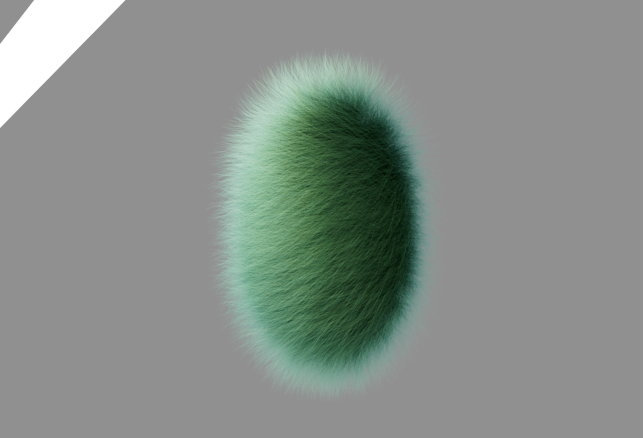
A possible result after overwriting a Redshift Hair shader with Cinema 4D Hair material colors.