
OCIO transformation
What is it about?
This page documents the OCIO Transformation node of the classic node materials in Cinema 4D. It applies OpenColorIO conversion rules to individual color values — targeted color-space control when OCIO is active in the project.
OpenColorIO (OCIO) offers a set of rules for converting various color spaces. This Node can be used to apply these rules individually to custom color values. In for this to be calculated comprehensively, OCIO must be activated as the color management system in the Preferences menu. Otherwise the Node offers only the standard conversion of colors as defined in the Preferences menu.
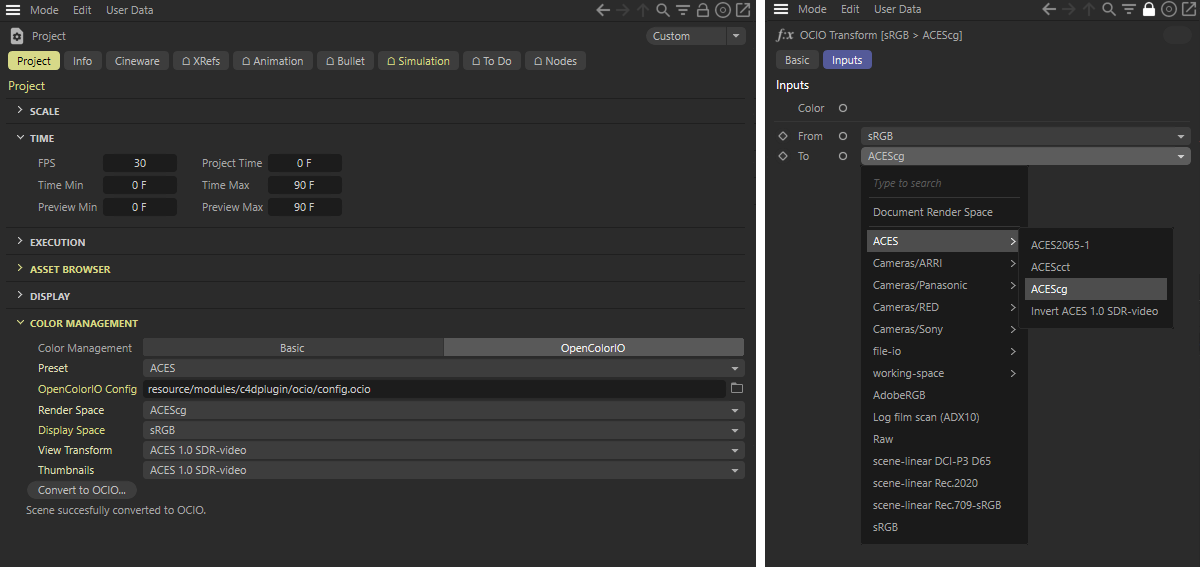 After switching to OpenColorIO Color Management in the Preferences menu, various presets are available on the Node for interpreting the input color and converting it to the desired color space.