

Kernel
What is it about?
This page documents the Kernel node of the classic node materials in Cinema 4D. It applies a convolution matrix over neighboring texels — blur, sharpen and edge effects defined by hand, like image-processing filters.
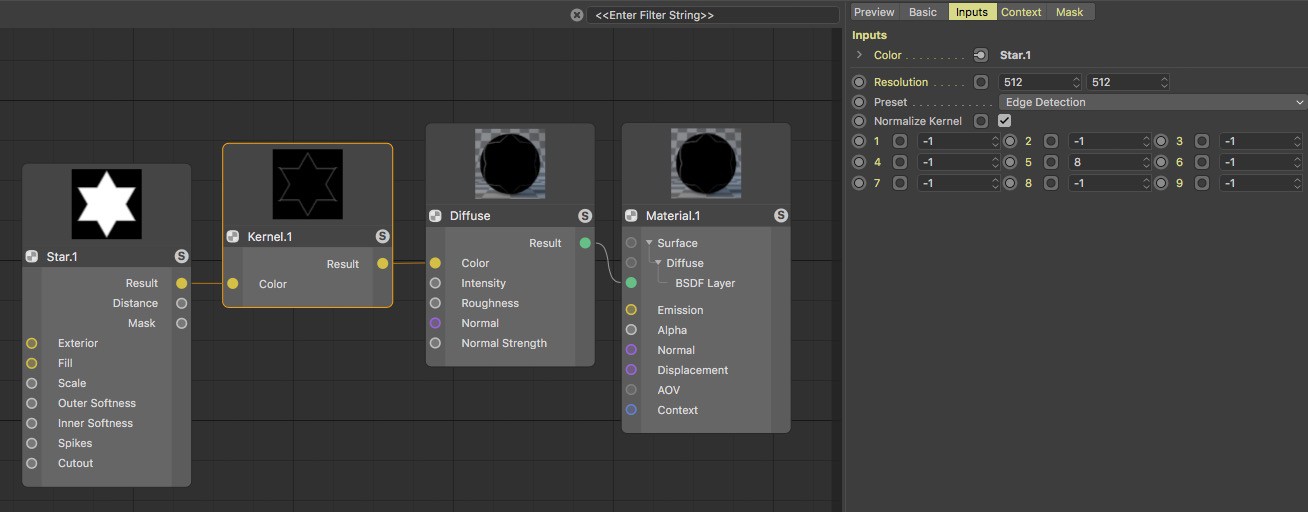 The Kernel Node can, for example, find contrasts and make them available for additional shading. In this example, the outlines of a star shape are output.
This Node makes a matrix available with which the inclusion of neighboring texels in the current sample color can be controlled. This can be used to create simple blur or sharpening effects but also to simulate the accentuation of contrasts and bump effects.