

Maps
Source Objects must have UV coordinates for texture maps to work.
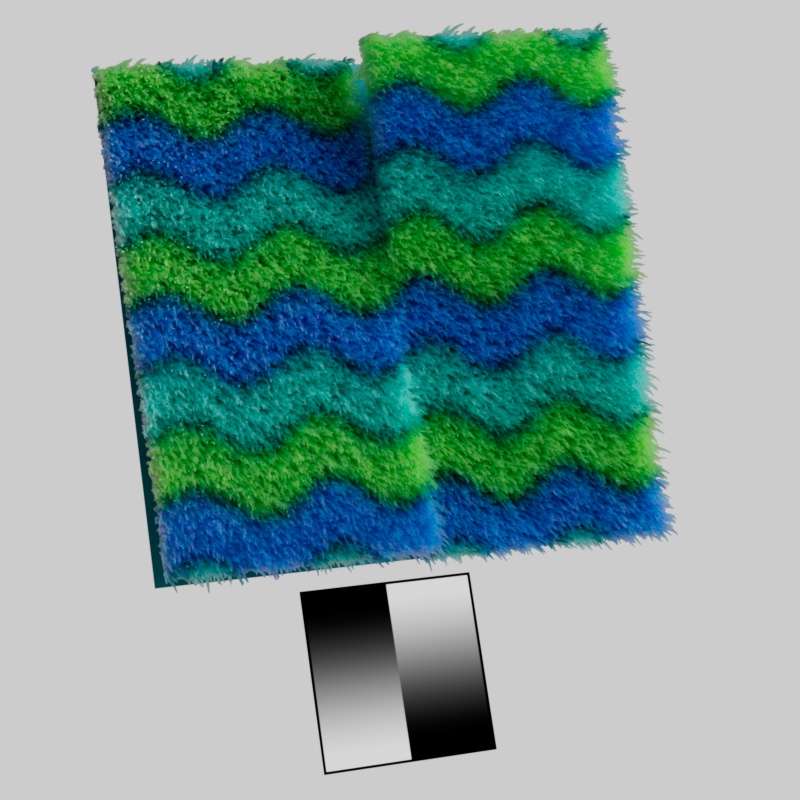
Multiplies the surface offset using a grayscale texture map. Useful for matching objects that require displacement.
|
|
Surface Offset Map: Linear Gradient |
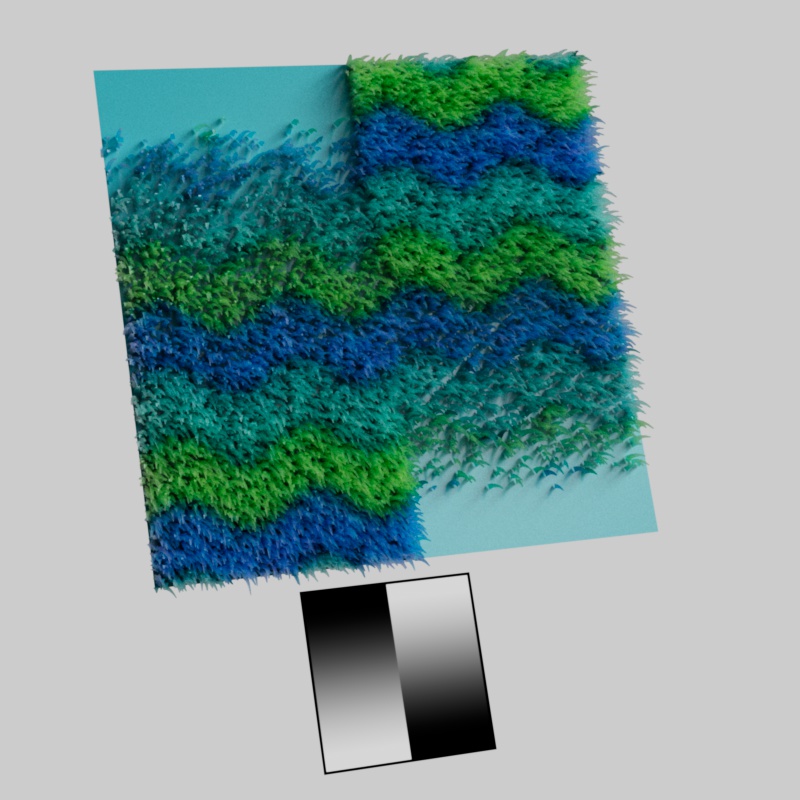
Multiplies the density using a grayscale texture map, this can be used to vary the density based on a texture. Black completely masks away fur, grey areas reduce the density, and white results in full density.
|
|
Density Map: Linear Gradient |
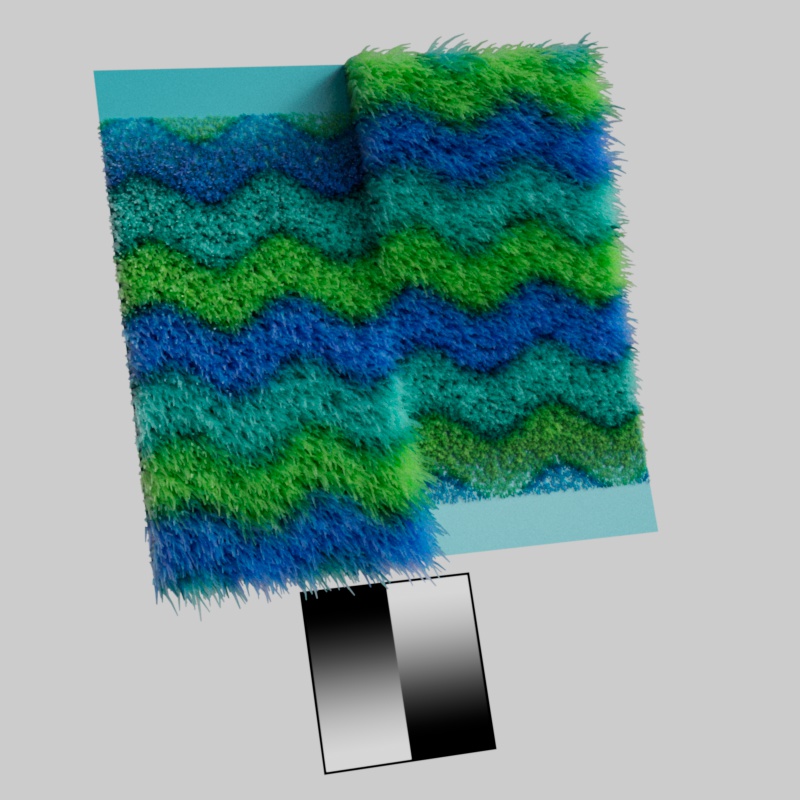
Multiplies the length using a grayscale texture map. Black completely masks away fur by giving it a strand length of 0, grey areas reduce the length, and white results in full strand length.
|
|
Length Map: Linear Gradient |
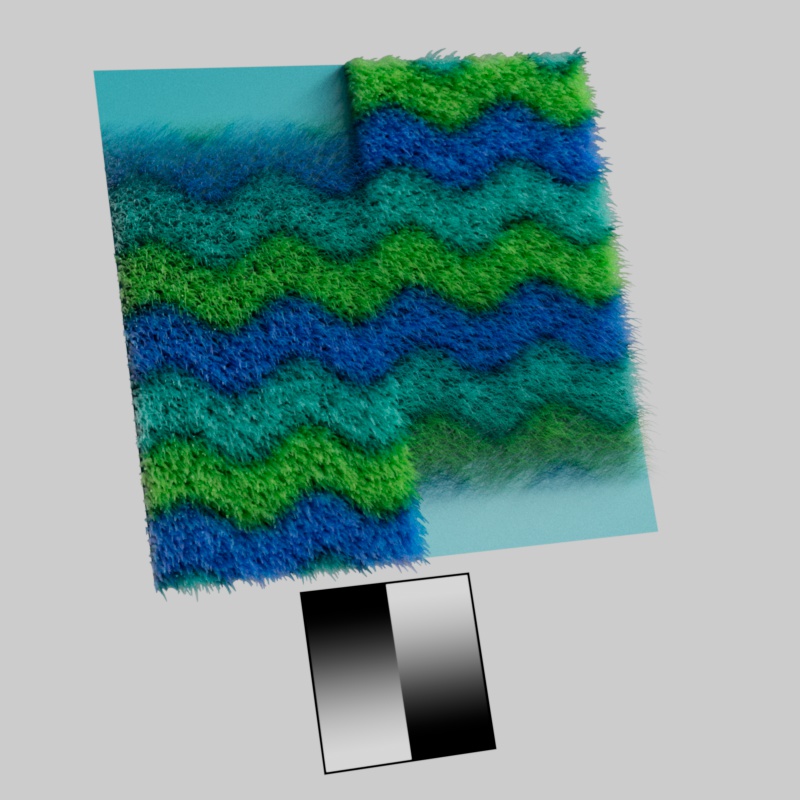
Multiplies the thickness using a grayscale texture map. Black completely masks away fur by giving it a strand thickness of 0, grey areas reduce the thickness, and white results in full strand thickness.
|
|
Thickness Map: Linear Gradient |
Overrides the initial growth direction for each strand using a color texture. By default a strand grows out along the surface normal but this map overrides that by setting the growth direction explicitly.
Each color channel of the texture controls a different aspect of the growth direction, exactly like a normal map. A color value of (0.5, 0.5, 1) results in the default direction straight out along the surface normal.
- The Red channel controls the direction along the mesh's U-tangent direction.
- 0 = fully negative, 0.5 = neutral, 1 = fully positive
- The Green channel controls the direction along the mesh's V-bitangent direction.
- 0 = fully negative, 0.5 = neutral, 1 = fully positive
- The Blue channel controls the direction along the mesh's surface normal in a binary way.
- 0 = strand grows along the surface (laying down)
- 1 = strand grows straight out of the surface
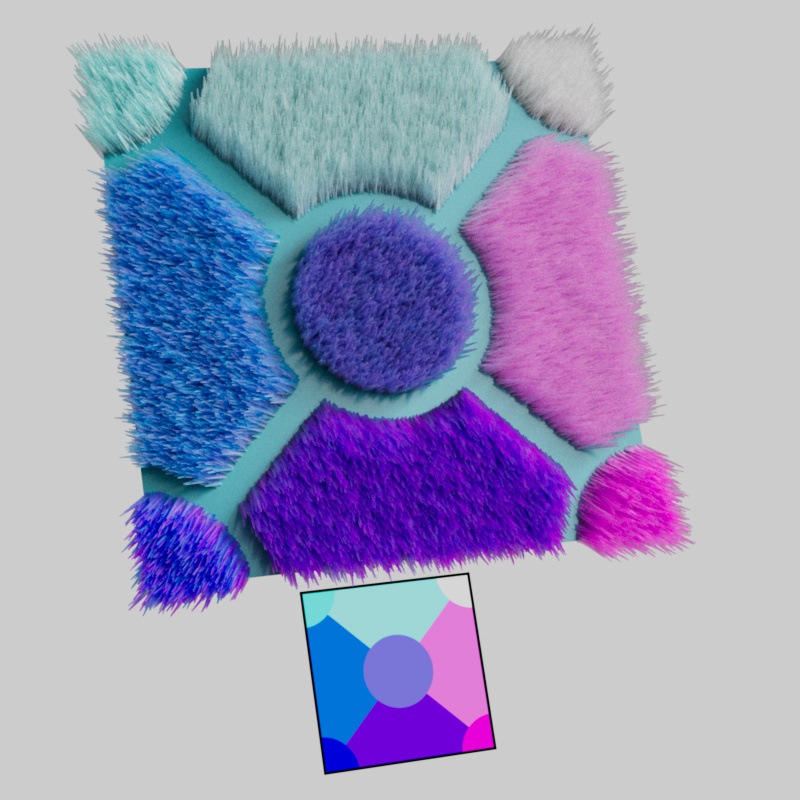
|
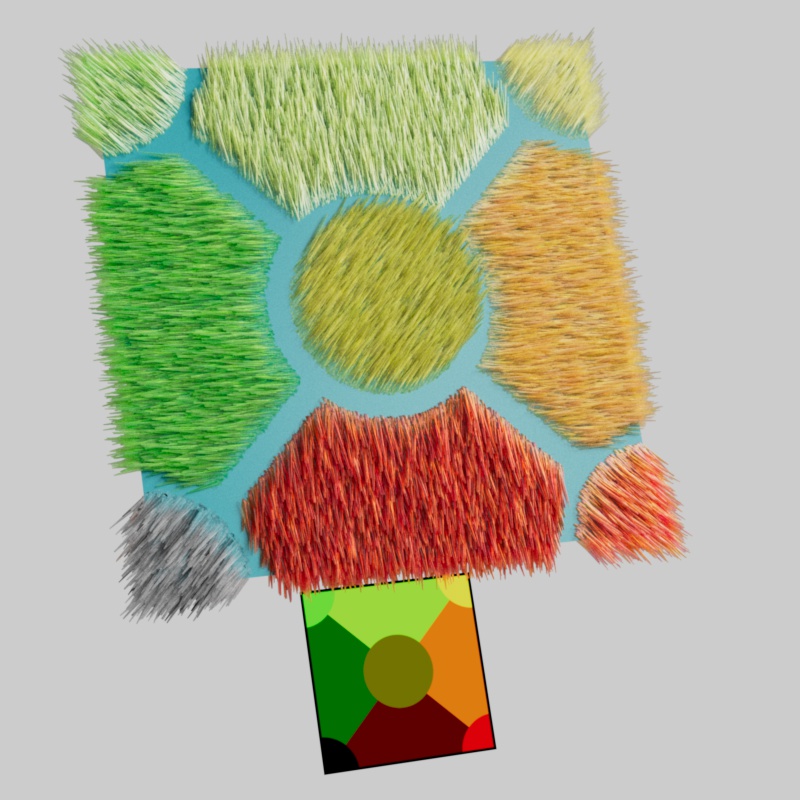
|
|
Comb Direction Map: Multi-Angle (along normals) |
Multi-Angle (along surface) |
A Bend Direction Map must be used.
Controls how much strands bend along the Bend Direction Map using a grayscale texture map to control . Black removes the bend direction effect entirely, grey areas reduce the bend direction, and white results in full bend strength.
In the examples below, note how in the areas where the Bend Map is black the Bend Direction has no effect and the strands are only affected by the normal bend due to gravity. In the areas where the Bend Map is lighter the Bend Direction can take effect.
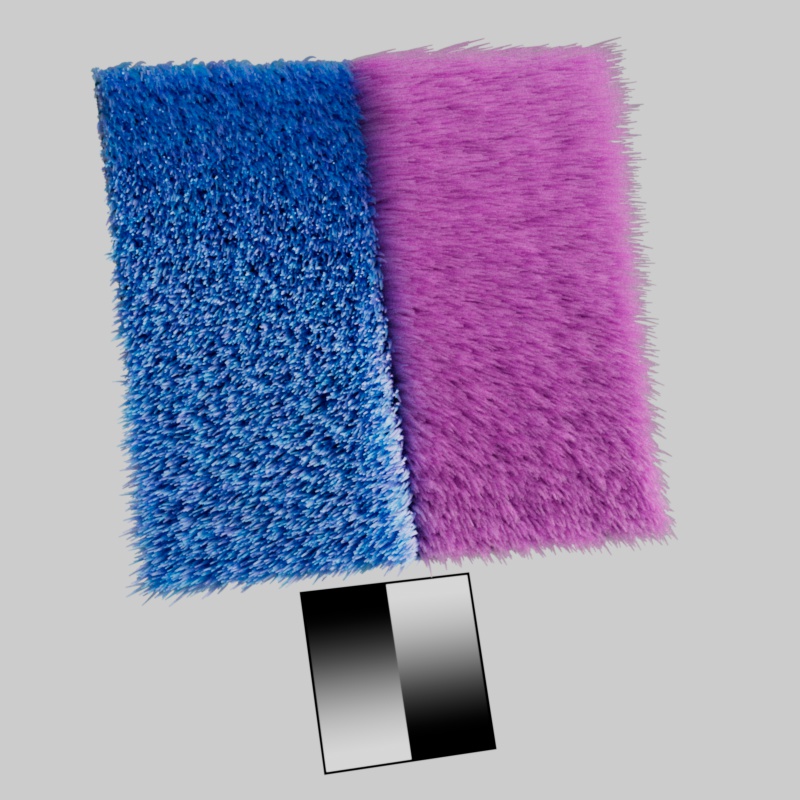
|
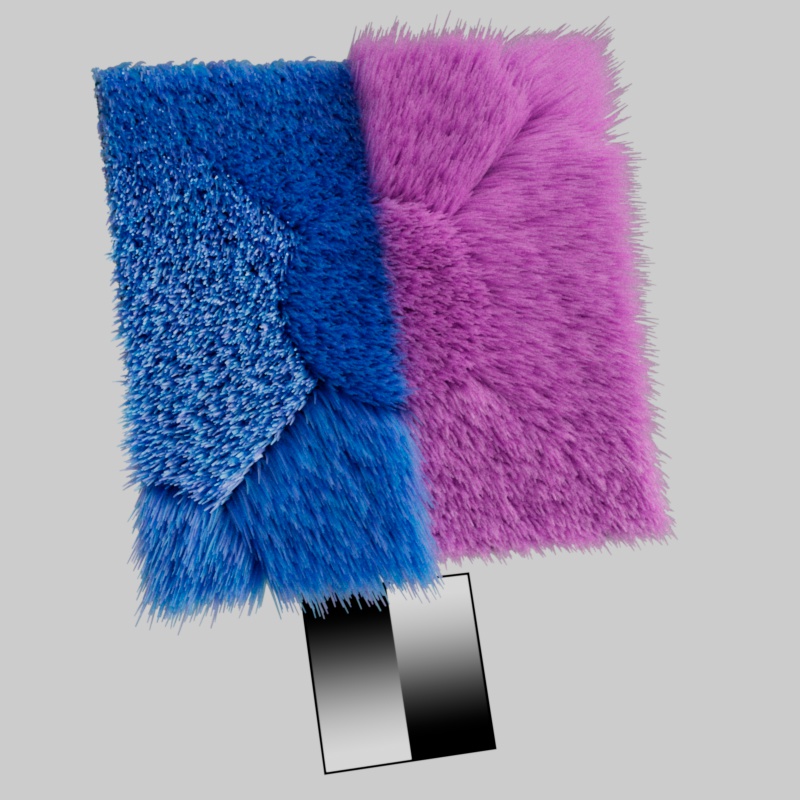
|
|
Bend Map: Linear Gradient |
Linear Gradient |
When used without a Bend Map, the Bend Direction Map uses a maximum bend strength.
Overrides the direction each strand bends using a color texture. By default a strand bends along the surface normal but this map overrides that by setting the bend direction explicitly.
Each color channel of the texture controls a different aspect of the growth direction, exactly like a normal map. A color value of (0.5, 0.5, 1) results in the default direction straight out along the surface normal.
- The Red channel controls the direction along the mesh's U-tangent direction.
- 0 = fully negative, 0.5 = neutral, 1 = fully positive
- The Green channel controls the direction along the mesh's V-bitangent direction.
- 0 = fully negative, 0.5 = neutral, 1 = fully positive
- The Blue channel controls the direction along the mesh's surface normal in a binary way.
- 0 = strand grows along the surface (laying down)
- 1 = strand grows straight out of the surface
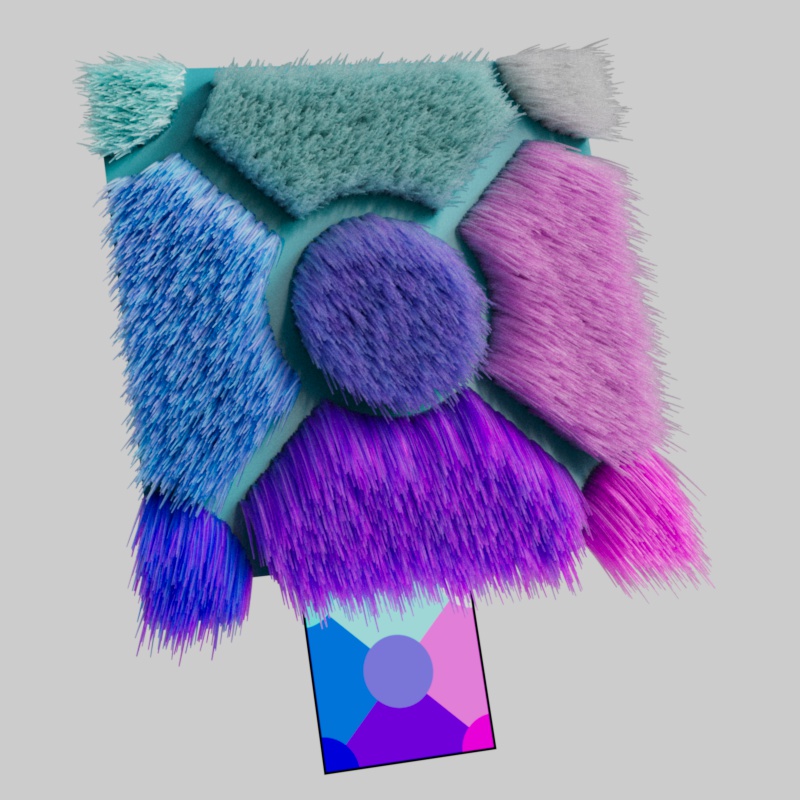
|
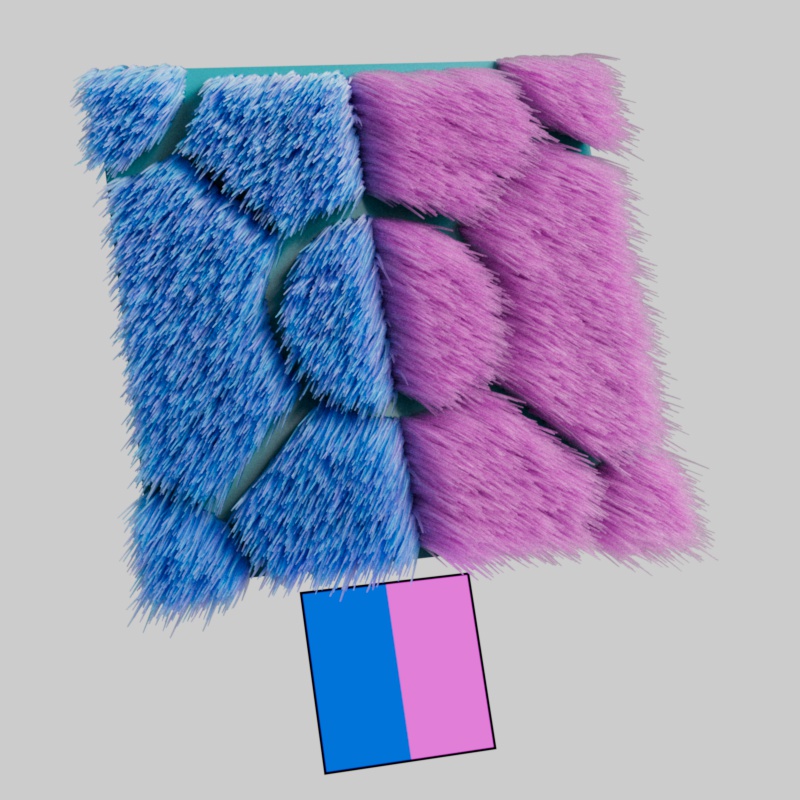
|
|
Bend Direction Map: Multi-Angle |
Split angle |
Curl must be greater than 0.
Multiplies the curl amount using a grayscale texture map. Black removes the curl effect entirely, grey areas reduces the curl, and white results in full curl strength.
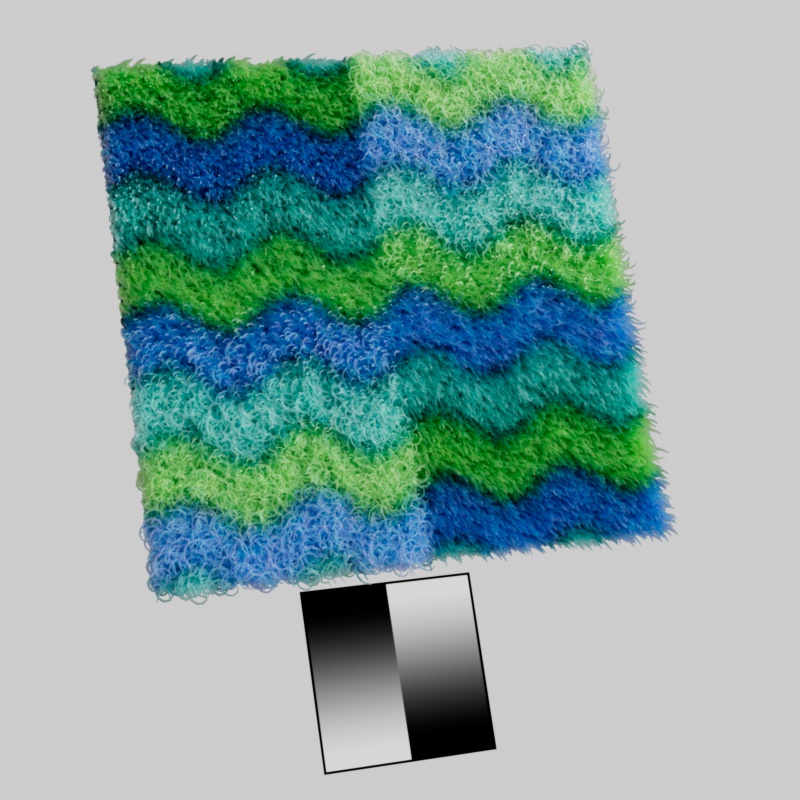
|
|
Curl Map: Linear Gradient |
Bend must be greater than 0.
Multiplies the gravity strength using a grayscale texture map. Black removes the gravity effect entirely, grey areas reduces gravity, and white results in full gravity strength.
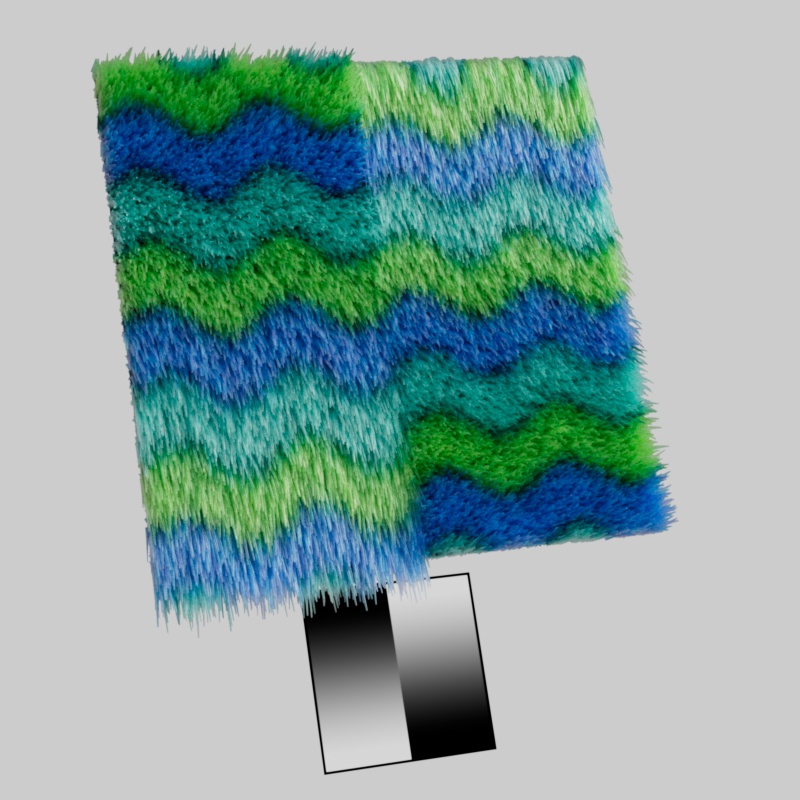
|
|
Gravity Map: Linear Gradient |