
Notes about Nodes
In the following are several Node-specific descriptions.
Create a Spiral Node, for example (Asset list: Shape/ Spiral):
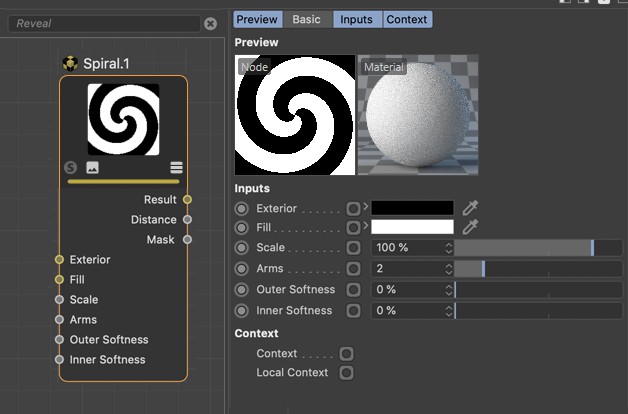
As you can see, all input ports are also listed in the Attribute Manager. The Attribute Manager even offers more settings than the Node has input or outputs. The Attribute Manager contains all settings. The Node generally only has one selection as an input or output - Preview and Basic tab settings are not included.
Output ports are not listed here since their values result from calculations within the Node, which you can only modify indirectly by changing input values.