

Object Properties
Defines the object's radius.
The overall length (the body plus the caps) of the oil tank.
Defines the number of subdivisions of the object in the lengthwise direction (cylindrical part only).
This controls the cap curvature. A value of 0 produces flat caps. You can set values up to the same value as the Radius. For hemispherical caps, set the Cap Height to the same value as Radius.
In contrast to the cone and capsule, the transition from the cylinder barrel to the cap is always sharp, the exception being if you have set the Cap Height to the maximum value.
The subdivision level of the caps in a radial direction.
The number of subdivisions of the oil tank around its circumference. The greater this value, the more rounded the oil tank appears.
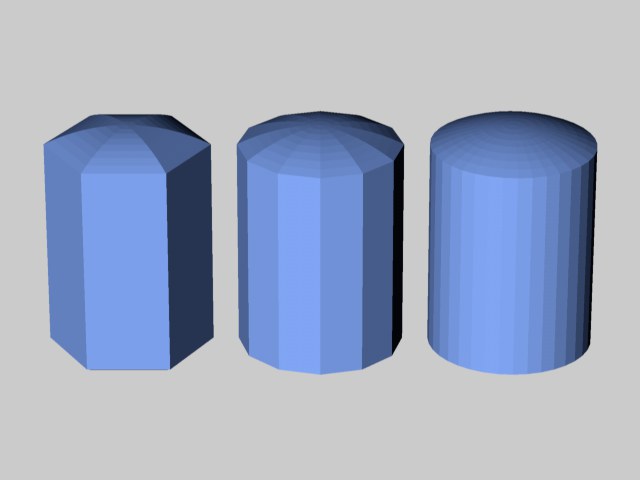 Oil tanks with different segment values.
These options define the direction in which the object will "point". Using these options it is easier - and faster - to rotate the object (without rotating the object coordinate system as well).